


How to Set Up TikTok Shop Fulfillment Through Spocket (The Complete Guide)
Here is a guide on how to set up TikTok Shop fulfillment through Spocket. We walk you through all the steps.


You have probably seen it happen. A simple product video goes viral, and suddenly the seller is drowning in orders they never expected. That is the dream of TikTok Shop. But behind every overnight success story lies a logistical mess waiting to happen. Fulfillment is where most new sellers stumble, especially when they realize TikTok expects tracking numbers almost instantly and penalizes slow shipments hard. You cannot just slap a label on a box from overseas and hope for the best.
That is why pairing your shop with a partner that offers fast, domestic shipping changes everything. This guide will walk you through exactly how to set up TikTok Shop fulfillment through Spocket so you can focus on content while orders move smoothly in the background.
TikTok Shop Fulfillment Rules You Cannot Ignore
TikTok Shop is not a standard ecommerce platform. It is content-first commerce. People buy while scrolling, often without ever leaving the app. This seamless experience creates strict logistical rules.
Seller Shipping vs. TikTok Fulfillment Service
You have two main paths. Seller Shipping means you handle the box, the label, and the carrier drop-off yourself. TikTok Fulfillment Service (TFS) means you send inventory to TikTok's warehouse and they pick, pack, and ship for you.
This guide focuses on Seller Shipping because it remains the default for most new shops. However, you need to know that TikTok is tightening control. As of early 2026, the platform is phasing out independent carrier usage for some US sellers, requiring you to use TikTok Shop Logistics. If you use Spocket for TikTok Shop fulfillment, you bypass the headache of storing inventory while still meeting TikTok's speed demands because Spocket suppliers are largely based in the US and Europe.
The Speed Requirement
TikTok expects you to hand the package to the carrier within two business days. If you fail to upload a valid tracking number within that window, your On-Time Shipment Rate drops. A low score means the algorithm buries your products. Spocket helps you avoid this trap because shipping from a US warehouse takes days, not weeks.
How to Set Up TikTok Shop Fulfillments Through Spocket?
Just follow these easy steps to set up your TikTok Shop account with Spocket. These will guide you all the way through:
Step 1: Configuring Your TikTok Seller Center for Spocket
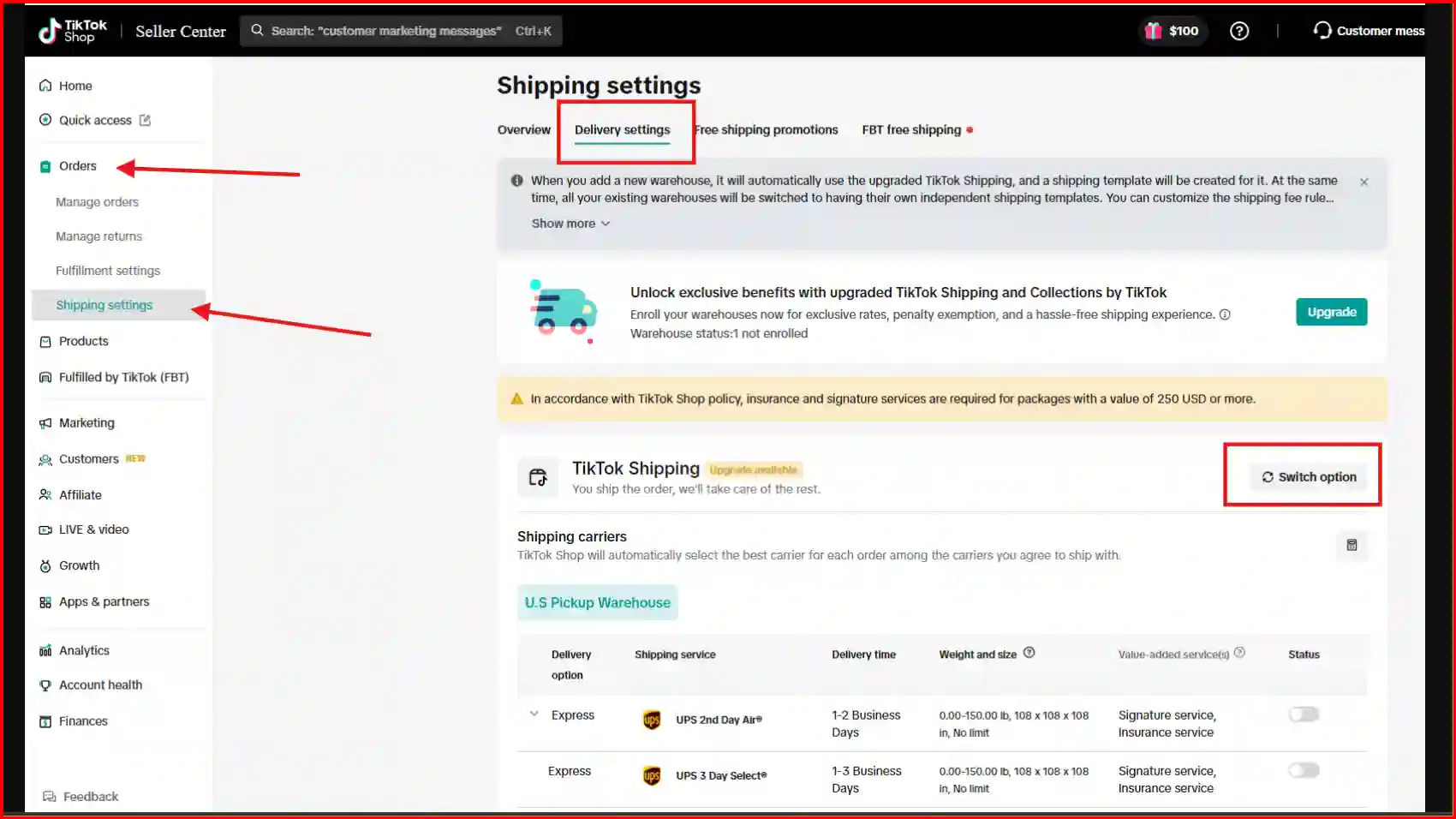
Before you connect anything, your Fulfillment Settings inside TikTok Seller Center must be correct. This is where most new sellers get stuck.
Navigate to Seller Center > My Account > Seller Profile > Shipping Settings.
Warehouse and Pickup Address
You must enter a Pickup Address. This is where carriers would technically collect packages. Even though Spocket suppliers ship from their own warehouses, TikTok requires this field. Use your home office or a registered business address. If privacy matters, rent a mailbox. Ensure the Return Address is accurate because if a package bounces back, it goes here, not to Spocket.
Creating the Shipping Template
This is the blueprint that tells TikTok what you charge customers for delivery. Click Create New Template.
- Template Name: Name it something clear like "Standard US Shipping."
- Rate Model: Select Quantity-based or Weight-based. Spocket works best with Quantity-based because it keeps checkout simple for impulse buyers. You can set a flat rate (e.g., $5.99 for the first item) and add a small fee for each additional item.
- Shipping Options: Offer Standard Shipping. You can also offer Express if you confirm a Spocket supplier can actually meet a 3-day window.
- Free Shipping Promotions: You can set a threshold here. For example, "Free shipping on orders over $50." This encourages customers to add another item to the cart.
Assign the Template
Once saved, you must assign this template to your product listings. If a product has no shipping template, customers cannot check out.
Step 2: Setting Up Spocket with Your Store
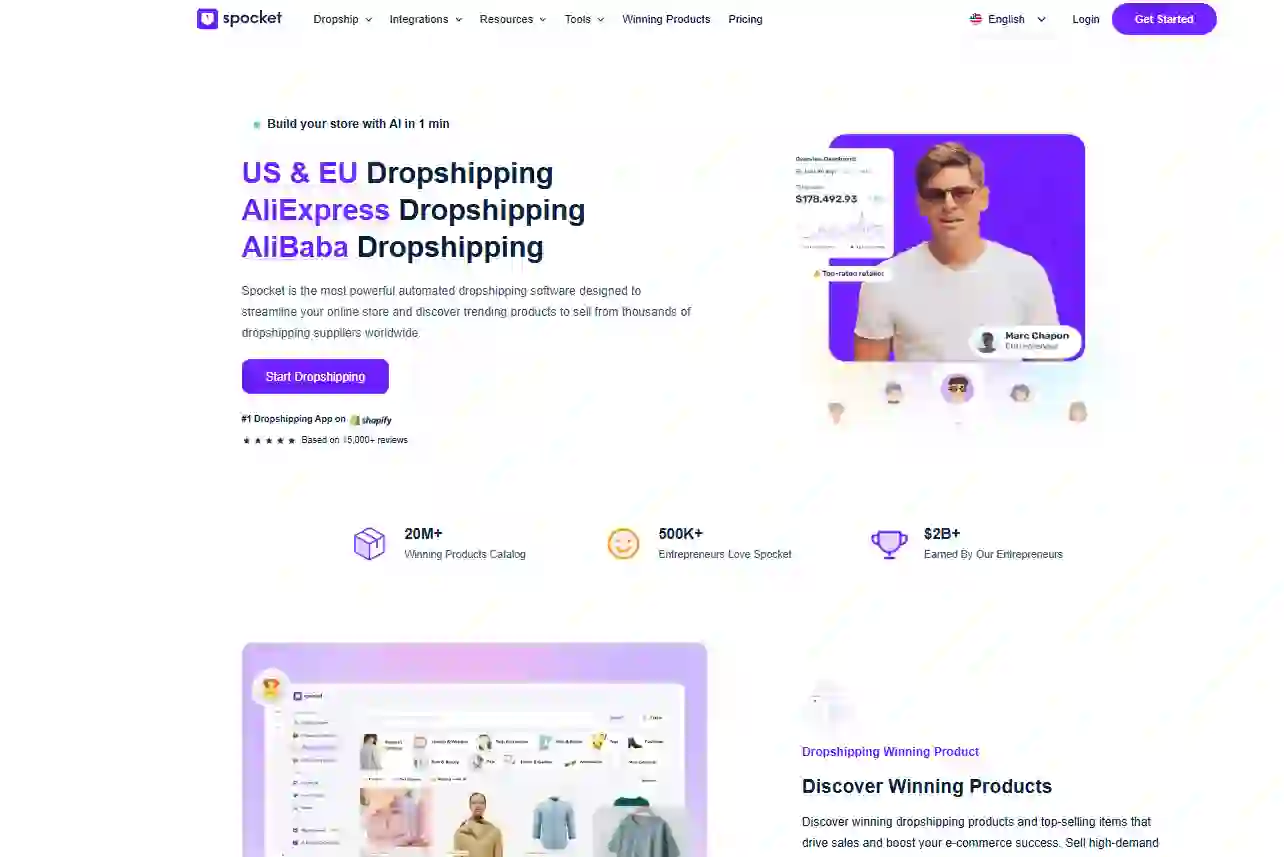
Here is the workflow that catches people off guard: Spocket does not plug directly into TikTok Shop. It connects to your ecommerce platform first.
Most sellers use Shopify or WooCommerce. You will build your store there, connect Spocket to that store, and then link that store to TikTok Shop.
Connecting Spocket to Shopify
- In Shopify Admin, go to Apps and search for Spocket.
- Click Install. The app will ask for permissions to view and edit store data. Accept.
- You will be prompted to create a Spocket account or log in. Choose a plan that fits your volume.
- Browse the Spocket catalog. Use the filters to select "Ships from United States" or "Ships from Europe." This is non-negotiable for TikTok Shop fulfillment through Spocket because you need fast transit times.
- Click Add to Import List on products you like.
Editing Products Before Pushing
Do not just blast products to your store raw. In the Import List, click on the product. You can edit the title and description. Use this space to make the copy sound like a TikTok creator wrote it, not a factory catalog. Spocket also lets you choose which images to pull over. Once ready, click Push to Store.
Linking Shopify to TikTok Shop
In your TikTok Seller Center, find the Channel Integrations section. Select Shopify and follow the authorization steps. Once linked, your Spocket products will appear as listings available for TikTok Shop.
Step 3: Processing Orders (The Spocket Workflow)
This is where you handle TikTok Shop fulfillment through Spocket on a daily basis. When a customer buys on TikTok, the order flows like this:
TikTok > Shopify > Spocket.
Go to the Orders tab inside Spocket. You will see the order listed with a status of Unpaid. This means the order is waiting for you to pay Spocket for the wholesale cost.
Checking Out the Order
Click the Checkout button next to the order. A modal will appear showing the product cost and shipping fee. You can add a note to the supplier here (e.g., "Please double-box this item"). Any notes your TikTok customer left will also forward to the supplier.
Important: Once you click Place Order, the status changes to Order Placed. You cannot cancel this easily. Always wait 30-60 minutes after a TikTok order comes in before checking out on Spocket. This gives the customer a small window to cancel if they made a mistake.
Tracking and Fulfillment Status
Do NOT click "Mark as Fulfilled" in Shopify. Let Spocket handle that. When the supplier ships the item, Spocket updates the order status in Shopify automatically, and that tracking number pushes back to TikTok.
In the Spocket Orders page, you will see four icons next to a placed order:
- Tracking: Click to see live tracking once shipped.
- Invoice: The document the supplier puts in the box (some suppliers offer branded invoicing).
- Receipt: Your record of the wholesale transaction.
Keep an eye on the Processing Time listed on the product page. If a supplier says "Processes in 3-5 days," that product is a bad fit for TikTok Shop. You need suppliers who ship same-day or next-day.
Step 4: Avoiding Common Fulfillment Violations
Even with a good setup, you can get dinged by TikTok if you miss these details.
The USPS Label Problem
This is a critical point from the recent 2026 updates. TikTok now restricts sellers from using independent USPS labels unless they are generated through TikTok's own system. Most Spocket US suppliers use UPS, FedEx, or regional carriers. Before listing a product, message the supplier in Spocket chat and ask: "What carrier do you use for this item?" Avoid suppliers who exclusively use USPS with their own account unless you verify the tracking integrates correctly.
Handling Time Discrepancies
If Spocket shows a product ships in 24 hours, but your TikTok template says you ship in 2 days, you are safe. But if Spocket takes 3 days to process, you will violate TikTok's 2-day rule. Always set your Handling Time in TikTok to match the slowest supplier processing time, not the fastest.
Inventory Syncing
Spocket syncs stock levels, but there is a slight delay. If a product goes viral on TikTok and sells 100 units in five minutes, the Spocket sync might lag. Monitor your bestsellers daily. If stock gets low, consider pausing the TikTok listing to avoid overselling.
Step 5: Handling Returns and Refunds
TikTok Shop has a fairly generous return policy for buyers. You need a plan for when items come back.
Spocket suppliers have individual return policies. Some accept returns within 14 days; others do not accept returns at all unless the item is damaged. You must read the "Terms and Conditions" on the Spocket product page before you list.
The Return Process
- Customer requests a return on TikTok.
- You approve it and provide a return address (use your own address or a third-party logistics center, not the Spocket supplier's address unless they explicitly allow it).
- Once you receive the item back, inspect it.
- If it is resellable, you keep the inventory and refund the customer out of pocket. You cannot return it to Spocket for a refund unless the supplier's policy allows for restocking.
Because returns eat into profit, factor a 10-15% return rate buffer into your pricing, especially for apparel or shoes.
Conclusion
TikTok Shop gives you access to a massive, engaged audience that is ready to buy. But that access comes with strict expectations about speed and tracking. If you try to manage fulfillment from a slow overseas chain, your account health will sink fast. Setting up TikTok Shop fulfillment through Spocket puts your logistics on solid ground with suppliers who understand US and European delivery standards.
You get the benefit of not holding inventory while still meeting TikTok's aggressive delivery windows. That means you can spend less time chasing tracking numbers and more time making the videos that actually drive sales. Start free with Spocket today.
Start your dropshipping business today
How to Set Up TikTok Shop Fulfillment Through Spocket FAQs
Why does my TikTok Shop order show "Pending" after I placed it on Spocket?
The order status in TikTok changes to "Shipped" only after a valid tracking number is uploaded. Spocket suppliers have a processing window before they generate the label. This can take 24 to 48 hours depending on the supplier's queue. Check the "Processing Time" on the product page in Spocket to know when to expect tracking.
Can I use Spocket if I already signed up for TikTok Fulfillment Service (TFS)?
Yes, but you cannot fulfill the same SKU through both channels simultaneously. You would need to separate your inventory. Products you source from Spocket should remain under the "Seller Shipping" option in TikTok. Mixing the two can cause tracking and inventory errors that may result in account warnings for late shipment metrics.
How do I know which Spocket suppliers have the fastest processing for TikTok?
Inside the Spocket product page, look for a badge or note indicating "Ships in 1 business day." You can also message the supplier directly using the chat function. Ask: "What is your current handling time for TikTok orders?" A responsive supplier who answers quickly is often a more reliable partner for handling the time-sensitive nature of TikTok Shop.
Does Spocket automatically upload tracking to TikTok Shop?
Not directly. Spocket sends the tracking number to your connected store platform like Shopify or WooCommerce. Your store then syncs that data with TikTok Shop via the official integration. If you notice tracking is missing, check the sync status between your store and TikTok. Manually pushing the tracking number in Shopify usually forces the update.
What happens if a Spocket package is lost before delivery?
You will need to file a claim with the carrier used by the supplier. While that process happens, you are expected to refund or replace the customer on TikTok Shop to maintain good standing. Spocket support can assist with providing documentation for the claim, but the financial responsibility for the lost item usually falls on the seller until the carrier claim resolves.
Can I set up multiple shipping templates for different Spocket suppliers?
Yes. In TikTok Seller Center, you can create separate templates (e.g., "Fast US Shipping" for Spocket US items and "Standard Shipping" for European items). When assigning the template to a product, select the one that matches the supplier's actual location. This ensures you do not promise a 3-day delivery on an item that takes 10 days to arrive from overseas.


Launch your dropshipping business now!
Start free trial.avif)


Related blogs
Top WordPress eCommerce Themes for 2026
Explore the best WordPress eCommerce themes for 2026. Compare WooCommerce themes by speed, design, features, and dropshipping potential.


Saba Mohebpour Didn't Stop at Spocket: His New $50M Fund, ILA Capital, Is Buying Up Shopify and Amazon Apps
After building Spocket into a major ecommerce platform, Saba Mohebpour is launching ILA Capital with a $50M strategy to acquire Shopify and Amazon apps powering modern ecommerce.

Top Trendsi Alternatives for Fashion Dropshipping
Explore the best Trendsi alternatives for fashion dropshipping, fast shipping, branding, Shopify integration, and reliable suppliers.
