


Is Roblox Safe for Kids? Parent Safety Guide
Learn Roblox risks, parental controls, chat settings, spending limits, and safe-play rules. A step-by-step guide to help kids play safer.
.avif)

If you’ve heard the same question in your house more than once—“Can I play Roblox?”—you’re not alone. Roblox is massive, it’s social, and it can be genuinely creative. But it’s also a platform built on user-generated content and multiplayer interaction, which means the safety experience depends heavily on settings, supervision, and your child’s maturity.
So, is Roblox safe for kids? The most honest answer is: Roblox can be safer for kids when parents actively configure controls, set rules, and check in regularly—but no setting makes it risk-free. This guide will walk you through the real risks, the built-in protections Roblox offers, and practical steps you can take today to reduce the chances of your child running into harmful content, unsafe contact, scams, or surprise spending.
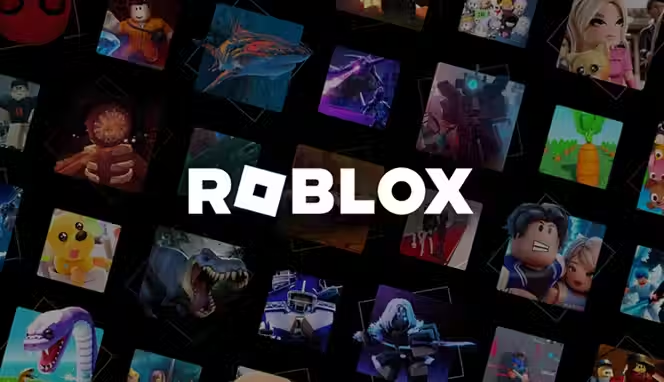
What Roblox is and why kids love it
Roblox isn’t just “one game.” It’s a platform with millions of experiences (games) made by creators from around the world. Kids love it because it combines:
- Play (endless game choices)
- Social interaction (friends, chat, group play)
- Creativity (building, roleplay, avatar design)
- Progress and rewards (items, upgrades, Robux economy)
That mix is exactly why safety matters: a platform that blends gaming + social media-style interaction needs boundaries.
The real answer to “is Roblox safe for kids?”
Roblox includes meaningful safety tools, but the platform is not automatically safe out of the box. What your child can see, who they can talk to, and how much money can be spent depends on account setup and controls. Roblox also relies on moderation at a massive scale, and no moderation system is perfect—especially with user-created content and evolving ways people bypass filters.
A practical verdict
- Safer for kids when you use Parental Controls, content maturity controls, chat restrictions, and spending limits
- Riskier when kids play unsupervised with default settings, unrestricted chat, and open spending
If you only remember one line from this guide, make it this:
Roblox safety is less about banning and more about configuring + coaching.
What age is Roblox appropriate?
Roblox is widely used by children under 13, but “appropriate” depends on your child’s ability to:
- Follow rules consistently
- Handle peer pressure
- Recognize grooming/scams
- Stop playing when asked
- Tell you when something feels weird
Many parent resources emphasize that younger children need more supervision, especially because social features can introduce risks even if the game content seems harmless.
A simple guideline parents use
- Under 9: Only with close supervision, strict chat limits, and curated experiences
- Ages 9–12: Parent-managed account, limited chat, and regular check-ins
- 13+: More independence, but still needs spending limits, privacy settings, and safety habits
The biggest Roblox safety risks parents should know
Roblox is built around user-generated games and real-time interaction, which means not every experience is carefully curated for children. While the platform offers safety tools, parents should understand the most common risks kids may face—from inappropriate content and stranger interactions to scams and in-game spending. Knowing these risks upfront makes it easier to set the right controls, have honest conversations, and create a safer gaming environment for your child.
1. Exposure to inappropriate content
Roblox experiences are rated using content maturity labels (rather than traditional age ratings). This helps filter what accounts can access based on age and settings, but user-generated content is still varied—some experiences may be unsettling, violent, suggestive, or simply not right for your child.
What this looks like in real life
- A “cute” roleplay game includes older players acting out adult themes
- A popular hangout space includes profanity, harassment, or sexual jokes
- A “horror” experience becomes trending among school friends
2. Stranger contact and risky conversations
Roblox is multiplayer by design. Kids can meet strangers through:
- Public servers
- Friends-of-friends
- Groups and social hubs
- In-game chat
Even with filters, bad actors may try to move kids to other platforms or manipulate them into sharing personal info. That’s why many parent guides stress the importance of restricting communication and teaching children “never move chats off-platform.”
3. Scams, phishing, and “free Robux” traps
Roblox scams are extremely common because Robux has real-world value. Kids may be targeted by:
- “Free Robux” websites
- Fake giveaways
- Trade scams
- Messages asking for passwords or verification codes
You’ll also see scam content dressed up as “tutorials” or “methods” to make money online or earn Robux fast—this is exactly the kind of thing kids click because it feels like a shortcut. Teach them a simple rule: If it promises free Robux, it’s a scam.
4. Surprise spending and pressure to buy
Roblox is free to play, but heavily monetized through:
- Robux purchases
- Avatar items
- Experience upgrades
- Game passes
Without spending limits, kids can spend more than you expect (sometimes quickly, sometimes slowly over time). ESRB-style guidance for parents emphasizes understanding in-game purchases and setting boundaries.
5. Privacy and oversharing
Kids can unintentionally reveal personal information:
- Their age, school grade, city, sports team
- What time parents are at work
- Their phone number or social accounts
Even “small” details can add up. That’s why privacy settings, chat restrictions, and regular conversations matter.
Roblox safety tools parents should use
Roblox has expanded parent-facing controls and guidance. Start here:
- Roblox Parental Controls FAQ (official): helps you manage screen time, maturity settings, spend limits, and privacy
- Roblox Parent and Caregiver Guide (official): walkthrough-style guidance for setup and safe play
- Internet Matters parental controls guide: step-by-step settings support
Step-by-step Roblox safety setup checklist
This is the section you can follow like a to-do list.
1. Create a parent-managed setup (don’t skip this)
Roblox encourages parents to manage how a child account engages with others and what it can access. Start by reviewing Roblox’s official parent guide and ensure the account is set up with the right age and supervision approach.
Action steps
- Use a parent email you control
- Confirm the child’s birthdate is accurate (this affects what settings and content labels apply)
- Keep login details private
2. Turn on Parental Controls
Roblox Parental Controls are designed to help families manage:
- Content access (maturity labels)
- Communication settings
- Screen time tools
- Spend limits
- Privacy controls
3. Use content maturity controls and restrictions
Roblox uses content maturity labels to categorize experiences. Your goal is to ensure your child can’t access experiences beyond what you consider appropriate. Avast notes that maturity labeling and age-based access are part of Roblox’s approach to controlling exposure.
Action steps
- Set the content maturity level to match your child (and your family rules)
- Consider restricting experiences to curated/appropriate options where possible
- Revisit this monthly—kids change fast, and so do trends
4. Lock down chat and communication
For many families, chat is the biggest risk lever. Even if you trust your child, you can’t control what others say on public servers.
Options to consider
- Disable chat for younger kids
- Limit who can message your child
- Restrict private messaging
- Teach kids to never move to Discord, Snapchat, WhatsApp, etc.
5. Add a parental PIN
A parental PIN prevents kids from changing safety settings when they want “more freedom right now.” Internet Matters specifically includes setting a parental PIN in its guides and PDFs.
Action steps
- Set a PIN that your child doesn’t know
- Don’t reuse your phone PIN or birthday
- Store it in a password manager
6. Set spending limits and purchase rules
Robux spending is one of the most common parent complaints because it’s easy for kids to click-buy, or to feel pressured by friends.
Action steps
- Set spend limits in Parental Controls
- Require approval for any purchase
- Agree on a monthly Robux budget (even if it’s $0)
- Teach “ask first” as a non-negotiable rule
7. Turn on two-step verification
Two-step verification helps protect accounts from being hijacked—especially important because kids are frequent targets for phishing.
Family rules that make Roblox safer
Settings help, but rules are what keep kids safe when something unexpected happens.
The “never share” rule
Kids should never share:
- Full name
- Address
- Phone number
- School name
- Photos
- Passwords
- Verification codes
Then explain why in kid language: “Some people pretend to be friendly to get information. That’s not your fault, but it is something we prevent.”
The “no private chats with strangers” rule
Even if chat is enabled, define:
- Who counts as a “real friend” (people they know in real life)
- What to do if a stranger messages them (ignore, block, report, tell you)
The “if it feels weird, stop” rule
Give kids permission to leave a game instantly if:
- People are talking about adult topics
- Someone is asking personal questions
- Someone is pressuring them to do something
Parents.com emphasizes active parental involvement and ongoing communication so children feel safe reporting issues.
How to spot grooming, manipulation, or unsafe behavior
You don’t need to panic, but you should recognize patterns.
Red flags
- Someone asks to keep conversations secret
- Someone offers gifts (Robux/items) to gain trust
- Someone asks for photos, voice chat, or to switch apps
- Someone uses flattery + pressure (“You’re so mature” / “Don’t tell your parents”)
- Your child suddenly becomes protective of their screen or upset after playing
If you see these signals, it doesn’t automatically mean harm happened—but it does mean it’s time to tighten controls and talk calmly.
Roblox scams parents should warn kids about
Roblox’s virtual economy makes it a frequent target for scammers, especially those looking to trick children into giving away Robux, account access, or personal information. These scams often appear as harmless messages, fake giveaways, or “easy rewards” promises. Teaching kids how to spot these tactics early—and reinforcing that anything offering free Robux is usually a scam—can prevent account theft, unexpected spending, and loss of personal data.
Free Robux scams
These often use:
- Fake websites
- YouTube/TikTok “generator” claims
- In-game messages promising rewards
Avast’s guide highlights the continued presence of risks, including the ways people try to bypass protections and target children.
What to tell your child
- “Roblox never gives out free Robux from random links.”
- “If someone offers Robux for your password, it’s a scam.”
- “If a site asks you to log in, close it and show me.”
Account theft and phishing
Kids may be tricked into sharing:
- Login credentials
- Email access
- Two-step verification codes
Parent protection
- Use a password manager
- Use unique passwords
- Keep recovery email controlled by you
How to monitor Roblox without spying
Kids deserve privacy, but they also need protection. The goal is transparent monitoring: you tell them what you check and why.
Healthy monitoring ideas
- Keep devices in shared spaces for younger kids
- Review friend lists together once a week
- Ask them to show you their top three favorite experiences
- Make “tell me what you built today” a normal conversation
Roblox’s own caregiver guidance emphasizes supporting a positive experience through shared setup, chat settings, and ongoing involvement.
Screen time and emotional safety
Roblox isn’t only about “bad strangers.” Many parents also deal with:
- Meltdowns when it’s time to stop
- Sleep disruption
- Mood swings after intense games
- Peer pressure (“Everyone has this skin!”)
Action steps
- Use a timer (external or in-app where available)
- Set a “cool-down routine” after gaming (snack, water, short walk)
- Avoid Roblox right before bed
- Tie playtime to responsibilities (homework, chores)
What to do if your child sees something disturbing
Your reaction matters. If you panic or punish, kids may hide future issues.
Do this instead
- Stay calm: “Thanks for telling me.”
- Ask what happened, gently
- Take screenshots if needed
- Use Roblox’s reporting tools
- Block the user
- Tighten settings
Roblox reporting and blocking basics
Teach your child these three moves:
- Block (stop contact)
- Report (flag behavior/content)
- Leave (exit the experience immediately)
You can reinforce this with a simple line:
“Block, report, leave, tell.”
Device-level safety (the layer most parents forget)
Even perfect Roblox settings don’t replace device controls.
Add a second safety layer
- Use Apple Screen Time / Google Family Link for time limits
- Restrict app downloads without approval
- Keep location sharing off
- Use router-level filters if helpful
A parent-friendly “Roblox safety agreement” you can copy
Use this as a quick family contract:
Roblox rules in our house
- I don’t share personal info, passwords, or codes.
- I only accept friend requests from people I know in real life.
- I never move chats to other apps.
- If something feels weird or scary, I leave and tell my parent.
- I ask before spending Robux.
- I stop when time is up the first time I’m asked.
Then sign it together. Kids take it more seriously when it feels official.
Conclusion
So, is Roblox safe for kids? It can be—but it works best when it’s treated like a shared, supervised online space instead of a “set it and forget it” game. Because Roblox is built on user-generated experiences and real-time interaction, kids can still run into inappropriate content, risky chats, scams, or pressure to spend Robux if the right guardrails aren’t in place.
The safest approach is a mix of strong parental controls, clear house rules, and regular check-ins. Set content and chat restrictions, add a parental PIN, enable account security features, and create spending boundaries. Most importantly, keep communication open so your child feels comfortable telling you if something feels off. With the right setup and ongoing guidance, Roblox can stay what it should be for kids—creative, fun, and social—without exposing them to unnecessary risks.
If you’re a parent building a business online—maybe you’re running a store with Spocket—you already understand an important truth: online spaces need guardrails. The same way you’d protect customers with secure checkout and clear policies, you protect kids with the right settings, safe habits, and ongoing supervision.
Start your dropshipping business today
FAQs about Roblox Safety
Is Roblox safe for kids under 10?
It can be safer with strict parental controls, limited chat, curated experiences, and close supervision. Many parent guides recommend higher supervision for younger players due to social risks.
Should I disable chat on Roblox?
For younger kids, disabling or tightly limiting chat is one of the strongest safety moves you can make. Communication controls are highlighted in major parent safety resources for Roblox.
Can Roblox parental controls prevent all inappropriate content?
No. Controls reduce exposure, but Roblox is a huge user-generated platform and no system catches everything. That’s why settings + rules + check-ins work best together.
What’s the biggest danger on Roblox?
For many families, the biggest risks are unsafe contact, inappropriate conversations, and scams targeting Robux/accounts, especially when chat and privacy aren’t locked down.


Launch your dropshipping business now!
Start free trial


Related blogs
Dripshipper Reviews: Is This Coffee Dropshipping Platform Worth It?
Read this detailed Dripshipper review covering features, pros, cons, pricing, customer feedback, profitability, and better dropshipping alternatives.

Is BigBuy Legit? Honest Review for Dropshipping Businesses
Find out if BigBuy is a reliable dropshipping supplier, including its features, pros, cons, pricing concerns, reviews, and alternatives for ecommerce sellers.
What is Micromarketing and How to Use it Effectively
Learn what micromarketing is, how it works, its benefits, examples, and how ecommerce businesses can use it to target niche customers effectively.
