


How to Manage Multiple Dropshipping Stores with Spocket?
Here is a guide on how to manage multiple dropshipping stores with Spocket. Here's how to handle products, orders, and suppliers across multiple stores.
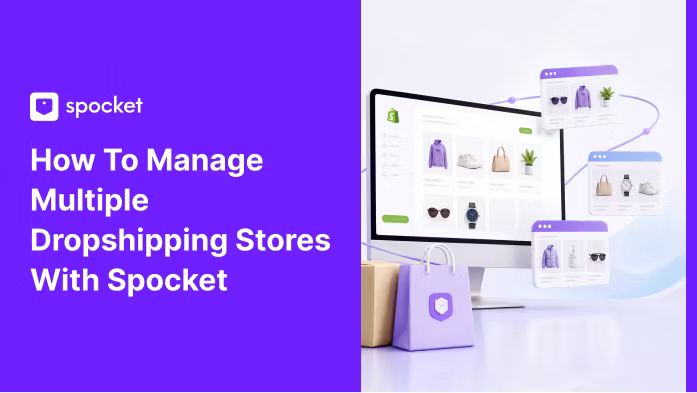

Managing one dropshipping store is hard enough; managing two, three? That's when things get messy. Multiple shipments are coming from multiple locations; products are spread out in various catalogs; emails from different suppliers arrive on a regular basis regarding the products. Unless your infrastructure is properly arranged, the majority of the time you will be dealing with problems and disorganized data instead of earning profits. But the advantages of having multiple stores are plenty too. Different markets for different niche-specific audiences – the benefits are evident. So when one business is having its down times, another is making its profits.
The good news is Spocket allows all of these with relative ease. Thanks to its multi-store options that are available at the higher subscription rates, as well as a single catalog and automatic inventory management feature, you'll be able to manage multiple stores from one account. Here's everything you need to know about this process.
Why Bother Running More Than One Store?
Because one niche can only get so big. If you're selling pet supplies, you're never going to capture the fitness crowd. And if a trend dies in one niche, you're stuck. Multiple stores spread that risk. You can test different audiences, different price points, different ad angles all at once. Some people run a general store plus a few niche-specific ones. Others run completely separate brands targeting totally different demographics. There's no wrong way as long as you can keep everything straight.
The other reason? Supplier variety. Spocket connects you with US and EU-based suppliers across tons of categories. You can pull products for a home decor store, a tech accessories shop, and a women's fashion brand all from the same platform. You're not bouncing between a dozen different supplier dashboards. That alone saves hours every week.
Setting Up Your Stores the Smart Way
Before you go wild creating five stores, pick your platforms.
Shopify is the most popular for dropshipping because of how cleanly it integrates with supplier apps. Spocket's Shopify dropshipping integration is the smoothest path. Install the app from the Shopify App Store or connect through the Spocket dashboard under the "Shop" tab. You paste your store URL, click connect, and that's it.
But you're not limited to Shopify. Spocket integrates with Wix , which is great if you want a more design-forward storefront. You can also connect to eBay for auction-style selling or AliExpress for broader product sourcing. The key is that all these connections flow into one Spocket account. You can push products to different stores from the same import list. That's the efficiency piece.
For each store, think about whether you want a unique brand identity or a shared backend. Most multi-store operators keep separate domains, separate logos, separate marketing. But the order fulfillment side stays unified. That way, when orders come in from Store A and Store B, you're processing them from one place.
How to Split Products Across Stores Without Overlap?
This is where people get tangled. If you're running a women's clothing store and a general fashion store, you'll end up with products that could fit both. Don't just copy-paste the same products everywhere. It confuses suppliers, messes up tracking, and cannibalizes your own sales if someone finds both stores.
Instead, assign clear categories to each store. Store A does women's clothing exclusively. Blouses, dresses, activewear, whatever. Store B handles tech accessories . Store C runs toys and pet supplies. Store D focuses on home and garden. You get the idea. Spocket's catalog breaks products into these categories naturally, so you can browse each one and import directly to the relevant store.
If your product falls into multiple categories—for example, a smartphone cover that could be classified as either technology or fashion—choose just one channel for selling it or modify it slightly to make it unique to each channel—perhaps offering it in different colors, mock-ups, or prices.
This applies to seasonal items too. Seasonal products like Halloween costumes, holiday decor, or summer beach gear can rotate through different stores depending on the audience. One store might go heavy on Halloween, another on Christmas gifts. Keep the seasonal items in a separate import list and activate them when the time's right.
Using Import Lists to Organize Everything
.webp)
Spocket lets you create import lists. These are just collections of products you've saved but haven't pushed to a store yet. For multi-store management, use import lists like folders. Create one called "Store A Active," another "Store B Testing," another "Gifts Q4," whatever. When you find a product that fits, add it to the right list.
Then when you're ready to launch or update a store, you push products from that list. If you're running gifts as a seasonal pop-up store, you can build an entire catalog in the import list and push it all at once when the season starts. No scrambling.
The import list also lets you see at a glance what's assigned where. Instead of guessing whether you already put that yoga set in Store A or Store B, you check the list. Keeps you from double-listing and confusing your suppliers.
Automating Inventory Sync So You Don't Sell Ghost Products
.webp)
The nightmare of multiple stores is selling the same product on two storefronts and the supplier only having one unit left. Spocket's automated inventory sync prevents that. When a supplier's stock changes, it updates across all your connected stores. If a product goes out of stock, it gets pulled from everywhere. You don't wake up to refund requests because an order can't be fulfilled.
This matters even more if you're using Spocket's Print-on-demand services. With custom products, each order triggers production. You don't want duplicate orders on a product that takes time to produce. The sync keeps everything honest.
The sync also helps with pricing adjustments. If a supplier bumps their cost by $2, you want to know so you can adjust your retail price. Spocket shows you the cost changes, but you still need to manually update the store prices. For multiple stores, set a schedule—maybe Monday mornings—to review cost changes and update prices across all stores in one sitting.
Processing Orders Across Multiple Stores
Here's the workflow that works:
- Set up each store's notification system to forward orders to a single email or dashboard. Spocket pulls orders from all connected stores into one orders tab. You see everything in one place. No logging in and out of different Shopify accounts, no separate apps for each store.
- When an order comes in, Spocket routes it to the supplier automatically if you've got auto-order enabled. You still need to review for anything suspicious, but for the most part, fulfillment is hands-off. That's the only way multiple stores are sustainable. If you're manually processing every order, you'll drown.
- For customer support, keep it separate per store. Each store should have its own support email, its own return policy, its own brand voice. But the tracking info from suppliers flows back through Spocket to the correct store automatically. So customers get the right tracking number for their order without you copy-pasting anything.
Keeping Your Profit Margins Clear Across Stores
A tech gadget that sells for $29.99 in a general store might sell for $34.99 in a niche store with a more specific audience. You need to know your margins per store, not just overall.
Use the profit margin calculator to run scenarios. If Store A has higher ad costs because it's a competitive niche, your retail prices need to be higher to maintain the same dollar profit. If Store B has lower shipping costs because its supplier is closer to the customer, you can price more aggressively. Don't use the same pricing formula across all stores. Customize it per store based on the actual numbers.
Spocket shows you the supplier cost and estimated shipping for each product. From there, you set your retail price in the store platform. I recommend keeping a spreadsheet with each store's target margin, and when you import a product, calculate the retail price before pushing it live. It's five extra minutes per product that saves you from accidentally selling at a loss.
Which Spocket Plan is the Best for Running and Managing Multiple Dropshipping Stores?
Spocket's free plan gives you browsing and limited products. It's fine for testing, but you'll outgrow it fast with multiple stores. The Starter plan ($39/month) gets you more products and features, but the real multi-store sweet spot is the Empire plan ($99/month or $57/month billed yearly). That's where you get up to 10,000 unique products, 10,000 premium products, multi-store support, and AliExpress dropshipping. You also get 24/7 VIP chat support, which matters when you're dealing with orders across multiple storefronts and need quick answers.
The Unicorn plan ($299/month or $79/month yearly) adds bulk checkout and Spocket Academy access. For serious multi-store operators processing high volume, it's worth it. The bulk checkout feature alone saves time when you're ordering samples across several product lines.
All plans have no transaction fees and no minimum order quantities. So you can test products across multiple stores without committing to bulk buys. That's huge when you're experimenting with different niches.
Common Multi-Store Mistakes That'll Cost You
If you want to learn how to manage multiple dropshipping stores with Spocket, take note of these mistakes and avoid them at all costs:
- Mixing supplier accounts is the big one. If you use the same Spocket account for multiple stores but don't organize your import lists, you'll end up with a mess. Products overlap, orders get confused, and you'll waste time untangling it. Keep everything separated by list, by store, by category.
- Ignoring platform fees per store. Each Shopify store costs $29-39/month. Each Wix store has its own pricing. Add those up. If you're running four stores on paid plans, that's $120-160/month just in platform fees before you even pay for Spocket. Make sure your revenue covers that comfortably. Don't open a fifth store if the first four aren't covering their own costs.
- Forgetting about tax obligations per store. If your stores sell to different states or countries, the tax situation gets complicated fast. Each store might need its own sales tax registration. Talk to an accountant before you scale to multiple stores, not after the tax bill shows up.
- Not hiring help soon enough. When you're at one store, you can handle everything yourself. At two stores, you start dropping balls. At three, something's always on fire. Hire a virtual assistant for customer support or order processing before you hit your breaking point. Spocket's automation handles a lot, but customer emails still need a human.
How to Keep Your Sanity While Running Multiple Stores?
Here is how you do it:
- Set specific days for specific stores. Mondays: Store A product research and pricing updates. Tuesdays: Store B. Wednesdays: marketing review for all stores. Whatever rhythm works, just have one. Context-switching is the real productivity killer.
- Use the winning products feature in Spocket to surface trending dropshipping products across categories. This helps you spot items that might work for multiple stores without manually browsing every category. If a product is trending in the broader catalog, it's worth checking if it fits any of your niches.
- Don't try to be everywhere. Two or three well-run stores outperform five half-finished ones every time. Get your processes solid, document them, then add more stores when the existing ones are running without your constant input. The goal is revenue that doesn't depend on you being online 24/7.
Conclusion
Running multiple dropshipping stores is a numbers game. The more organized you are on the front end, the less chaos you deal with on the back end. Spocket gives you the multi-store support, automated inventory sync, and unified dashboard that make it possible to scale without hiring a full operations team. Keep your products organized by import list, set your margins per store, and automate fulfillment as much as you can. The faster you build systems, the faster you can actually enjoy the extra revenue instead of just managing the extra work.
If you want to see how all this fits together, there's a full guide on how to manage multiple dropshipping stores that goes deeper on the operational side.
Start your dropshipping business today
How to Manage Multiple Dropshipping Stores with Spocket FAQs
Can I run multiple stores from one Spocket account?
Yes. Spocket's Empire plan and above support multiple store connections. You can link different Shopify, Wix, WooCommerce, or eBay stores to a single Spocket dashboard and manage products and orders from one place. Lower-tier plans are limited, so check the plan details before you commit.
How do I avoid selling the same product across multiple stores?
Use separate import lists for each store and clearly label them. Before adding a product, check if it already exists in another store's list. Set a rule that a product lives in only one store unless there's a strong reason to cross-list. Overlap causes fulfillment headaches and brand confusion.
Does inventory sync across all my connected stores?
Yes. Spocket's inventory sync updates stock levels across all connected stores when a supplier's inventory changes. If a product goes out of stock, it's reflected everywhere. That prevents overselling and the refund requests that follow.
What's the best number of stores to run at once?
Most successful multi-store operators run two to three stores profitably before adding more. Each store needs its own product research, marketing, and customer support. Get your systems dialed in with two stores first, then expand once you've documented your processes and hired help for repetitive tasks.
Can I use different pricing strategies for the same product in different stores?
Yes! A product's retail price can vary by store depending on the audience and niche positioning. A general store might price lower, while a niche store with a more specific audience can command a premium. Calculate your margin for each store separately using the supplier cost plus that store's specific ad and fee burden.
Do I need separate supplier accounts for each store?
No. Your Spocket supplier relationships are account-wide. When you connect with a supplier, their products become available to import into any of your connected stores. You're not renegotiating terms per store. That's one of the main efficiency gains of using a centralized platform.


Launch your dropshipping business now!
Start free trial.avif)


Related blogs
Dropshipping Supplier Directory: Where to Find Vetted Suppliers
Browse our directory of vetted dropshipping suppliers across the US and EU, complete with niches, shipping speed, and pricing. Start your free trial today.

How to Negotiate With Dropshipping Suppliers: 9 Tactics That Actually Work
Learn how to negotiate with dropshipping suppliers on price, MOQs, and payment terms. Proven tactics and email scripts to boost your margins. Try Spocket free.

Best Clothing Dropshipping Suppliers: The 2026 Guide
Compare the best clothing dropshipping suppliers for 2026 — US/EU shipping speeds, pricing, and product quality — and find the right fit to launch your store.
