


Best AI Shopify Store Builders to Launch Your Online Store Faster
Compare the best AI Shopify store builders, features, pricing, use cases, pros, cons, and tips to launch a high-converting Shopify store faster.
.avif)

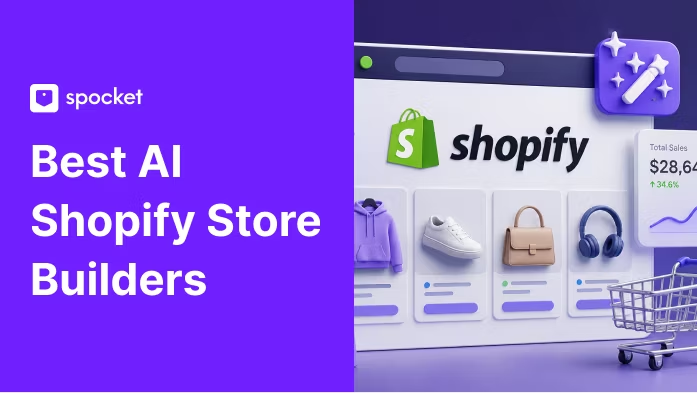
Launching a Shopify store once meant juggling design, copywriting, product research, app setup, branding, and technical tweaks before you could even publish your first product. Today, AI tools make that process much faster by helping you generate store layouts, product descriptions, landing pages, brand assets, and even product ideas with less manual work. Choosing the best AI Shopify store builders can help you launch faster, reduce manual setup work, and create a more polished ecommerce store without hiring a full design or development team. But speed is not the only thing that matters. The right builder should help you create a store that looks professional, loads quickly, supports reliable product sourcing, and is structured to turn visitors into buyers.
What is an AI Shopify Store Builder?
An AI Shopify store builder is a tool that uses artificial intelligence to help merchants create, customize, or improve a Shopify store faster. Instead of starting from a blank theme, users can generate store layouts, product pages, landing pages, product descriptions, images, FAQs, SEO content, brand copy, and conversion-focused sections with AI assistance.
For beginners, this can remove a lot of the early friction. For existing Shopify merchants, it can speed up repetitive work like rewriting product descriptions, improving homepage copy, creating campaign pages, or testing new product page layouts.
Shopify also has its own built-in AI tools. Shopify Magic is Shopify’s AI suite for creating content across product descriptions, pages, blog posts, emails, Shopify Inbox replies, and theme editor text. Sidekick is Shopify’s AI assistant inside the admin that can help merchants generate content, get guidance, build apps, and complete store tasks.
In simple terms, the best AI Shopify store builders do not just “make a store.” They help you create a store that looks credible, is easy to edit, supports SEO, and gives shoppers a smoother path from product discovery to checkout.
What AI Shopify Store Builders Can Help With
AI store builders are useful because they reduce the amount of manual work needed to launch or improve an ecommerce store. Depending on the tool, they can help with:
- Store layout generation: Create homepage, collection, product, and landing page structures faster.
- Product description writing: Turn basic product details into clearer, benefit-focused copy.
- Homepage and landing page creation: Build sections for hero banners, featured products, testimonials, FAQs, and offers.
- SEO titles and meta descriptions: Generate search-friendly snippets for products, pages, and blogs.
- Product page optimization: Improve headlines, descriptions, feature blocks, urgency sections, trust badges, and FAQs.
- Image editing or image-to-layout creation: Some tools, like GemPages, can turn a reference image into an editable Shopify layout.
- Niche and product recommendations: Suggest store ideas, product categories, and starter product lists.
- Basic branding and copywriting: Generate brand names, taglines, tone of voice, and store messaging.
- Campaign landing pages: Build pages for ads, seasonal promotions, product launches, and email campaigns.
- Conversion-focused page sections: Add reviews, comparison tables, bundles, countdowns, FAQs, and social proof.
This is especially helpful for new sellers who want to move quickly without hiring a designer, copywriter, developer, and CRO specialist from day one.
What They Cannot Fully Replace
AI can speed up setup, but it cannot fully replace business judgment. A polished Shopify store still needs human review, market research, and real customer testing.
You still need to:
- Validate whether the product has real demand.
- Check supplier reliability, shipping speed, product quality, and return policies.
- Review legal claims, especially for beauty, health, baby, wellness, or electronics products.
- Improve branding so the store does not look like a generic AI template.
- Test product pricing, offers, bundles, and shipping thresholds.
- Review AI-written copy for accuracy, tone, and originality.
- Optimize conversions using real data from traffic, add-to-cart rate, checkout rate, and sales.
Speed also matters, but not at the cost of performance. Google notes that 53% of visits are likely to be abandoned if a mobile page takes longer than three seconds to load, which means an AI-built store still needs to be fast, mobile-friendly, and clean.
The best approach is to use AI as a launch accelerator, not as a replacement for strategy.
Best AI Shopify Store Builders at a Glance
Shopify’s own AI Store Builder is useful for merchants who want to start directly inside the Shopify ecosystem, while tools like GemPages, PageFly, Shogun, and PagePilot are stronger for page building, landing pages, and conversion-focused customization.
For dropshipping sellers, tools like Storebuild.ai, BuildYourStore.ai, and Spocket focus more on fast store creation, product setup, and automation.
How We Chose the Best AI Shopify Store Builders
To choose the best AI Shopify store builders, we looked beyond “how fast can it create a store?” A store that launches quickly but looks generic, loads slowly, or lacks sourcing support will not help much in the long run.
Ease of Use
A good AI Shopify builder should make the setup process easier for non-technical users. That means no coding requirement, simple prompts, editable templates, and clear next steps after the AI generates the store or page.
The best tools help beginners move from idea to storefront without feeling overwhelmed.
Shopify Integration
Shopify compatibility matters because merchants need the store builder to work smoothly with Shopify themes, products, checkout, apps, and admin workflows.
Native tools like Shopify Magic, Sidekick, and Shopify’s AI Store Builder have the advantage of being built around Shopify’s own ecosystem. Third-party builders such as PageFly, GemPages, Shogun, PagePilot, and Spocket connect through Shopify-focused workflows or Shopify App Store listings.
AI Features
Not every AI tool does the same thing. Some only write product descriptions. Others generate full pages, suggest layouts, create product images, build campaign sections, or help with store setup.
Strong AI features may include:
- Product description generation
- Landing page copy
- Image-to-layout creation
- SEO metadata
- Product page sections
- Brand voice suggestions
- AI admin assistance
- Product import or automation tools
For example, PagePilot focuses on AI-generated product pages, images, sections, and ad creatives, while GemPages highlights image-to-layout generation for Shopify layouts.
Store Quality
A fast AI-generated store is only useful if the final result looks trustworthy. We looked for tools that help create mobile-friendly, clean, professional pages with enough flexibility to edit branding, layout, product sections, and copy.
A good AI store builder should not leave users with a cookie-cutter storefront. It should give them a strong starting point they can customize.
Ecommerce Features
A Shopify store builder should support real ecommerce needs, not just basic page design.
Important features include:
- Product pages
- Collection pages
- Checkout-friendly layouts
- Upsell sections
- Product recommendations
- Email capture
- FAQ blocks
- SEO fields
- Campaign landing pages
- Review and trust sections
Tools like PageFly and Shogun are useful for sellers who want more design control over landing pages, product pages, collection pages, and campaign pages.
Dropshipping and Product Sourcing Support
Store design is only one part of success. Dropshipping sellers also need reliable suppliers, product quality, inventory syncing, shipping speed, and fulfillment support.
This is where a tool like Spocket helps you after the storefront is built. AI can help create the store, but Spocket helps sellers source products from suppliers, including US and EU suppliers, and import fast-shipping dropshipping products into Shopify.
For beginners, this combination is practical: use an AI Shopify store builder to speed up setup, then use a product sourcing platform like Spocket to improve supplier reliability and product selection.
Pricing and Scalability
The right tool should fit the user’s current stage. Beginners may need a free or low-cost builder to test a niche. Growing brands may need advanced features like A/B testing, custom sections, campaign pages, upsells, analytics, and integrations.
A good AI Shopify store builder should not only help you launch. It should also support better pages, better campaigns, and better conversion testing as the business grows.
Best AI Shopify Store Builders
The best AI Shopify store builders help you move from idea to launch faster, but each tool solves a different problem. Some generate a full Shopify store, while others help with landing pages, product descriptions, product pages, automation, or supplier workflows. The right choice depends on whether you need a complete store, better page design, dropshipping automation, or stronger product sourcing support.
1. Shopify AI Store Builder
Shopify AI Store Builder is one of the most beginner-friendly options because it is built for Shopify users. It helps create a complete Shopify store with AI-generated design and store copy, making it useful for first-time merchants who want a native Shopify start. Shopify describes the tool as a way to build a complete store with AI-generated design and copy.
Best for: Beginners who want a native Shopify setup.
Key features:
- AI-generated store design
- AI-written store copy
- Shopify-native workflow
- Professional store starting point
- Easy editing after generation
Pros:
- Works directly with Shopify
- Beginner-friendly
- Reduces setup friction
- Good for first-time merchants
Cons:
- Still needs manual product selection
- May need customization to avoid a generic look
- Does not replace product research or supplier vetting
Recommended use case: Use Shopify AI Store Builder to create the base store, then refine your product pages, branding, supplier strategy, and conversion sections before launching.
2. Shopify Magic and Sidekick
Shopify Magic and Sidekick are not standalone AI store builders, but they are powerful built-in AI tools for Shopify merchants. Shopify Magic helps generate product descriptions, page content, blog posts, emails, Shopify Inbox replies, and theme editor text. Sidekick acts as Shopify’s AI commerce assistant inside the admin, helping with guidance, content, workflows, and store tasks.
Best for: Existing Shopify users who want built-in AI support.
Key features:
- Product description generation
- Email and messaging copy
- Blog and page content
- Store guidance
- Admin workflow support
- Commerce-focused AI assistance
Pros:
- Native to Shopify
- Useful for everyday store tasks
- Reduces the need for separate AI writing tools
- Helpful for product pages, FAQs, emails, and store content
Cons:
- Not a complete AI store builder on its own
- AI output still needs editing for brand voice, accuracy, and SEO
Recommended use case: Use Shopify Magic and Sidekick to improve product copy, store pages, email content, FAQs, and admin workflows once your store structure is ready.
3. Storebuild.ai
Storebuild.ai is often positioned as a fast AI Shopify store builder for dropshipping beginners. It is useful for creating quick store drafts around a niche, but it should be treated as a starting point rather than a finished business.
Best for: Dropshipping beginners who want to generate a store quickly.
Key features:
- AI-generated store setup
- Niche-based store creation
- Product suggestions
- Fast launch workflow
Pros:
- Quick setup
- Beginner-friendly
- Useful for testing store ideas
- Good for first drafts
Cons:
- Store may need deeper customization
- Product quality depends on sourcing choices
- Not enough for long-term brand building
Recommended use case: Use Storebuild.ai for quick ideation, then improve branding, suppliers, product pages, and landing pages before running paid ads.
4. GemPages
GemPages is a Shopify page builder with AI features that help merchants create custom, conversion-focused pages. Its Image-to-Layout feature can turn a reference image or URL into an editable layout, which is useful when you want more design control without coding.
Best for: Custom landing pages and conversion-focused Shopify page design.
Key features:
- AI Image-to-Layout
- AI content generation
- Drag-and-drop editing
- Product pages, landing pages, and sales pages
- Funnel and campaign page support
Pros:
- Strong design flexibility
- Good for custom landing pages
- Useful for sellers running ads
- Helps turn design references into editable Shopify layouts
Cons:
- Better for page building than full-store generation
- Takes time to customize properly
- May feel complex for complete beginners
Recommended use case: Use GemPages when you already have a Shopify store but need better product pages, landing pages, sales pages, or campaign pages.
5. PageFly
PageFly is a flexible Shopify page builder for merchants who want design control without coding. Its Shopify App Store listing highlights drag-and-drop editing, product pages, landing pages, FAQ sections, templates, variation testing through integrations, and 130+ integrations.
Best for: Shopify sellers who want flexible page design.
Key features:
- Drag-and-drop Shopify page builder
- Product pages and landing pages
- Professionally designed templates
- FAQ sections
- Campaign pages
- App and marketing integrations
Pros:
- Beginner-friendly page customization
- Good for campaign-specific landing pages
- Works across different ecommerce niches
- Strong integration ecosystem
Cons:
- Not mainly a full AI store generator
- Still requires design decisions
- Advanced optimization needs testing
Recommended use case: Use PageFly to create product pages, landing pages, seasonal campaign pages, FAQ pages, and custom Shopify sections.
6. Shogun
Shogun is best for merchants who need more advanced page building and optimization. It is a stronger fit for growing Shopify brands that want more control over design, testing, and scalable ecommerce experiences.
Best for: Scaling Shopify stores and brands that need advanced page customization.
Key features:
- Visual page building
- AI-assisted content and sections
- Landing page creation
- A/B testing and optimization options
- Advanced design flexibility
Pros:
- Strong for growth-focused stores
- Better suited to established brands
- Useful for conversion optimization
- Supports advanced workflows
Cons:
- Higher learning curve
- May be more than beginners need
- Pricing may not suit early-stage stores
Recommended use case: Use Shogun when your store already has traffic and you want better control over high-performing product pages, landing pages, and campaign experiences.
7. Durable
Durable is an AI website builder rather than a Shopify-specific builder. It can generate a website quickly, but Shopify sellers should check whether it supports their ecommerce needs as deeply as Shopify-native tools.
Best for: Simple AI-generated websites and service-plus-commerce businesses.
Key features:
- AI website generation
- Business copywriting
- Basic design setup
- Fast publishing workflow
Pros:
- Very fast setup
- Simple for beginners
- Good for basic business websites
Cons:
- Not Shopify-native
- Less ideal for serious ecommerce scaling
- Not focused on Shopify dropshipping workflows
Recommended use case: Use Durable if you need a quick business website. For a full Shopify ecommerce store, Shopify-native AI tools or Shopify page builders are usually a better fit.
8. BuildYourStore.ai
BuildYourStore.ai is designed for users who want to create a Shopify store quickly with AI. Its website positions it as a free AI Shopify store builder with themes, products, and ready-to-sell pages.
Best for: Beginners testing ecommerce ideas.
Key features:
- Store draft generation
- Branding assistance
- Product suggestions
- Basic Shopify setup support
Pros:
- Beginner-friendly
- Reduces setup overwhelm
- Useful for niche testing
- Helps users move from idea to draft quickly
Cons:
- Needs manual review
- Branding and copy may need refinement
- Product sourcing still needs validation
Recommended use case: Use BuildYourStore.ai for fast store creation, then improve your product selection, trust elements, product descriptions, sourcing, and conversion strategy.
9. PagePilot
PagePilot is better described as an AI product page builder than a complete AI Shopify store builder. It is useful for one-product stores, dropshipping tests, and paid ad campaigns where sellers need fast product pages.
Best for: One-product stores and conversion-focused product pages.
Key features:
- AI product page generation
- Product copy creation
- Ad-focused page layouts
- Fast testing workflow
Pros:
- Great for product testing
- Useful for paid traffic campaigns
- Helps create product pages quickly
Cons:
- Not a full store-building solution
- Better for specific products than large catalogs
- Requires real conversion testing
Recommended use case: Use PagePilot when testing one product, launching a fast dropshipping campaign, or creating dedicated landing pages for ads.
10. Spocket
Spocket is not positioned as an AI page builder, but it is highly relevant for anyone building a Shopify dropshipping store. Once an AI tool creates the storefront, sellers still need reliable products, vetted suppliers, faster shipping, inventory syncing, and fulfillment support. That is where Spocket adds value.
.avif)
Best for: Dropshippers who want reliable product sourcing after store setup.
Key features:
- Vetted supplier access
- US and EU supplier focus
- Faster delivery options
- Product importing
- Inventory syncing
- Order fulfillment support
Pros:
- Strong for supplier quality and product sourcing
- Useful after the AI store is created
- Helps improve customer experience
- Supports Shopify dropshipping workflows
Cons:
- Not a pure AI design builder
- Product selection still needs market validation
- Store branding and conversion optimization still matter
Recommended use case: Use Spocket after creating your AI Shopify store to source better products, improve shipping reliability, and build a more trustworthy dropshipping business.
11. AutoDS
AutoDS is not mainly a design-first AI Shopify store builder. It is better known for dropshipping automation, product importing, fulfillment support, and operational workflows. That makes it useful after your store design is ready.
Best for: Dropshippers focused on automation and operations.
Key features:
- Product importing
- Supplier automation
- Order fulfillment automation
- Price and stock monitoring
- Product research tools
Pros:
- Strong for dropshipping operations
- Saves time on repetitive tasks
- Useful after store launch
- Helps manage backend workflows
Cons:
- Not mainly a visual store builder
- Supplier quality still needs review
- Automation does not replace brand strategy
Recommended use case: Use AutoDS for backend dropshipping automation, but pair it with strong page-building, product sourcing, and brand positioning.
How to Choose the Best AI Shopify Store Builder
The best AI Shopify store builder depends on your store stage, business model, budget, and how much control you need over design and conversions. Beginners may prefer Shopify AI Store Builder or Storebuild.ai for a quick first draft, while growing stores may need GemPages, PageFly, or Shogun for stronger landing pages and product page customization.
Choose by Store Stage
If you are new, start with a simple AI builder that creates your homepage, product pages, and basic copy. If your store already has traffic, use a page builder to improve conversions, campaign pages, and mobile design.
Choose by Business Model
Dropshipping stores need more than AI design. You also need reliable suppliers, product quality, inventory syncing, and fast fulfillment. This is where Spocket fits well as part of the Shopify stack, especially for sellers who want vetted suppliers and faster shipping options.
Choose by Customization Needs
Basic AI templates are fine for testing ideas. But if you want a unique brand experience, custom product pages, and better storytelling, tools like GemPages, PageFly, or Shogun offer more flexibility.
Choose by Traffic Source
For SEO traffic, focus on optimized product pages, collection pages, blogs, FAQs, metadata, and internal links. For paid ads, prioritize fast landing pages, strong visuals, reviews, trust badges, and clear calls to action.
Choose by Budget
Avoid stacking too many paid apps before validating your niche. Start with Shopify’s native AI tools, then add sourcing, page-building, automation, and marketing tools as your store grows.
Benefits of AI Shopify Store Builders
AI Shopify store builders help sellers launch faster, reduce costs, and test ideas with less manual work.
- Faster launch: Generate layouts, copy, product pages, and FAQs quickly.
- Lower startup cost: Reduce the need for designers, developers, or copywriters at the beginning.
- Better product copy: Create product descriptions, benefit bullets, SEO titles, and meta descriptions faster.
- Easier branding: Get ideas for brand names, taglines, homepage copy, and tone of voice.
- Faster testing: Test niches, products, landing pages, and offers before scaling.
Limitations of AI Shopify Store Builders
AI can speed up store creation, but it cannot guarantee sales. You still need strong products, clear branding, and reliable fulfillment.
- AI stores can look generic: Customize colors, images, copy, navigation, and trust sections before publishing.
- AI copy needs review: Check product claims, shipping details, return policies, size charts, and compliance-sensitive wording.
- AI does not validate demand: A polished store will not sell if the product has weak demand or poor margins.
- AI cannot fix bad suppliers: Supplier quality affects delivery times, refunds, reviews, and customer trust. Spocket helps sellers build a stronger foundation with vetted suppliers, inventory syncing, and fulfillment support.
Best AI Shopify Store Builder Stack for Dropshipping
For dropshipping, combine AI store creation with sourcing, page optimization, and retention tools.
Beginner Stack
- Shopify AI Store Builder for initial setup
- Shopify Magic for product descriptions and store content
- Spocket for vetted products and reliable suppliers
- PageFly or GemPages for landing pages
- Email marketing app for abandoned carts and retention
Scaling Stack
- Shopify + Sidekick for admin support
- GemPages or Shogun for high-converting pages
- Spocket for supplier quality and faster shipping
- Analytics and heatmap tools for CRO
- Review, upsell, and email/SMS apps for retention
Step-by-Step Guide to Build a Shopify Store With AI
Here is a step by step guide to build a Shopify store with AI quickly
Choose Your Niche
Pick a niche with clear demand, manageable competition, and products that are easy to ship. Do not rely only on AI suggestions; validate the market first.
Create the First Draft
Use an AI Shopify store builder to generate your homepage, product pages, navigation, and basic copy. Treat this as a draft, not the final store.
Customize the Design
Edit colors, fonts, images, layout, homepage sections, and product pages so the store feels like a real brand.
Add Reliable Products
Use Spocket to source quality products from vetted suppliers, especially if you want faster shipping and a better customer experience.
Rewrite Product Copy
Use AI for the first draft, then make the copy more specific with benefits, product specs, use cases, FAQs, and trust signals.
Add Trust Elements
Include shipping details, return policy, contact page, reviews, FAQs, secure payment badges, and delivery estimates.
Optimize for SEO
Add keyword-rich product titles, collection descriptions, meta titles, meta descriptions, image alt text, internal links, and FAQs.
Test Before Launch
Check mobile layout, checkout flow, page speed, variants, shipping settings, tracking, email notifications, and discount codes.
Common Mistakes to Avoid
Here are the
- Publishing without editing: AI gives a starting point, not a finished brand.
- Choosing tools before your business model: Dropshipping, one-product, print-on-demand, and private-label stores need different stacks.
- Ignoring supplier quality: Poor suppliers can cause delays, refunds, and bad reviews.
- Using too many apps: Extra apps can slow your store and increase costs.
- Publishing generic AI descriptions: Add real benefits, specs, objections, FAQs, and trust details.
Final Verdict
The best AI Shopify store builder depends on your goal. Use Shopify AI Store Builder for native setup, Shopify Magic and Sidekick for built-in AI support, GemPages or PageFly for landing pages, Shogun for scaling, AutoDS for dropshipping automation, and Spocket for supplier quality after store creation.
AI can help you build faster, but long-term success depends on product quality, supplier reliability, shipping speed, branding, customer trust, and conversion optimization.
Start your dropshipping business today
Best AI Shopify Store Builders FAQs
What is the best AI Shopify store builder?
The best AI Shopify store builder depends on your goal. Shopify AI Store Builder is a strong native option for beginners, Shopify Magic and Sidekick help with built-in AI tasks, GemPages and PageFly are better for custom landing pages, and Storebuild.ai can help dropshippers create fast store drafts.
Can AI build a complete Shopify store?
Yes, some AI tools can generate a Shopify store draft with layouts, copy, product pages, and branding suggestions. However, you should still edit the design, verify product details, review supplier quality, check policies, and optimize the store before launch.
Is Shopify AI Store Builder free?
Shopify’s AI store-building tools are generally tied to Shopify’s platform and trial or plan structure. Users should check Shopify’s current pricing and availability because offers can change.
What is the best AI Shopify store builder for dropshipping?
For dropshipping, use an AI builder to create the storefront, then pair it with a reliable sourcing platform. Spocket is a strong option for dropshippers who want vetted suppliers, faster shipping, automated fulfillment, and better product reliability.
Can I use AI to write Shopify product descriptions?
Yes. Shopify Magic can generate product descriptions and other store content. You can also use AI writing tools, but the final copy should be edited for accuracy, brand voice, SEO, and conversion.
Are AI Shopify store builders good for beginners?
Yes. They reduce the technical and creative work needed to launch a store. Beginners can use them to create a first draft, but they should still learn basic ecommerce, product research, pricing, shipping, and customer service.
Do AI Shopify store builders help with SEO?
Some tools help generate SEO titles, meta descriptions, product copy, collection copy, and blog content. However, SEO also requires keyword research, internal linking, fast pages, helpful content, schema markup, and strong product pages.
Can AI choose winning products for my Shopify store?
AI can suggest product ideas, but it cannot guarantee winning products. You still need to check demand, competition, margins, supplier reliability, shipping times, and customer reviews.
What is the difference between Shopify Magic and an AI Shopify store builder?
Shopify Magic is a built-in AI toolset for tasks like product descriptions, emails, pages, blog posts, and replies. An AI Shopify store builder is usually focused on creating a store layout, homepage, product pages, and store structure.
Do I still need a supplier tool if AI builds my Shopify store?
Yes, especially for dropshipping. AI can create the storefront, but supplier tools help with product sourcing, inventory syncing, order fulfillment, shipping reliability, and product quality.


Launch your dropshipping business now!
Start free trial


Related blogs
How to Import Your First Product from Spocket to Shopify
Learn how to connect Spocket with Shopify and import your first dropshipping product step by step, from product selection to pushing it live on your store.

Best Shopify Apps for New Stores Ranked by ROI
Start your Shopify store with high-impact apps that help you source products, win customer trust, recover sales, boost order value, and grow faster.
Complete Shopify Dropshipping Checklist: Free Template for Launching Your Store
Use this Shopify dropshipping checklist to launch your store with the right products, suppliers, pages, apps, SEO, payments, and marketing plan.
