


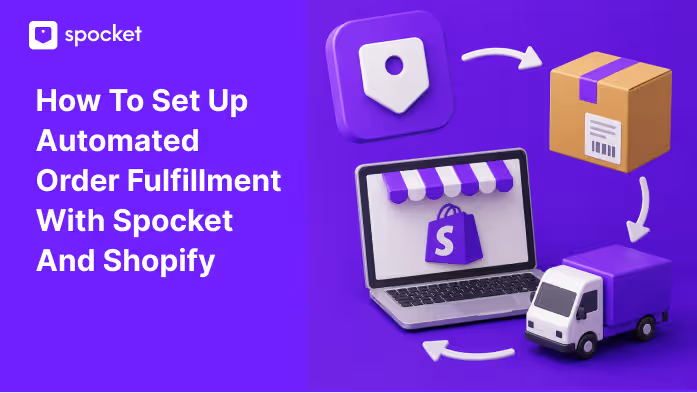
How to Set Up Automated Order Fulfillment With Spocket and Shopify
Set up a smoother Shopify dropshipping workflow with Spocket by connecting your store, importing products, processing orders, syncing tracking, and reducing manual fulfillment tasks.
.avif)

Order fulfillment can make or break a Shopify dropshipping store. Getting a sale is exciting, but the real customer experience begins after checkout. If the order is delayed, tracking is missing, or the wrong product is shipped, customers quickly lose trust.
That is why automated order fulfillment matters. It helps reduce repetitive work, lowers the risk of manual mistakes, and keeps orders moving from your Shopify store to your supplier more smoothly.
With Spocket and Shopify, sellers can create a cleaner dropshipping workflow. Shopify handles your storefront, checkout, payments, and customer orders. Spocket helps you source products, import them to your store, process orders, and work with suppliers for fulfillment.
Automation does not mean you never check orders again. You still need to review product details, monitor shipping, handle customer questions, and watch for risky orders. But the right setup saves time and makes fulfillment easier to manage as your store grows.
This guide explains how to set up automated order fulfillment with Spocket and Shopify, what settings to review, how order processing works, and how to avoid common fulfillment mistakes.
Quick Answer: How Does Automated Fulfillment Work With Spocket and Shopify?
To set up automated order fulfillment with Spocket and Shopify, connect your Shopify store to Spocket, import products from Spocket to Shopify, review your fulfillment settings, and process customer orders through Spocket when sales come in.
The basic workflow is simple:
- Connect Shopify with Spocket.
- Choose products from Spocket.
- Import them to your Shopify store.
- Edit titles, descriptions, pricing, and shipping details.
- Make sure Shopify fulfillment settings are correct.
- Receive customer orders in Shopify.
- Process Spocket product orders through Spocket.
- Supplier prepares and ships the order.
- Tracking details are updated for the customer.
- You monitor delivery and customer communication.
This setup helps reduce manual work and gives your store a more organized fulfillment process. Instead of copying order details manually or contacting suppliers one by one, you can manage the workflow through connected tools.
What Automated Order Fulfillment Means
Automated order fulfillment means using systems to move orders through the fulfillment process with less manual effort. In dropshipping, this usually means your store, product sourcing app, and suppliers work together so orders can be processed more efficiently.
Without automation, you may need to copy customer details, send supplier messages, update tracking manually, and check each step yourself. That may work for a few orders, but it becomes difficult as sales increase.
With automation, more of the workflow is connected. Product details can be imported, orders can be processed through the supplier platform, and tracking details can be added when available.
Why It Matters for Dropshipping
Dropshipping depends heavily on supplier accuracy and shipping speed. Since you are not packing and shipping products yourself, you need a reliable workflow between your store and supplier.
Automated fulfillment helps you:
- Save time on repetitive tasks
- Reduce order entry mistakes
- Process orders faster
- Keep fulfillment more organized
- Share tracking updates with customers
- Reduce “where is my order?” messages
- Scale without handling every task manually
It also helps create a better customer experience. When orders are processed properly and tracking is shared on time, your store feels more professional.
Why Use Spocket With Shopify?
Shopify is one of the strongest ecommerce platforms for dropshipping because it gives you the tools to build a store, accept payments, manage products, and handle customer orders. Spocket adds the sourcing and supplier side of the workflow.
Together, Shopify and Spocket help sellers manage both the storefront and fulfillment process. Shopify brings in the order. Spocket helps connect that order to the supplier who ships the product.
This is useful because dropshipping is not just about finding products. It is about building a system that can handle orders smoothly and keep customers informed.
Benefits of Using Spocket and Shopify Together
Using Spocket with Shopify can help sellers:
- Import products to Shopify more easily
- Source from reliable suppliers
- Access faster shipping options
- Process orders through Spocket
- Reduce manual supplier coordination
- Share tracking information with customers
- Improve the post-purchase experience
- Spend more time on marketing and growth
For beginners, this setup makes dropshipping easier to manage. For growing stores, it helps reduce operational friction.
How to Set Up Spocket and Shopify Order Fulfillment: Step by Step
Once your Shopify store and Spocket account are ready, the next step is to connect both platforms and build a fulfillment workflow that is easy to manage. The process starts with linking Spocket to Shopify, importing the right products, reviewing fulfillment settings, and making sure orders, tracking, and customer updates move smoothly after purchase.
Follow these steps to reduce manual work, avoid fulfillment errors, and create a better post-purchase experience for your customers.
Step 1: Connect Spocket to Your Shopify Store
The first step is connecting your Shopify store with Spocket. This allows both platforms to work together so you can import products and manage order fulfillment more easily.
Before connecting, make sure your Shopify store is properly set up. Your payment settings, shipping regions, store policies, checkout settings, and customer notifications should be ready.
Once Spocket is connected, you can browse products, add them to your import list, and push them to your Shopify store.
What to Check After Connecting
After connecting Spocket and Shopify, review the basics:
- Your Shopify store is connected to the correct Spocket account.
- Product import settings are working.
- Store currency and pricing rules are correct.
- Shipping regions match your target markets.
- Shopify customer emails are enabled.
- Store policies are published.
- Payment settings are active.
This step matters because fulfillment problems often start with poor setup. If your store settings are unclear, customers may face confusion later.
Step 2: Import Products From Spocket to Shopify
After connecting your store, you can import products from Spocket into Shopify. This is where many sellers rush, but it is important to review every product before publishing it.
Your product page sets customer expectations. If the title is unclear, description is copied without editing, variants are confusing, or shipping information is missing, you may create problems before the first order even arrives.
What to Review Before Publishing
Before pushing a product live, check:
- Product title
- Product description
- Product images
- Variants and options
- Retail price
- Profit margin
- Shipping cost
- Estimated delivery time
- Supplier location
- Return expectations
- SEO title and description
- Product tags and category
Make the listing clear, accurate, and easy to understand. Avoid exaggerated claims or vague details. If customers know exactly what they are buying, they are less likely to complain later.
Why Samples Help
Before running ads or scaling a product, order a sample when possible. A sample helps you check product quality, packaging, sizing, and actual delivery time.
This gives you more confidence before promoting the product. It also helps you write better descriptions and set realistic expectations.
Step 3: Review Shopify Fulfillment Settings
Shopify lets you decide how orders should be fulfilled. Some stores fulfill products themselves, some use fulfillment services, and others use dropshipping apps like Spocket.
For a dropshipping store, your fulfillment settings should match your product setup. If you sell only Spocket products, your workflow may be simple. If you sell both dropshipped and self-fulfilled products, you need to be more careful.
Manual vs Automatic Fulfillment
Shopify gives sellers different fulfillment options depending on their setup.
Manual fulfillment means orders wait until you review and process them. This gives you more control and is useful if you want to check payment status, customer address, fraud risk, or product availability before fulfillment begins.
Automatic fulfillment can work when your products and fulfillment flow are fully ready, but dropshipping sellers often benefit from reviewing orders first. This is especially true for high-value orders or suspicious purchases.
Shopify Settings to Check
Before launching, review:
- Order processing settings
- Product fulfillment method
- Shipping profiles
- Inventory locations
- Customer notification emails
- Payment capture settings
- Fraud analysis tools
- Return and refund policies
- Taxes and duties, if applicable
Clear settings reduce fulfillment errors and help customers receive better updates.
Step 4: Process Spocket Orders
When a customer buys a Spocket product from your Shopify store, the order needs to be processed through Spocket so the supplier can fulfill it.
Before processing, review the order details carefully. Check the customer’s name, shipping address, selected product, variant, quantity, and payment status. This helps prevent simple mistakes before the order reaches the supplier.
Basic Order Flow
A typical order flow looks like this:
- Customer places an order on Shopify.
- The order appears in your Shopify admin.
- You review the order details.
- The Spocket product order is processed through Spocket.
- The supplier receives the order request.
- The supplier prepares and ships the product.
- Tracking information becomes available.
- Tracking is shared with the customer.
- You monitor the order until delivery.
This keeps your workflow more organized than handling supplier details manually.
What to Check Before Processing
Before sending an order for fulfillment, review:
- Customer address
- Product variant
- Quantity
- Payment status
- Shipping method
- Fraud risk
- Customer notes
- Product availability
- Any unusual order behavior
This review is especially useful for expensive orders or first-time buyers with suspicious details.
Step 5: Share Tracking With Customers
Tracking is one of the most important parts of the dropshipping customer experience. Customers want to know where their order is and when it will arrive. If they do not receive tracking, they may contact support or lose trust in your store.
Once the supplier ships the order and tracking becomes available, the tracking details should be added and shared with the customer.
Why Tracking Matters
Tracking updates help reduce:
- “Where is my order?” messages
- Customer anxiety
- Refund requests
- Chargeback risk
- Negative reviews
- Delivery confusion
Make sure Shopify customer notifications are active so buyers receive order and shipping updates. Clear communication makes your store feel more reliable.
Step 6: Monitor Orders After Fulfillment
Automation helps reduce manual work, but you still need to monitor orders. Some shipments may be delayed. Some tracking numbers may take time to update. Some customers may enter incorrect addresses.
Check your orders regularly so you can catch problems early and update customers before frustration grows.
What to Watch
Monitor:
- Orders stuck in processing
- Orders without tracking
- Tracking that has not updated
- Delayed shipments
- Failed payments
- Customer delivery messages
- Refund requests
- Supplier performance
- Products with repeated complaints
A smooth fulfillment system still needs oversight. The goal is not to ignore operations, but to manage them more efficiently.
Common Fulfillment Mistakes to Avoid
Even with Spocket and Shopify, mistakes can happen if your setup is rushed. Avoiding common errors can save time and protect your customer experience.
Publishing Products Too Quickly
Do not import and publish products without editing them. Review descriptions, images, variants, pricing, and shipping details first. A poor product page can cause confusion and refund requests.
Hiding Delivery Times
Customers should know what to expect before checkout. Add realistic shipping information to product pages, your shipping policy, and order emails. Clear timelines reduce complaints.
Ignoring Supplier Performance
Some products may perform better than others. Monitor delivery times, product quality, tracking updates, and customer feedback. If one product causes repeated issues, replace it.
Processing Risky Orders Without Review
Automation should not replace fraud checks. Review suspicious orders before fulfillment, especially if the order value is high or the billing and shipping details do not match.
Forgetting Customer Updates
Customers need updates after purchase. Make sure confirmation emails, shipping emails, and tracking notifications are active.
Best Practices for a Smoother Workflow
A strong fulfillment workflow is built around accuracy, speed, and communication. The more organized your setup is, the easier it becomes to scale.
Use these best practices:
- Connect Spocket and Shopify before adding products.
- Review every product before publishing.
- Use clear product titles and variant names.
- Show realistic shipping times.
- Keep Shopify notifications enabled.
- Review high-risk orders manually.
- Test your order flow before running ads.
- Save order and tracking records.
- Monitor supplier performance.
- Remove products with repeated fulfillment issues.
- Respond quickly to customer delivery questions.
These steps help you avoid common dropshipping problems and create a better post-purchase experience.
When Should You Use Manual Review?
Automation is useful, but some orders should still be checked manually. This gives you more control and helps prevent expensive mistakes.
Manual review is helpful when:
- The order value is unusually high.
- Billing and shipping details do not match.
- The customer requests an address change.
- The payment looks risky.
- The product has limited stock.
- The order includes multiple suppliers.
- The customer leaves special instructions.
A smart workflow combines automation with control. Let connected systems handle repetitive tasks, but review orders when risk is higher.
How Spocket Helps Shopify Sellers Fulfill Orders Better
Spocket helps Shopify dropshipping sellers by simplifying the product sourcing and order fulfillment workflow. Instead of managing suppliers manually, you can use Spocket to find products, add them to Shopify, and process orders through a more organized system.
This matters because fulfillment affects more than operations. It affects customer trust, reviews, refunds, repeat purchases, and long-term growth.
Why Spocket Makes Fulfillment Easier
Spocket can help sellers:
- Find products from reliable suppliers
- Access faster shipping options
- Import products to Shopify
- Manage product information more easily
- Process orders through Spocket
- Support tracking updates
- Reduce manual fulfillment work
- Create a better post-purchase experience
For Shopify dropshipping stores, this makes it easier to stay organized as orders increase.
Conclusion
Automated order fulfillment helps Shopify dropshipping stores reduce manual work, avoid errors, and create a smoother customer experience. When Shopify and Spocket are connected properly, sellers can import products, process orders, work with suppliers, and share tracking details more efficiently.
The setup is simple, but it should not be rushed. Connect your store carefully, review product details, configure Shopify fulfillment settings, process orders through Spocket, and keep customers updated after purchase.
Automation works best when it is paired with good judgment. Review risky orders, monitor suppliers, and keep an eye on delayed shipments. This gives you both speed and control.
For sellers who want a more professional Shopify dropshipping workflow, Spocket helps simplify sourcing, order processing, and supplier fulfillment so you can spend more time growing your store and less time managing repetitive tasks.
Start your dropshipping business today
FAQs about Setting Up Automated Order Fulfillment
How do I set up automated order fulfillment with Spocket and Shopify?
Connect your Shopify store with Spocket, import products, review your Shopify fulfillment settings, and process Spocket product orders through Spocket. Once suppliers ship the order, tracking details can be shared with the customer.
Does Spocket automatically fulfill Shopify orders?
Spocket helps streamline order fulfillment between Shopify and suppliers. Sellers should still review their setup, product details, payment status, and risky orders to make sure fulfillment runs smoothly.
Do I need Shopify to use Spocket?
Spocket works well with Shopify because Shopify provides the ecommerce storefront and checkout system, while Spocket helps with sourcing and fulfillment.
Should I use manual or automatic fulfillment in Shopify?
Manual fulfillment gives more control and is useful if you want to review orders before processing. Automatic fulfillment may work for some workflows, but risky or high-value orders should still be checked.
How does tracking work with Spocket and Shopify?
Once the supplier ships the order and tracking becomes available, tracking details can be updated and shared with the customer. This helps reduce support questions and improves delivery confidence.
Why is automated fulfillment important for Shopify dropshipping?
Automated fulfillment saves time, reduces manual errors, speeds up order processing, and helps customers receive better tracking updates. This makes your store easier to manage as order volume grows.


Launch your dropshipping business now!
Start free trial


Related blogs
How to Open a Business Bank Account for Your Dropshipping Store
Set up your dropshipping finances the right way with a dedicated business bank account built for payouts, supplier payments, taxes, and long-term store growth.

Spocket vs Dropified: Which Tool Is Better for Multi-Store Scaling?
Compare Spocket and Dropified for multi-store dropshipping, supplier quality, automation, fulfillment, product sourcing, and scaling across ecommerce platforms.
Social Commerce in 2026: How Dropshippers Are Selling Directly Inside Social Apps
See how dropshippers are using TikTok Shop, Instagram, Facebook, Pinterest, creators, and shoppable content to sell products inside social apps.
