


AI Writing Tools Compared: Features, Pricing & Output Quality
Compare 15+ AI writing tools with detailed features, pricing tiers, and output quality. Find the right tool for your content creation needs in 2026.

The demand for fast, quality content keeps rising. Businesses, creators, and marketers need reliable ways to produce writing at scale without blowing budgets or sacrificing quality. AI writing tools promise to do exactly that—generate everything from blog posts and ad copy to product descriptions and novels. But pricing ranges from free to hundreds monthly, and output quality varies wildly. You might land a tool perfect for your workflow, or you might waste time on one that doesn't fit.
This guide walks through the top AI writing tools available right now. You'll see what each one does, what it costs, and what kind of content it actually produces. Your job? Pick the one that matches your goals and budget.
What are AI Writing Tools?
AI writing tools use machine learning and natural language processing to generate human-like text based on your input. You give them a prompt, topic, or instructions, and they produce content in seconds to minutes. Most work through browser interfaces or integrations with platforms like Google Docs or WordPress. Some let you train them on your own documents or brand voice to personalize output.
The technology behind these tools has evolved fast—early versions produced stiff, repetitive text that screamed "I'm AI." Modern versions feel more natural, can match specific tones, and handle complex tasks like SEO optimization or character development. They're not meant to replace writers entirely, but they save time on first drafts, brainstorming, and repetitive tasks.
Use Cases of AI Writing Tools for Businesses
AI writing tools fit into almost any business workflow where writing is needed. Here are the main spots where teams are using them right now:
E-Commerce and Product Marketing
AI tools shine when you need to pump out product descriptions, landing pages, and marketing emails. E-commerce shops can generate hundreds of unique descriptions for catalog items in hours instead of weeks. You feed in product specs, target audience details, and brand voice, and the AI handles the rest. AI writing tools are built exactly for this use case. You get SEO-optimized copy, A/B testing variations, and consistent brand messaging across your entire product line.
Content Marketing and Blog Publishing
Publishing blogs regularly requires serious time investment. AI writing tools can generate first drafts, outlines, and full articles optimized for search intent. Tools analyze top-ranking pages for your target keyword, then create content briefs and drafts already structured for SEO. You still need to add expertise, fact-check, and refine, but you're not starting from a blank page.
Creative Writing and Fiction
Authors and screenwriters now have AI companions for drafting scenes, brainstorming plot points, and maintaining character consistency. AI writing tools let you build detailed character bibles and world-building notes that the AI references when generating new content. This keeps stories coherent and saves writers from repetitive writing tasks while they focus on the creative direction.
Types of AI Writing Tools
AI writing tools break into a few main categories based on what they're built to do:
- General-Purpose AI Assistants — Most AI writing tools can handle almost anything. You can write blog posts, emails, social media, code, or analysis. They're versatile but not specialized, so output quality depends on your prompts and how much you edit.
- SEO-Focused Content Writers — AI writing tools can analyze search results and create content optimized for ranking. They research competitor content, suggest keywords, and structure articles for search intent. You get ready-to-publish drafts designed to rank higher in Google.
- E-Commerce and Product Copy — You can use AI writing tools to write short-form, high-converting copy. Product descriptions, ad headlines, email subject lines, social captions. Fast turnaround, built-in templates, and multiple variations for testing.
- Long-Form and Creative Writing — AI writing tools are also built for authors, screenwriters, and long-form content creators. They handle chapters, detailed story arcs, character development, and book-length projects. They keep context and consistency across thousands of words.
- Email and Social Media Specialists — Some AI writing tools specifically focus on polishing existing drafts or generating platform-specific copy. They help you rephrase, adjust tone, and fit character limits without rewriting from scratch.
- Research and Analysis Tools — There are also AI writing tools that let you upload documents, ask questions, and get sourced answers. More research-focused than content generation, but useful for gathering data for writing projects.
Why Go for AI Writing Tools?
Here's what teams and solo creators actually gain from using AI writing tools:
- Speed and Scale — One person can produce what normally takes a team. You generate multiple drafts, variations, and full articles in minutes instead of days. Agencies and content shops can handle more clients without hiring more writers.
- Lower Content Costs — You don't need to hire full-time copywriters or outsource to agencies. A subscription to an AI tool ($20-100/month) replaces freelancer fees ($500-2000/month for quality work). Savings add up fast.
- Overcoming Writer's Block — Facing a blank page is real. AI tools generate outlines, opening paragraphs, and section drafts that give you something to build from. You edit and refine instead of creating from nothing.
- Consistency at Scale — You can train many AI tools on your brand voice, tone preferences, and style guidelines. Every piece of content comes out aligned with your brand identity, not generic-sounding.
- SEO Optimization Built In — AI writing tools don't just generate content—they optimize it for search engines based on real competitor data and search intent. You're not hoping your content ranks; it's structured to rank.
- Multiple Variations for Testing — Generate 5, 10, or 50 variations of ad copy, email subject lines, or product descriptions. Run A/B tests to see what converts, then double down on winners.
- Human-AI Collaboration — You're not replacing writers with robots. You're giving writers better tools. They focus on strategy, creativity, and fact-checking while AI humanizer handles drafting, formatting, and optimization of the content. Always make sure to look into the features of AI humanizer before using such tool for routine working.
19 Best AI Writing Tools in 2026 and How They Compare
Here is a list of the 19 best AI writing tools we recommend. Let’s see how they fare and compare in 2026 below:
1. Rytr
Rytr is a lightweight, budget-friendly AI writer targeting freelancers and small teams. It focuses on short-form content like social media posts, email templates, product descriptions, and ad copy. The platform doesn't try to be everything—it's straightforward, fast, and charges less than competitors. You get access to 40+ use cases and 20+ tones of voice right out of the box. For bloggers and marketers who need consistent output without complexity, Rytr fits well. The free plan gives you a genuine taste of features before paying, which is rare.
Key Features:
- 40+ pre-built use cases including social posts, emails, ads, and landing pages. Each use case is tailored to produce specific types of copy without extra configuration.
- 20+ tone options (formal, casual, humorous, professional) so your copy matches your brand voice. You can also create custom tones by uploading writing samples for the AI to learn from.
- Plagiarism checker included on all paid plans. Runs checks on generated content and lets you know if text overlaps with existing published material.
- 30+ language support even on the free plan, making it accessible for international creators. Premium plans unlock access to 35+ languages with more detailed support.
- Unlimited character generation on the Unlimited plan ($9/month). No monthly caps—write as much as you need for a flat rate.
2. Copy.ai
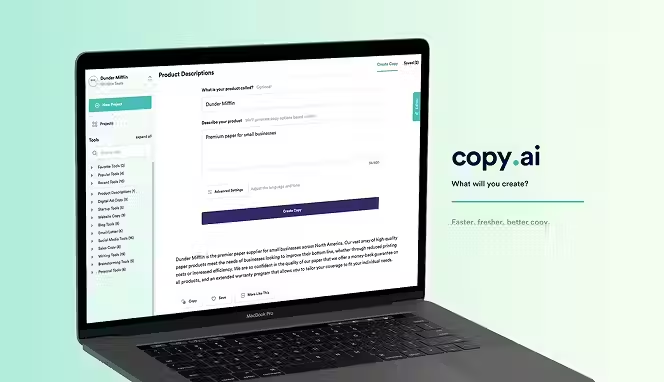
Copy.ai is built for marketers and agencies handling multiple clients. It offers unlimited word generation, team seats, and workflows that scale. You can train the AI on each client's brand voice, then generate tailored copy without switching between accounts. The platform feels more like a marketing operations tool than a simple generator. Advanced features like Infobase (a knowledge base integration) and Prompt Improve (AI that learns from your feedback) help you produce better content over time. Pricing is higher than basic tools, but you get more power and control.
Key Features:
- 95+ languages supported across all plans, enabling global content creation. The tool maintains context and cultural nuance across languages, not just literal translations.
- Infobase feature lets you upload documents, brand guidelines, or competitor research. The AI references this knowledge when generating copy, producing more accurate, informed content.
- Unlimited word generation on paid plans with no hidden caps. You're not throttled by monthly limits or usage meters—generate as much as you need.
- API access on Pro and higher tiers, letting developers integrate Copy.ai into their own apps or workflows. Custom workflows can automate repetitive tasks across teams.
- Workflow automation handles multi-step content creation. You can chain prompts together so the output from one task feeds into the next, reducing manual back-and-forth.
3. Machined
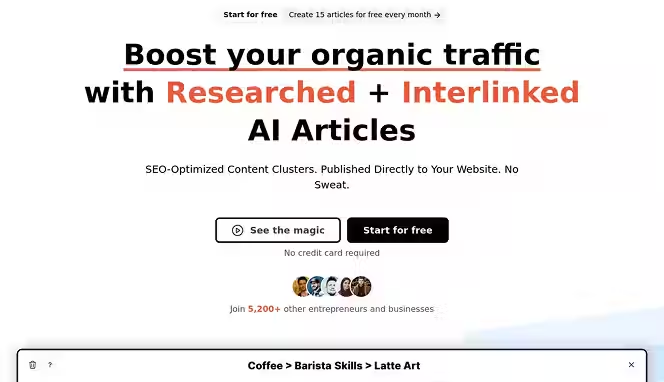
Machined is an AI-powered SEO platform built primarily around content clusters and topical authority. Rather than generating one article at a time Machined creates entire content clusters, a group of internally linked articles structured around a core topic. You define your topic, and the platform researches keywords, builds clusters, generates content, and handles internal linking automatically. It’s designed for businesses and marketers who want to scale organic traffic through topical depth and content seo automation rather than individual one-off posts. The platform supports multiple content types and lets you customize structure, tone, and output quality to match your brand.
Key Features:
- Automated content cluster generation creates groups of interconnected articles from a single topic input. You get a complete internal linking structure designed to build topical authority and improve rankings across an entire subject area, not just individual keywords.
- Research features crawl and scrape relevant and contextual information from high authority websites. The research feature adds authority and credibility to your writing.
- Customizable content types, voices, and briefs let you control the structure and format of generated articles. Tailor your settings to match your brand and style.
- Internal linking is handled automatically across every article in a cluster. Machined maps relationships between articles in a topic and inserts contextual links between related articles, saving hours of manual linking work and strengthening your site’s overall SEO architecture.
4. ChatGPT Plus
.avif)
ChatGPT Plus ($20/month) is OpenAI's subscription tier for access to GPT-4, their most capable model. It handles everything from writing and coding to analysis and creative work. You're not buying a specialized content tool—you're buying raw AI capability. This matters for writers who need flexibility. You can draft an article, brainstorm marketing ideas, rewrite sections, and analyze competitor content all in one chat without switching tools. Response speeds are faster, and you get priority access during high-traffic periods. The trade-off is that ChatGPT requires more skill to get good output; you need to prompt it well.
Key Features:
- GPT-5.1 access, OpenAI's most advanced model, capable of understanding complex instructions and context. Better at nuance, reasoning, and producing coherent long-form writing than earlier models.
- Canvas feature for collaborative editing—you and ChatGPT can mark up, edit, and iterate on documents together in a shared workspace. Faster than copying text back and forth.
- Image analysis lets you upload images and ask questions about them. Useful for analyzing competitor ads, screenshots, or design mockups before you write about them.
- Voice mode lets you speak to ChatGPT and hear responses read aloud. Not about writing directly, but useful for brainstorming or getting ideas while multitasking.
- Custom GPTs you can build and share. Train a GPT on your brand guidelines or industry knowledge to handle specific writing tasks automatically.
5. Kontent.ai
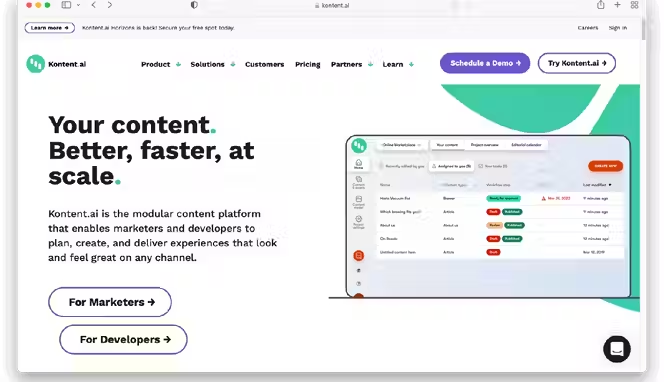
Kontent.ai is a headless CMS with AI writing built in, aimed at teams managing content across multiple channels. It's not just a writing tool—it's a content platform where you create, manage, versions, and distribute content to web, mobile, and other outputs. The AI writing component helps generate variations and fill content gaps, but the real value is the workflow management. Teams collaborate on content, maintain brand consistency, and control publishing across all channels from one place.
Key Features:
- AI content variations generated for A/B testing across channels. The system creates multiple versions of copy optimized for different audiences or platforms automatically.
- Multi-channel publishing lets you write once, then push content to web, mobile apps, email, and social media with platform-specific formatting applied automatically.
- Content versioning and workflow approval built in. Team members can draft, review, approve, and schedule content without manual file management or email chains.
- API access for developers to pull content into custom applications. Kontent.ai acts as a content hub that feeds data to whatever systems you're using.
- Integrations with translation services, CMS platforms, and marketing automation tools. Your content flows seamlessly into other systems without manual imports or exports.
6. Sudowrite

Sudowrite is purpose-built for fiction writers. It generates plot ideas, develops characters, expands scenes, and handles the repetitive parts of novel-writing so authors can focus on the creative direction. The Story Engine feature walks you through building a book from concept to outline to chapters. You define genre, plot beats, and character profiles, then Sudowrite generates chapter drafts based on that structure. Writers describe Sudowrite as having a co-author who understands pacing and narrative.
Key Features:
- Story Engine guides you from idea to full outline to chapter generation. You input high-level story elements, and the engine builds a structured roadmap you can customize before Sudowrite starts writing.
- Scene expansion fills out sparse drafts into full, detailed scenes with dialogue and description. You write a one-line scene summary, and Sudowrite writes 500+ words that fit your story context.
- Character development suggestions add depth and nuance to characters. Sudowrite identifies gaps in characterization and suggests specific details that make characters feel real and consistent.
- Describing a feature acts like a thesaurus for sentences. Highlight a phrase and get multiple alternative descriptions using vivid language and sensory details without changing your intended meaning.
- Generating features creates content in your voice and style. It analyzes your existing writing to understand your voice, then generates new scenes and chapters that sound like you wrote them.
7. Novelcrafter
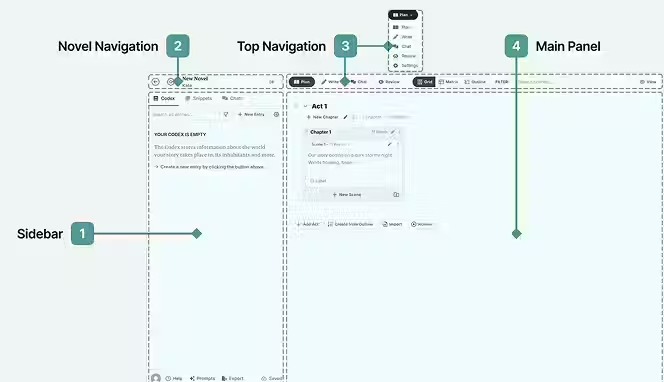
Novelcrafter is an all-in-one writing platform for novelists combining project management, character tracking, and AI assistance. You build a Codex—a detailed world bible that tracks characters, locations, objects, and story rules. When you write a scene, Novelcrafter automatically pulls relevant Codex entries, giving the AI full context to write consistently. The interface is built around the typical novel-writing workflow instead of forcing you into a chat interface. It supports both fiction and non-fiction long-form writing.
Key Features:
- Codex system stores characters, locations, magic systems, and plot elements. When you write scenes, the AI references Codex entries automatically, maintaining consistency across thousands of words.
- AI integration brings your own API keys (through OpenRouter), giving you access to multiple AI models. Use GPT-4, Claude, or others depending on your preferences and budget.
- Scene generation with full context awareness. Tell Novelcrafter what should happen, and it writes it, pulling all the relevant character and world details from your Codex.
- Collaboration on highest tier lets multiple writers work on the same project with comment threads and revision tracking. Useful for co-authored books or writing groups.
- Tagging and custom categories organize your Codex entries. Build family trees, timelines, and relationship networks between characters and locations.
8. RaptorWrite
RaptorWrite is completely free, developed by Future Fiction Academy. You bring your own API keys (through OpenRouter), which means you pay only for the AI models you use—often pennies per story. The platform focuses on project organization and writing workflows instead of flashy features. It's minimal, no-frills, and appeals to writers who want to avoid subscription fees but don't mind managing API costs. You get unlimited projects, character tracking, and scene generation without paying monthly.
Key Features:
- Free forever with no usage limits on the platform itself. You only pay OpenRouter for actual model usage, which is often cheaper than any monthly subscription if you're disciplined.
- Multiple AI models accessible through OpenRouter integration. Switch between GPT-4, Claude, Mistral, and others depending on the task or your budget for that session.
- Project organization and scene management even without AI. You can organize scenes, track characters, and manage outlines without generating any AI content.
- Basic collaboration features let you invite others to view your projects. Useful for getting feedback or working with beta readers before publishing.
- No vendor lock-in since you control API keys. Cancel anytime, your work stays with you, and you can switch AI providers without losing anything.
9. Frase
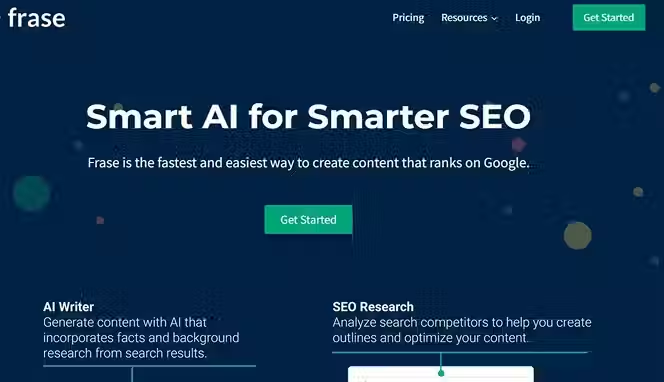
Frase combines SEO research and AI writing in one dashboard. You enter a keyword, Frase pulls top-ranking pages, analyzes their structure and content, then creates a content brief and draft already optimized for search. The tool focuses on matching search intent—if people searching your keyword want a listicle, Frase suggests that format. If they need how-to content, it structures accordingly. The AI writing is just one piece; the real power is the SERP analysis feeding that writing. You get content that's not just well-written but strategically designed to rank.
Key Features:
- SERP analysis automatically pulls competitor content, headings, and questions people ask about your keyword. The tool shows exactly what's already ranking and what search intent is driving traffic.
- AI-powered content briefs generated from competitor analysis. Instead of guessing what to write, you get a data-driven brief showing word count, structure, and topics to cover based on what's working.
- Real-time content scoring as you write or paste content into the editor. Frase scores your draft against top-ranking pages and suggests specific edits to improve ranking potential.
- Content optimization assistant that rewrites and restructures content to match SERP guidelines. Click "Improve SEO" and Frase rewrites sections to better match what Google rewards.
- Analytics tracking shows how your published articles perform after launch. See which pieces drive traffic and which need updates based on real performance data.
10. HubSpot Content Writer
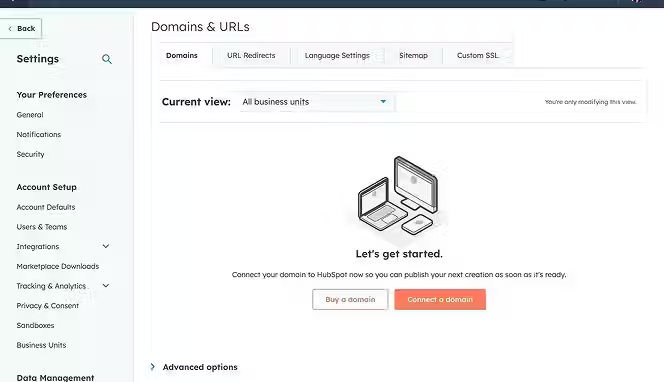
HubSpot's AI Content Writer is free to all HubSpot users, with advanced features available on paid plans. It generates blog posts, social content, emails, and landing page copy right within HubSpot's interface. The big advantage is integration—your AI-generated content connects directly to HubSpot's CRM, marketing automation, and analytics. You can personalize content for specific buyer personas, schedule it automatically, and track performance without leaving HubSpot. If you're already paying for HubSpot, the AI writer is essentially included at no extra cost.
Key Features:
- Blog post generation with topic, outline, and full article creation. You input your keyword or topic, and HubSpot creates a complete draft with proper formatting and internal link suggestions.
- Social media content creation formatted for each platform's specs. Generate LinkedIn posts, Twitter threads, Facebook captions—each tailored to platform conventions without manual resizing.
- Email generation for campaigns, nurture sequences, and one-off sends. Personalization tokens automatically insert customer names, company data, or other CRM fields into AI-generated copy.
- CRM integration pulls audience data and buying stage information. The AI can generate different messages for leads, customers, or re-engagement campaigns based on CRM data.
- Marketing automation workflows can trigger AI content generation automatically. Set conditions, and HubSpot generates and sends personalized emails or creates social posts on a schedule.
11. Gemini Advanced

Google's Gemini Advanced ($19.99/month bundled with Google One AI Premium) is their most capable AI model. It handles text, images, and audio, and integrates with Google's productivity tools like Gmail, Docs, and Sheets. The selling point is seamless integration—you can draft copy in Docs, get AI suggestions inline, send AI-polished emails from Gmail, and analyze data in Sheets without leaving Google's ecosystem. If you live in Google Workspace, Gemini Advanced feels natural. The model is competitive with GPT-4 for writing tasks and generally faster on real-time tasks because it has web search built in.
Key Features:
- Email and Docs integration lets you draft and polish writing directly in the tools you use daily. Get suggestions inline in Gmail or Docs without copying text back and forth.
- Web search integration finds real-time information to include in your writing. Ask Gemini a question, and it searches the web, synthesizes results, and includes sources in its answer.
- Image analysis lets you upload ads, screenshots, or designs and ask questions. Useful for analyzing competitor content or brainstorming based on visual references.
- Google Sheets integration helps with data analysis and content research. Ask Gemini to analyze a dataset or create summaries from spreadsheet data to feed into your writing.
- Voice interactions through Gemini Live let you brainstorm, dictate ideas, or have conversations hands-free. Useful for capturing inspiration while driving or multitasking.
12. WriteSonic
WriteSonic positions itself as an all-in-one content platform handling blogs, ads, emails, product descriptions, and more. The AI Article Writer 6.0 generates SEO-optimized long-form content up to 5,000 words in minutes. You customize everything before generation—tone, quality level, internal linking, keyword focus. The platform includes built-in SEO tools, image generation, and integrations with WordPress and Google Docs. WriteSonic appeals to agencies and content teams who need a single tool handling multiple content types without switching between platforms.
Key Features:
- AI Article Writer generates 1,500 words in 20 seconds or up to 5,000-word articles with advanced customization. You control tone, structure, quality level, and keyword placement before generation starts.
- Quality tiers let you choose Economy, Average, or Premium output depending on your needs and budget. Economy is fast and cheap for rough drafts; Premium produces publication-ready copy.
- Built-in SEO tools including keyword insertion, meta description generation, and content scoring. Writesonic checks your draft against SEO best practices and suggests specific improvements.
- Image generation integrated into the platform. Create visuals without leaving WriteSonic, reducing tool-switching and keeping everything in one project.
- Citation and research integration pulls information from real sources. Your generated articles include citations and links, not just hallucinated facts, improving credibility.
13. Perplexity AI Pro
Perplexity AI Pro ($20/month) is a research-focused AI that combines search and reasoning. Unlike ChatGPT, Perplexity shows its sources by default, citing where information comes from. You get 300 Pro Searches daily (far more than the free tier's 5), access to advanced models like GPT-4o and Claude, and file upload capability. It's less about content generation and more about research and fact-finding to fuel your writing. Writers use it for gathering sources, validating claims, and brainstorming informed by current information.
Key Features:
- Pro Searches return cited sources automatically. Every answer shows where information came from, which you can verify and use as references in your writing.
- Access to multiple advanced AI models (GPT-4o, Claude 3.5 Sonnet, Gemini 2.5 Pro). Choose the right model for each task instead of being locked to one.
- File upload and analysis lets you share PDFs, CSVs, or images and ask questions. Upload market research, competitor reports, or datasets, then have Perplexity analyze and summarize them.
- Collections feature organizes your research into projects or topics. Save sources, notes, and findings in one place so you don't lose research between writing sessions.
- Academic mode provides access to scholarly sources and verified academic information. Better for research-heavy writing that needs peer-reviewed sources.
14. Mistral's Le Chat
Le Chat is Mistral AI's chatbot, priced at $14.99/month for Pro (or free with usage limits). It's Europe-based, privacy-focused, and positioned as a ChatGPT alternative. The free tier is genuinely generous—you get access to Mistral's latest models with 25 daily messages. Pro gives unlimited chats and no data telemetry (your prompts aren't used for training). The interface is clean, speeds are fast, and pricing is competitive. Writers appreciate the privacy-first approach—useful if you're handling sensitive content or just prefer not having conversations logged.
Key Features:
- No telemetry mode on Pro tier means your conversations never train the model. Your prompts and content stay private, useful for confidential work or sensitive information.
- Document upload and analysis lets you share files and ask questions. Pull information from research documents, competitor analysis, or brand guidelines without copy-pasting.
- Image generation built in. Create visuals alongside your writing without switching tools or paying for separate image generation credits.
- Web search integration finds real-time information and includes sources. Useful for fact-checking claims or finding current examples to reference in your writing.
- Affordable pricing, especially if you're cost-conscious. At $14.99/month, it undercuts ChatGPT Plus and includes image generation ChatGPT Plus charges extra for.
15. Surfer AI
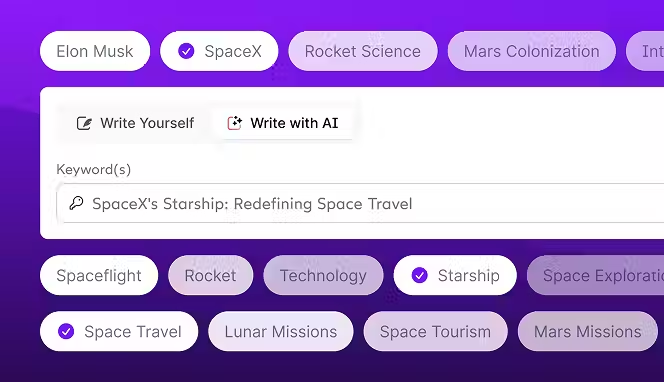
Surfer AI generates SEO-ready articles by combining SERP analysis with GPT-4. You enter a keyword, Surfer analyzes top-ranking pages for that keyword, suggests an outline based on competitor content, then generates a draft. The AI works within Surfer's optimization guidelines, so output is structured to rank from day one. Features include anti-AI detection boost (helpful if Google continues penalizing AI content), auto-inserted images, and internal linking suggestions. The platform is built for marketers and agencies who want fast, rank-ready content.
Key Features:
- SERP-based tone and structure automatically adjusted for your keyword and target search intent. Instead of generic advice, Surfer tailors output to what's actually ranking for your keyword.
- Custom knowledge feature lets you add brand guidelines, competitor insights, or topic-specific information. The AI incorporates this context, producing branded and informed content.
- Auto-insert images pulls relevant images from stock libraries and embeds them throughout your article. One less manual task between draft and publication.
- Anti-AI detection boost added before generation to reduce chances of AI detection tools flagging your content. Useful as Google potentially tightens AI content policies.
- Generate entire categories automatically. You can set up multiple keywords and have Surfer create a batch of articles overnight, then review and publish in bulk.
16. Wordtune
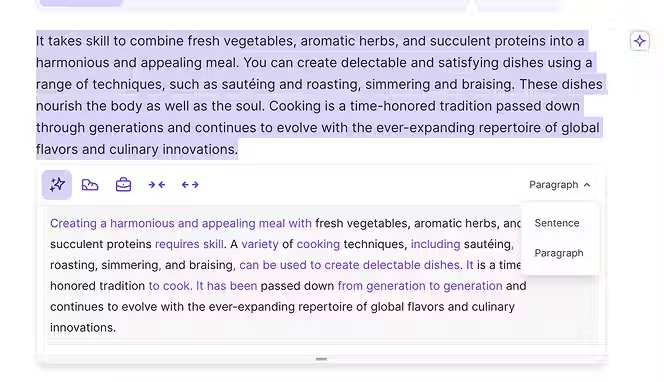
Wordtune is a rewriting and refinement tool, not a from-scratch generator. You write or paste existing text, and Wordtune suggests alternative phrasings, adjusted tones, and structural improvements. It works as a browser extension, Slack integration, and standalone editor. Writers use it to rewrite weak sentences, adjust formality, fix awkward phrasing, and ensure consistent tone. Its strength is in refinement—taking good writing and making it better. Wordtune shines when you already have a draft and want to polish it without rewriting from scratch.
Key Features:
- Rewrite suggestions with different tones (formal, casual, persuasive, concise). You pick which version fits best, or mix elements from multiple suggestions.
- Sentence-level adjustments without rewriting the whole document. Highlight any phrase and see multiple alternatives without disrupting surrounding text.
- Tone consistency across documents. Set your preferred tone once, and Wordtune applies it consistently across longer pieces, smoothing out jarring shifts.
- Integration as a browser extension works in Gmail, Google Docs, social platforms, and any text field. Access Wordtune anywhere you're writing without switching windows.
- Full-document rewriting for longer pieces. Upload a whole article or email, and Wordtune rewrites it at your chosen tone and length, maintaining meaning and context.
17. Squibler AI Story Writer
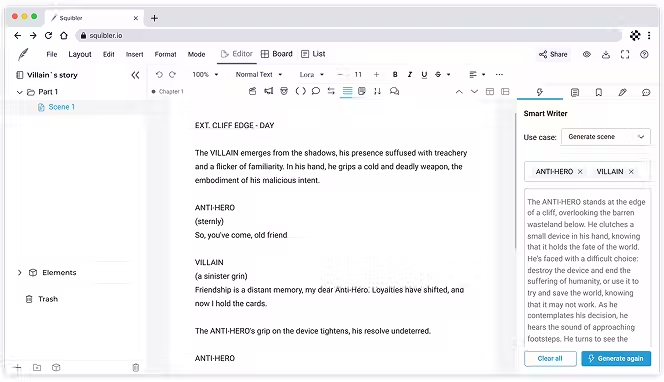
Squibler is an all-in-one writing studio for fiction authors covering outlining, drafting, formatting, and publishing. The AI Story Writer generates chapters and outlines, but Squibler's real value is the project management. You organize scenes, track character stats, manage multiple projects, and format books for self-publishing—all in one tool. The Pro plan ($20/month or $192/year) offers unlimited AI generation, which is generous. Squibler appeals to indie authors who want to handle the full pipeline from rough draft to published book without jumping between tools.
Key Features:
- AI manuscript and outline generation with unlimited monthly usage on Pro. Generate multiple versions, experiment with different directions, and keep what works.
- Corkboard organization lets you arrange scenes, plot points, and character arcs visually. See your story structure at a glance and move things around without rewriting.
- Formatting and export for multiple formats (Kindle, PDF, print). Squibler handles industry-standard formatting so your book looks professional across all platforms.
- Progress tracking and writing goals help you stay motivated. Set daily or weekly word count targets and watch your progress toward finishing your novel.
- Collaboration features on Pro tier let you share projects with editors or co-authors. Work together on drafts without emailing files back and forth.
18. Dibbly Create
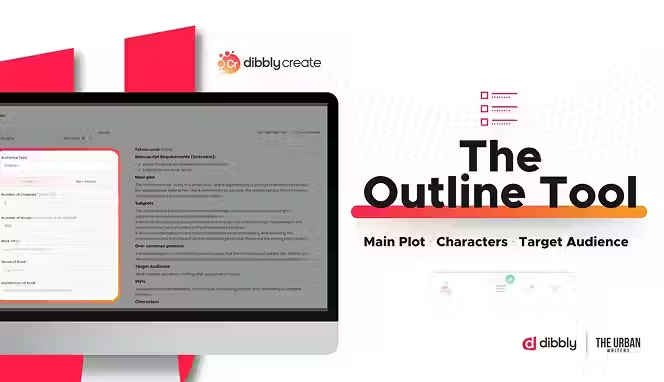
Dibbly Create is a self-publishing platform combining research, writing, editing, and formatting for book and content creation. The standout feature is KIP, an AI that handles research, content writing, and real-time editing. You can upload videos or documents and have KIP summarize them, use Amazon market research to find profitable topics, then generate outlines and chapters. The platform includes collaboration, image generation (beta), and tools for formatting books for publication. It's geared toward authors and content creators who want guidance through each writing stage.
Key Features:
- KIP AI does research, writing, and editing without leaving the platform. Upload documents or paste briefs, and KIP summarizes, generates content, and refines writing all in context.
- Outline and chapter generation guided by structured prompts. Instead of blank prompts, Dibbly walks you through what information KIP needs before generating, improving output quality.
- Amazon market research shows top-selling books, category competition, and content gaps. Useful for finding profitable topics and understanding what readers want.
- Collaboration and commenting built in. Share chapters with editors, beta readers, or co-authors and track feedback in one place.
- Image generation (beta) and formatting tools bring you close to a publishable book. Most self-publishing platforms require you to handle design externally; Dibbly includes basic tools.
19. Smartli.ai

Smartli.ai is built for e-commerce and focuses on product descriptions, blog posts, and ad copy. The platform emphasizes high-converting copy, A/B testing, and consistency at scale. You feed product data and brand voice into Smartli, and it generates SEO-optimized descriptions, promotional emails, and social media content. Pricing is transparent and tiered, with most tools under $100/month. Smartli appeals to Shopify stores, agencies managing multiple brands, and content teams who need to crank out marketing copy fast.
Key Features:
- SEO-optimized product descriptions automatically generated from product specs and category. Descriptions include relevant keywords without keyword stuffing and match E-A-T signals Google rewards.
- Blog Generator generates posts optimized for search and readability. You input topic and keywords, and Smartli creates a full draft with proper structure and internal linking.
- AI Ads Writer creates platform-specific ad copy for Google, Facebook, Instagram, Pinterest, TikTok, and others. Each ad is tailored to platform conventions and format limits
- Brand voice templates let you save tone preferences, vocabulary, and style guidelines. Once set, every piece of content maintains your brand voice automatically.
Conclusion
AI writing tools solve a real problem: you need content fast but don't want to sacrifice quality or blow your budget hiring writers. 2026 offers options for nearly every use case and budget. If you're new to AI writing, start with a free tier or trial. Test the tool on a real project before committing to a paid plan. Pay attention to output quality, not just speed.
A tool that generates text in seconds but requires heavy editing isn't saving you time. Choose based on your actual workflow—if you're managing a Shopify store, get Smartli. If you're writing long-form fiction, Novelcrafter or Sudowrite makes sense. If you're managing SEO content at scale, Surfer AI or Frase fits better.
Most tools now include safeguards against plagiarism and AI detection issues, but don't assume they're perfect. Review and edit everything before publishing. The best tool is the one that fits how you actually work, not the one with the most features.
Start your dropshipping business today
AI Writing Tool FAQs
What is an AI writing tool and how does it work?
AI writing tools use machine learning to generate human-like text based on your prompts or instructions. You provide input (a topic, keyword, brand voice, product specs), and the tool generates copy in seconds to minutes. Most tools use large language models trained on vast amounts of text, enabling them to understand context, match tone, and produce coherent long-form writing. The technology has advanced enough that output often requires minimal editing before publishing.
How much does an AI writing tool cost?
Pricing varies widely. Free tiers exist but come with usage limits. Paid plans typically range from $9-30/month for individual writers and small teams, up to $99-299/month for agencies and high-volume users. Some tools charge per word or per project instead of flat subscription fees. Always check trial periods and compare pricing against what you'd pay for freelance writers or agencies to determine actual ROI.
Can AI writing tools replace human writers?
Not entirely. AI writing tools excel at first drafts, brainstorming, and handling repetitive tasks like product descriptions. They speed up your workflow dramatically. But they still need human judgment—fact-checking, strategy, editing for brand voice, and adding unique perspective. The best approach treats AI as a collaborator, not a replacement. Your job shifts from writing everything to writing strategy and editing.
Which AI writing tool is best for SEO content?
Tools like Surfer AI, Frase IO, and NeuronWriter specialize in SEO. They analyze top-ranking pages for your keyword, create data-driven content briefs, and generate drafts structured for search. If you're focused on Google rankings, these tools outperform general-purpose AI assistants because they do competitor analysis alongside writing. WriteSonic and Smartli.ai also include SEO features but aren't specialized purely for search.


Launch your dropshipping business now!
Start free trial.avif)


Related blogs

Minea Review: Is It Worth It for Dropshipping Product Research?
Read this Minea review to explore its features, pros, cons, pricing value, and whether it is the right product research tool for dropshipping sellers.


Top AI Tools for Small Businesses in 2026
Learn about the top AI tools for small businesses in 2026 for content, finance, agents, and automation. Pick the best AI tools for small businesses that match your workflows and budget, from free and paid.


Which are the Best Print on Demand AI Tools in 2026?
Find out which are the Print on demand AI tools in 2026. Save time, boost ROI, and improve product quality. Compare features, pricing, and real workflows for POD stores.
