What Is an AI Store Builder? How It Works and When to Use One
What an AI store builder creates, the two types, real costs after the trial, a Shopify step-by-step and the checklist to fix an AI-built store before launch.
.avif)

An AI store builder is a tool that creates an online store for you from a short prompt or a few choices, such as your niche or a one-line description of your business. Depending on the tool, it generates the theme, homepage layout, colors, copy and sometimes a starter set of products. You can have a working draft in a few minutes; getting it ready for real customers still takes a few hours of your own editing.
This guide explains what an AI store builder actually produces, the two very different kinds on the market, what they cost once trials end, and a checklist for turning an AI draft into a store people trust enough to buy from. If you want a ranked list of tools instead, see our roundup of the best AI Shopify store builders.
What is an AI store builder?
An AI store builder uses generative AI to do the setup work that used to take a beginner a weekend: picking a theme, arranging sections, writing headlines and product descriptions, choosing a color palette and, in dropshipping-focused tools, importing products. You describe what you want ("handmade candles with a calm, minimal look" or simply "pet supplies"), and the builder returns a store you can edit.
Most AI store builders today sit on top of Shopify. Shopify's own tool generates store designs, while third-party tools from dropshipping apps create a full Shopify store with products already loaded. General website builders such as Wix, Squarespace and WordPress.com have their own AI site generators, which we compare in our guide to the best website builders.
The two types of AI store builder
Search results lump these together, but they solve different problems. Knowing which one you're using saves a lot of confusion.
Design generators
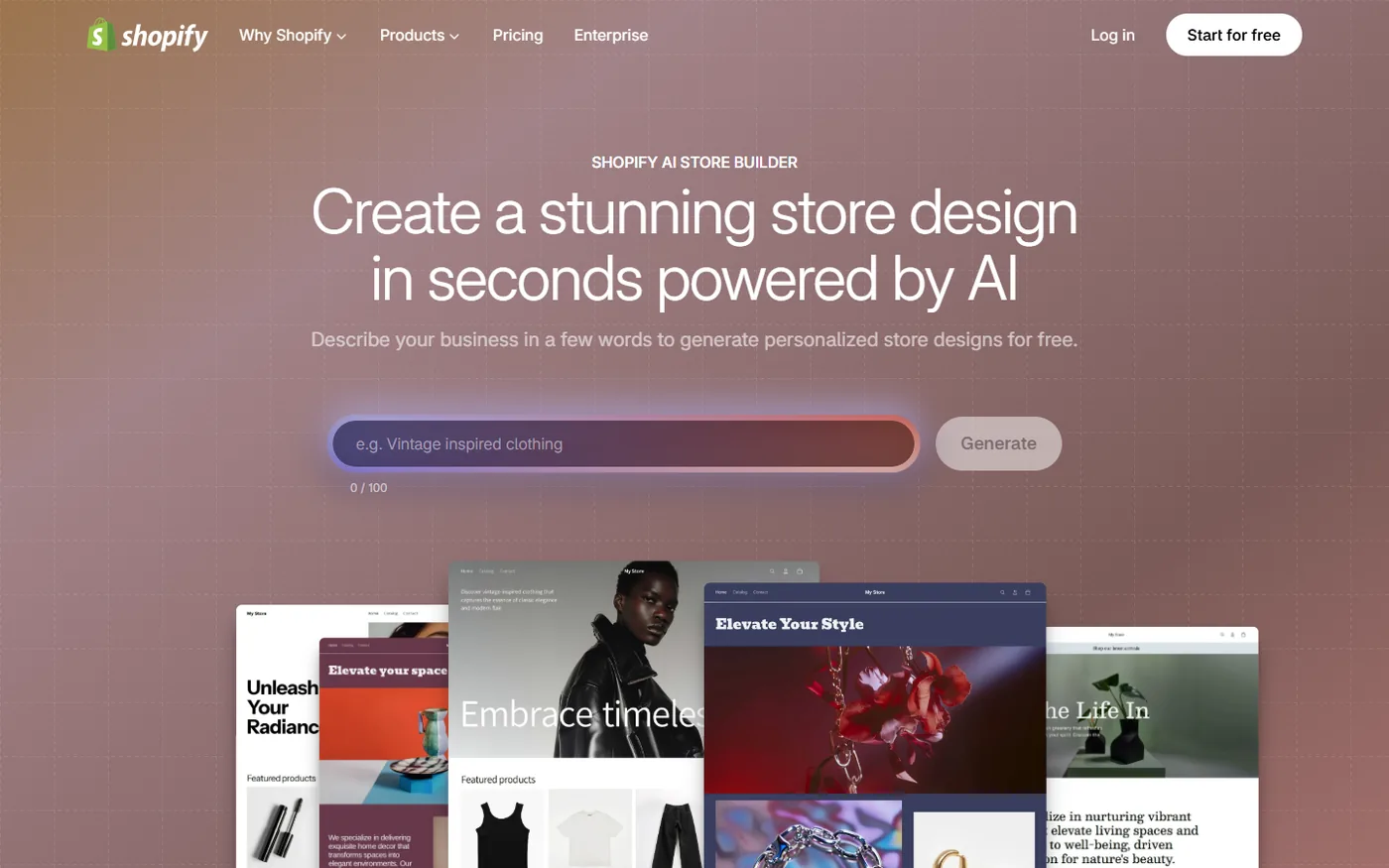
These create the look of the store: layout, theme settings, imagery and copy. You bring your own products. Shopify's free AI store builder is the clearest example: you type a few words about your business and it generates store designs you can pick from and regenerate as many times as you like.
Product-loaded store builders
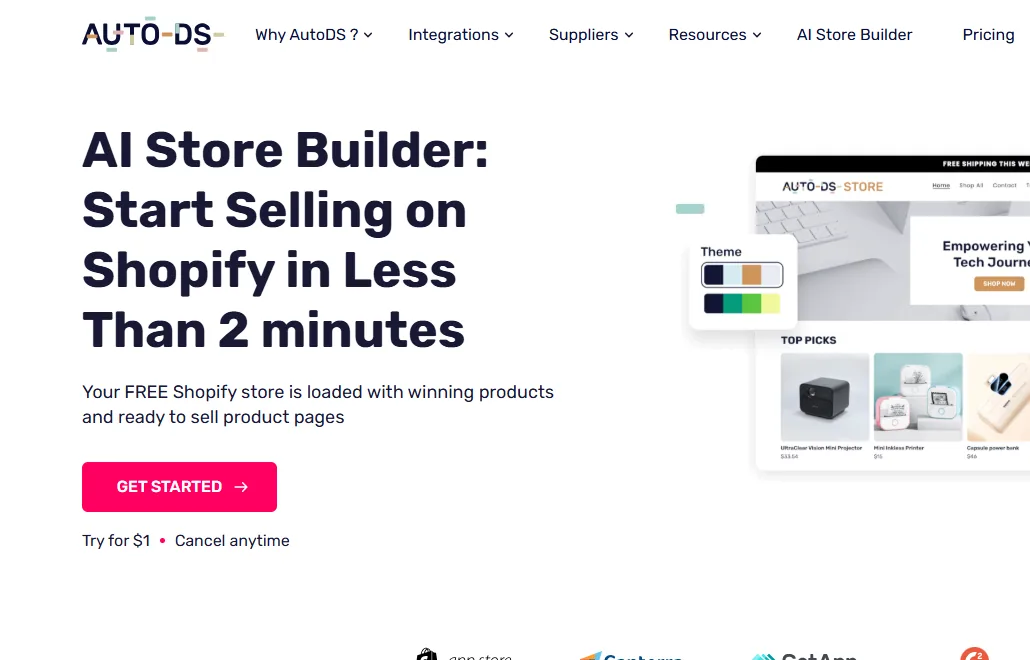
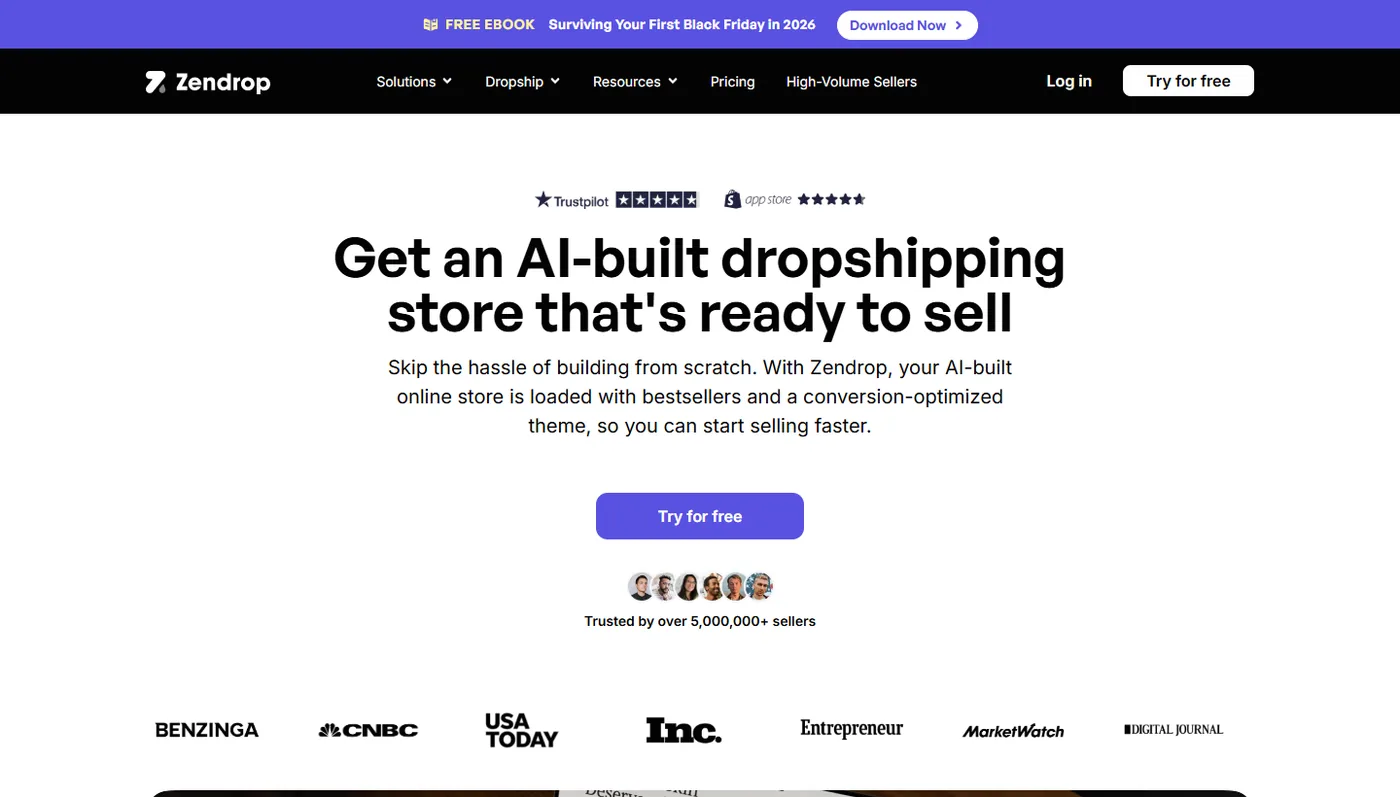
These are run by dropshipping and sourcing apps. You pick a niche, and the tool creates a Shopify store with a theme, product pages and a starter catalog from its own supplier network. AutoDS says its AI store builder loads 10 best-selling products, and Zendrop says its AI-built stores come with 20 products picked by its product team. The appeal is obvious: you skip both design and product research. The catch is that dozens of other beginners may get stores built from the same shortlist.
How an AI store builder works, step by step
The workflow is broadly the same across tools. Here's what happens behind the "Generate" button and where you step in.
- You give it a brief. A niche, a sentence about your brand, or answers to a few questions (style, audience, product type).
- It picks a structure. The builder chooses a theme or template and decides which sections to show: hero banner, featured collection, reviews block, FAQ, newsletter signup.
- It writes and styles. A language model writes the headlines, about-us text and product descriptions; the builder sets fonts and colors to match the tone you described.
- It adds products (product-loaded builders only). Items are imported from the app's supplier catalog with titles, photos, descriptions and suggested prices.
- It hands the store to you. You land in the Shopify admin with a draft store. Nothing goes live until you choose a plan, set up payments and remove the password page.
- You edit. This is the part the marketing pages skip. Everything generated is a first draft, and the checklist further down covers what to fix.
AI store builders compared
Here's how the main options differ on what they generate and what you pay to get going. Details are from each provider's own pages in October 2026 and change often.
| Tool | Type | What the AI creates | Products included | Cost to start |
|---|---|---|---|---|
| Shopify AI store builder | Design generator | Store designs from a few words about your business | No | Free to generate; Shopify plan needed to sell (3 days free, then $1/month for 3 months) |
| Shopify Sidekick | AI assistant in the admin | Product descriptions, blog posts, images, discounts, custom apps | No | Included with Shopify |
| AutoDS AI store builder | Product-loaded | Shopify store, theme and product pages for a chosen niche | 10 products | $1 for a 3-day AutoDS trial, then a paid AutoDS plan, plus Shopify |
| Zendrop AI-built stores | Product-loaded | Shopify store on a Zendrop theme | 20 products | Zendrop plan plus Shopify |
| Storebuild.ai | Product-loaded | Shopify store for a chosen niche | 10 products | Free to build, plus Shopify |
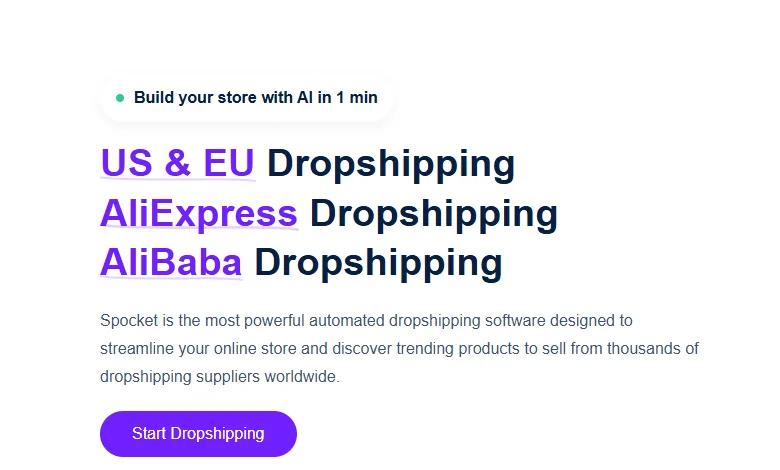
| Spocket AI store setup | Product-loaded | Store setup during signup (advertised as "Build your store with AI in 1 min") | Import from Spocket's US/EU supplier catalog | 7-day trial, then plans from $39.99/month, plus your store platform |
For side-by-side detail on the dropshipping apps behind these builders, see Spocket vs AutoDS and Spocket vs Zendrop.
What an AI store builder costs after the trial
"Free AI store builder" usually means the generation is free. Running the store isn't. Here's a realistic monthly budget for an AI-built Shopify dropshipping store once intro offers end, using list prices:
- Shopify Basic: $39/month, or $29/month on annual billing (Shopify pricing).
- A supplier or dropshipping app: Spocket plans start at $39.99/month; AutoDS and Zendrop also charge monthly plans after their trials.
- A domain: paid yearly once any free first-year offer ends.
- Optional apps: reviews, email marketing, upsells. Many start free and charge as you grow.
So the realistic floor is roughly $70 to $80 a month before ads. That's not a reason to avoid AI store builders. It's a reason to treat the free part as the smallest part of the decision and to pick the tool whose suppliers and fulfillment you actually want to keep paying for.
How to build a store with Shopify's AI store builder
If you want full control over products and brand, start with the design generator and add products separately. Here's the flow:
- Open Shopify's AI store builder and describe your business in one line. Be specific: "minimalist ceramic planters for small apartments" gives a better result than "home decor".
- Generate a few designs and pick the one closest to your brand. Regenerate as often as you need; it doesn't cost anything.
- Create your Shopify account to keep the design, then open the theme editor to adjust fonts, colors and sections.
- Add products. If you're dropshipping, install a supplier app such as Spocket for Shopify and import items from its catalog, or browse winning products for ideas.
- Use Sidekick in the admin to draft product descriptions and an FAQ page, then edit every line yourself. Shopify's Sidekick documentation notes it presents changes for your review before applying them.
- Set up payments, shipping rates, taxes and policies (refunds, shipping, privacy, terms).
- Pick a plan, remove the password page and place a test order before you spend anything on ads.
How to write a prompt that gets a better store
The brief you type is the only thing the AI knows about your business, so a vague prompt gets a vague store. Compare these:
- Weak: "Pet store." You'll get stock dog photos, a generic "Welcome to our shop" headline and a layout built for every pet product at once.
- Better: "Durable chew toys for large dogs, sold to owners of power chewers in the US. Practical, a bit playful, no cutesy language." Now the builder can pick a tone, a color palette and headline angle that fits one buyer.
Four details make the biggest difference: the specific product type, who buys it, the tone you want, and one thing you don't want (a style, a phrase, a color). If the first result misses, change one detail at a time and regenerate rather than rewriting the whole prompt, so you can see what each change does.
The same rule applies when you ask Sidekick or another AI writer for product descriptions. Paste in the supplier's real specs (materials, dimensions, care instructions, shipping range) and ask it to write from those facts only. You'll spend far less time correcting invented details.
The 30-minute checklist for an AI-built store
AI-built stores tend to need the same fixes. Work through these before launch:
- Rewrite the about page. AI about pages invent founders, years in business and missions. Replace them with true, specific facts, even if that's "a two-person team in Austin that started in 2026".
- Check every product claim. Generated descriptions add materials, dimensions and benefits that may not be accurate. Compare each one with the supplier listing; wrong claims turn into returns and chargebacks.
- Remove fake social proof. Delete placeholder reviews, "as seen in" logos and invented customer counts. In the US, the FTC's Consumer Reviews and Testimonials Rule, in force since October 21, 2024, allows civil penalties for fake reviews.
- Set prices with real math. Suggested prices ignore your ad costs. A product that costs $14 plus $5 shipping and sells for $29.99 leaves about $10 before payment fees and ads, which is rarely enough.
- Write honest shipping times. Use the delivery range your supplier actually gives, and say it on the product page and in the shipping policy.
- Swap generic images. Add at least one lifestyle photo per product and make sure every image has alt text.
- Test on a phone. Check the menu, product page, cart and checkout on mobile, where most shoppers will see the store.
- Fix the SEO basics. Edit page titles and meta descriptions so each product and collection targets one clear search phrase.
Where Spocket fits
An AI builder gets you a store. What decides whether it survives month two is the products and how fast they arrive. Spocket focuses on vetted suppliers in the US and EU, with typical delivery of 2 to 7 days, plus automated order fulfillment and branded invoicing. Its signup flow also offers AI store setup, advertised on the homepage as building a store "with AI in 1 min".
More than 500,000 sellers have used Spocket, and plans start at $39.99/month after a 7-day trial. If you've already generated a design with Shopify's tool, you can connect Spocket and import products into it instead of starting over.
Pros and cons of AI store builders
| Pros | Cons |
|---|---|
| A usable draft in minutes instead of days | Stores look alike, especially from product-loaded builders |
| No design or coding skills needed | Generated copy can include false claims you're liable for |
| Free to try in most cases | Ongoing costs (platform, apps, supplier plan) still apply |
| Good way to test several niches quickly | Pre-picked products may be saturated or low-margin |
| Easy to regenerate and compare layouts | You still need to set up payments, policies and shipping |
AI store builder vs a theme vs hiring a designer
An AI builder isn't the only shortcut. Here's how it stacks up against the other two common routes:
- Picking a theme yourself: Shopify's theme store has free themes and paid ones that are a one-time purchase. You get a proven layout but have to write every word and choose every image. Slower than AI, but nothing on the page is invented.
- AI store builder: fastest start, lowest skill needed, most editing afterwards. Best for first stores and niche tests.
- Hiring a designer or Shopify Partner: the most distinctive result and the highest cost. Worth it once a product is selling and the brand needs to stand apart, rarely before.
Many sellers combine them: generate a draft with AI, keep the theme it picked, and bring in a designer later for the homepage and product page template once sales justify it.
When an AI store builder makes sense, and when it doesn't
Use one if you're testing a niche, you've never built a store, or you want a clean starting layout to customize. It's also useful for spinning up a second store for a separate product line.
Skip it, or use it only for layout, if you already have a brand, product photography and a clear positioning. A generated design will fight your existing identity. And if you're buying a fully built store, read our guide on whether to buy a prebuilt dropshipping store first; the trade-offs are similar.
Common mistakes with AI-built stores
- Launching the draft unedited. Shoppers spot generic AI copy quickly, and so do payment processors reviewing new stores.
- Keeping all pre-loaded products. Cut the catalog to the 5 to 10 items you can describe, price and support well.
- Running ads before a test order. Place an order yourself and follow it through fulfillment and tracking.
- Judging the tool by the free tier. Compare the supplier quality, shipping times and monthly plans you'll pay for after the trial.
Once the store is live, AI is just as useful for running it as for building it. Our guide to AI dropshipping covers product research, ad creative and support workflows.
Bottom line
An AI store builder removes the blank page, not the work. Use a design generator if you want control, or a product-loaded builder if you want speed, then spend an afternoon on the checklist above before you launch. When you're ready to fill the store with products that ship from US and EU suppliers, start your 7-day Spocket trial.
Start your dropshipping business today
AI Store Builder FAQs
What is an AI store builder?
An AI store builder is a tool that creates an online store from a short prompt or a few choices, such as your niche. It generates the theme, layout, colors and copy, and some tools also import a starter set of products. The result is a draft store you edit before launch, usually on Shopify.
Is there a free AI store builder?
Yes. Shopify's AI store builder generates store designs for free, and you can regenerate as many as you like. Storebuild.ai also builds stores for free. To actually sell, you still need a paid Shopify plan, and dropshipping tools charge for their supplier plans after the trial ends.
Does Shopify have an AI store builder?
Yes. Shopify offers a free AI store builder that turns a few words about your business into store designs. Inside the admin, Shopify's AI assistant Sidekick can also write product descriptions and blog posts, create images and discounts, and build simple custom apps, showing changes for your review first.
Can an AI store builder add products for me?
Product-loaded builders can. AutoDS says its AI builder adds 10 best-selling products, and Zendrop says its AI-built stores include 20. Design generators like Shopify's tool don't add products, so you import them with a supplier app such as Spocket, which connects Shopify stores to US and EU suppliers.
Are AI-built stores good for dropshipping?
They're a fast way to start, but the store itself rarely decides success. Product choice, supplier reliability, shipping speed and honest pricing matter more. Edit every generated claim, cut the catalog to products you can support and place a test order before running ads.
How long does it take to build a store with AI?
Generating the draft takes a few minutes with most tools. Turning it into a store ready for customers usually takes a few more hours: rewriting copy, checking product details, setting up payments, shipping and policies, and testing checkout on a phone.
Will an AI-generated store rank on Google?
Not on its own. Generated pages often share generic copy with many other stores, which gives Google little reason to rank them. Rewrite product and collection pages around specific search phrases, add original photos and details, and publish helpful content to build visibility over time.


Launch your dropshipping business now!
Start free trial


Related blogs

What Is Ecommerce? Definition, Types and Models
What is ecommerce? Learn the definition, types (B2C, B2B, D2C), business models, and 2026 US Census data, plus how to work out profit on a single order.


eBay Seller Hub: Every Tab Explained
eBay Seller Hub explained tab by tab, with fees worked through, a weekly routine and how dropshippers use it to track orders, seller level and payouts.
Top WordPress eCommerce Themes for 2026
Explore the best WordPress eCommerce themes for 2026. Compare WooCommerce themes by speed, design, features, and dropshipping potential.