


Using a VPN for E-commerce Security: Top Reasons Why You Need One
Payment blocks and account takeovers hurt sales. Learn how a VPN for ecommerce security protects your store, admin, and data in 2026.

Your store runs on trust. One frozen payment, one flagged admin login, or one stolen credential can undo months of work. You lock your physical inventory, but do you lock your network traffic the same way? A Virtual Private Network (VPN) for ecommerce security does exactly that. It creates an encrypted tunnel between your device and the internet, hiding your IP address and scrambling data so hackers, ISPs, and fraud filters cannot interfere with your operations.
Ecommerce platforms process thousands of data points per second: customer payments, supplier communications, and advertising bids. Without a VPN, this traffic travels exposed, especially on public Wi-Fi or through shared office networks.
Attackers intercept sessions, payment gateways flag IP jumps as suspicious, and your admin panel becomes a target. This guide walks through the types of VPNs available, how they work, and the specific ways they protect your store in 2026.
What Is a VPN?
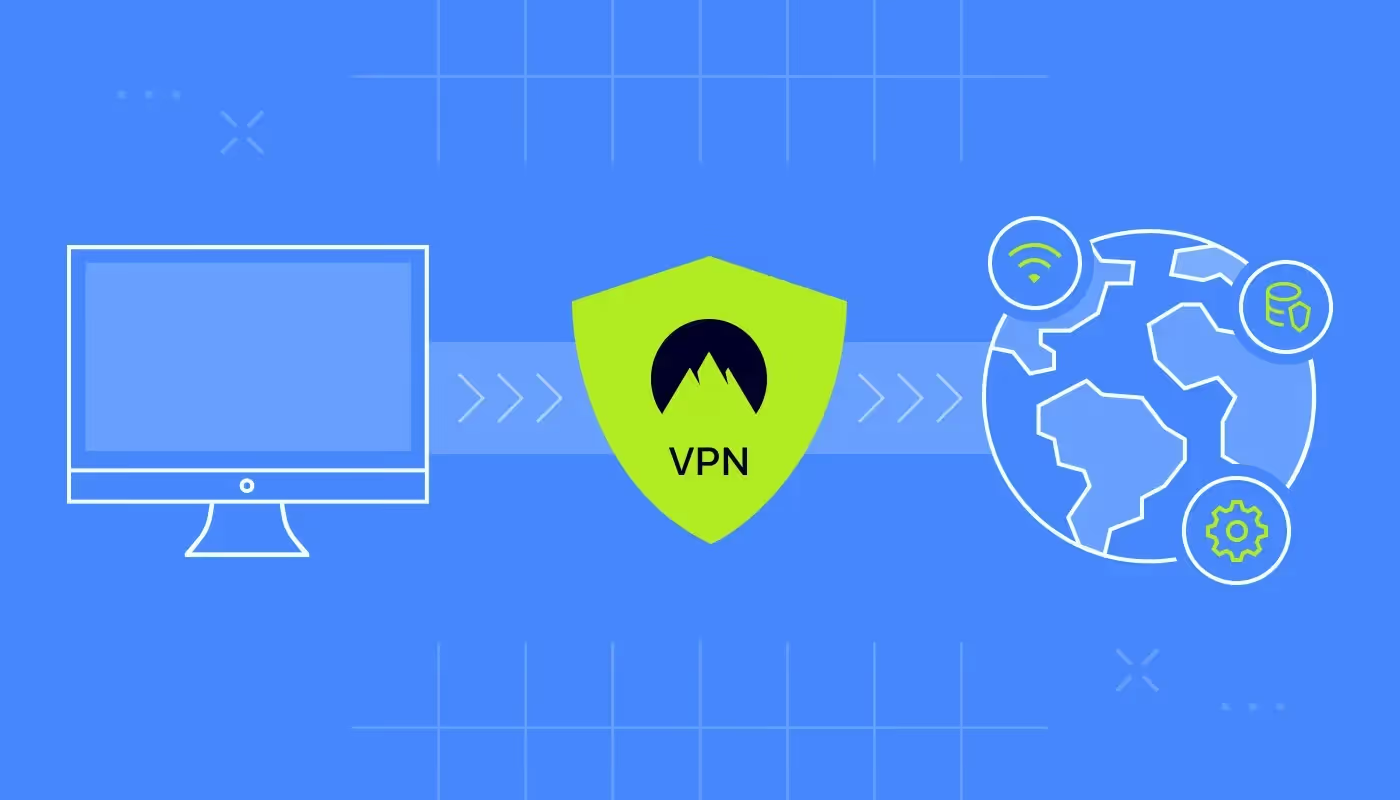
A Virtual Private Network (VPN) is a service that extends a private network across a public connection. When you use a VPN, your device connects to a VPN server, and all your internet traffic passes through that server. The server masks your real IP address and assigns you one from its location. More importantly, it encrypts the data leaving your device, turning it into unreadable code until it reaches the VPN server .
For an ecommerce business, this means three things. First, your physical location stays hidden. Second, your data cannot be read by anyone snooping on the network. Third, you appear to websites as a consistent user if you use a dedicated IP. Think of it as a private corridor through a crowded mall: shoppers see you enter and exit, but nobody inside the crowd can grab your bags or see what you bought.
Types of VPN Services for Ecommerce
Not all VPNs serve the same purpose. Picking the right type depends on how your team works and where your threats come from.
Remote Access VPN
This is the standard model most people recognize. An employee connects to a VPN server to access the company network from home or a coffee shop. The VPN client on their laptop encrypts traffic and sends it to the company’s gateway. For ecommerce, this lets your team log into Shopify or your fulfillment dashboard without exposing passwords to public Wi-Fi snoops . It works well for day-to-day administrative tasks.
Site-to-Site VPN
Larger stores sometimes run their own infrastructure or connect multiple office locations. A site-to-site VPN links entire networks together over the internet. Instead of each device running a client, routers at each location handle the encryption. If you host your own ecommerce server or connect a warehouse system to your main office, this setup keeps data transfers private.
Dedicated IP VPN
Standard VPNs assign you an IP address from a shared pool. If that pool includes spammers or bad actors, payment gateways might distrust the whole range. A dedicated IP VPN gives you a static address that only you use. Services like TorGuard and VPN Unlimited offer this. It stabilizes your reputation with Stripe, PayPal, and ad platforms because your traffic always appears from the same clean location . You avoid fraud flags that come from IP hopping. Pair your VPN with anti-theft apps from Shopify for more security.
Mobile VPN
Ecommerce does not stop at the desk. Owners check sales on phones, and support staff answer queries from tablets. Mobile VPNs maintain the connection even when switching between Wi-Fi and cellular data. If you monitor your store from a train or a hotel lobby, a mobile VPN ensures the encryption stays active and your session does not drop.
How Does a VPN Work for Store Security?
Understanding the mechanics helps you see why a VPN stops certain attacks and where it needs help.
Encrypting the Data Tunnel
When you activate a VPN, your device and the VPN server agree on encryption keys. Every packet of data—customer names, credit card numbers, admin passwords—gets wrapped in a layer of ciphertext. To anyone on the same public Wi-Fi, the traffic looks like random noise . This stops session hijacking, where attackers steal cookies to impersonate you. Even if they capture the packets, they cannot read them.
Masking Your IP Address
Your IP address reveals your approximate location and internet service provider. Fraud detection systems at ecommerce platforms log this. If you log into your store from New York, then an hour later from a server in London, the system flags "impossible travel" and might lock the account . A VPN masks your real IP and presents the server's IP. With a dedicated IP, you appear from the same place every time, eliminating these false positives.
Bypassing ISP Throttling and Snooping
Internet service providers can see which sites you visit. Some throttle traffic to ecommerce platforms or advertising tools, slowing your work. ISPs also collect data on your habits to sell to advertisers. A VPN hides your destination from the ISP. They see encrypted traffic heading to the VPN server, but not that you are accessing your WooCommerce admin panel or running Facebook ad campaigns .
How Much Does a VPN Cost Your Business?
VPN pricing varies wildly. A basic consumer VPN for a single employee runs $5 to $15 per month. These work for occasional use but often lack dedicated IPs or robust logging for compliance.
For a dedicated IP VPN suitable for ecommerce admin, expect to pay $8 to $25 monthly per user. Providers like VPN Unlimited and TorGuard offer dedicated IP add-ons in this range.
If you need site-to-site VPNs or Zero Trust Network Access (ZTNA) for a larger team, enterprise platforms like Perimeter81 or Fortinet start around $10 to $20 per user per month but scale up based on features and bandwidth . These include centralized management, multi-factor authentication integration, and detailed audit logs.
Compared to the cost of a single chargeback dispute or a hacked ad account, this expense is minimal. One frozen payout from PayPal can cost more than a year of VPN subscriptions.
Most Popular VPN Solutions for Ecommerce in 2026
The market has matured. Providers now focus on speed, reliability, and features that matter to businesses.
ExpressVPN
ExpressVPN remains a top choice for its speed and wide server network. It uses the Lightway protocol, which offers fast connections ideal for accessing geo-restricted supplier sites or competitor stores. While marketed to consumers, its ease of use makes it a solid pick for solo ecommerce sellers who need quick protection on laptops and phones. The TrustedServer technology ensures no data is written to hard drives, adding privacy for your market research .
NordVPN Teams (now part of NordLayer)
NordVPN rebranded its business offering as NordLayer. It focuses on team management. You can create separate VPN gateways for different departments: finance, support, and suppliers. It integrates with Google Workspace and Azure AD for single sign-on. For a growing ecommerce brand with five or more staff, this control over who accesses which part of your infrastructure beats a consumer account .
TorGuard
TorGuard specializes in privacy and dedicated IPs. Their Anonymous VPN plan bundles a static IP with strong encryption and a strict zero-logs policy. This is crucial for merchants who have been burned by false fraud flags. You can use that single dedicated IP across eight devices simultaneously, meaning your whole core team shares the same trusted identity when logging into payment dashboards . It also supports OpenVPN, WireGuard, and Stealth VPN protocols to bypass deep packet inspection.
Perimeter81
For larger operations, Perimeter81 offers a Unified-as-a-Service platform that replaces traditional VPNs. It provides Zero Trust Network Access (ZTNA), meaning users only see the specific applications they are authorized for, not the whole network. If you host your own headless commerce environment or connect multiple cloud services, Perimeter81 segments access and logs everything for compliance. It simplifies secure access for remote developers and agencies managing your store.
Proton VPN
Proton VPN, from the makers of Proton Mail, focuses on transparency and strong privacy laws based in Switzerland. Their business plans include dedicated IPs and high-speed connections. For merchants concerned about data brokers and surveillance, Proton VPN offers an audited, open-source solution. It pairs well with their encrypted email service to keep supplier communications and platform notifications private.
Benefits of a VPN for Ecommerce Security
Integrating a VPN into your daily operations protects your business in several concrete ways:
- Prevents payment gateway fraud flags: When your IP address jumps between cities, Stripe and PayPal flag transactions. A dedicated IP keeps your origin consistent, reducing manual reviews and failed checkouts.
- Secures admin logins on public networks: Hotels, cafes, and co-working spaces are hunting grounds for session hijackers. A VPN encrypts traffic so cookies and passwords stay hidden, even on compromised Wi-Fi.
- Blocks ISP data collection: Internet providers sell your browsing data. A VPN hides your activity, so your competitor research, ad campaigns, and supplier searches stay private.
- Enables safe remote work for teams: Your staff can log into Shopify or QuickBooks from anywhere without exposing credentials. Pair the VPN with a password manager and MFA for layered defense.
- Protects against DDoS attacks: Some competitors or attackers target ecommerce stores with distributed denial-of-service attacks. Premium VPNs and network security providers absorb this traffic, keeping your site accessible.
- Access geo-blocked tools and suppliers: Some dropshipping directories or market research tools restrict access by region. A VPN lets you connect through servers in permitted countries to view accurate pricing and inventory.
What is the Future of VPNs in Ecommerce?
The role of VPNs is shifting from optional to essential as regulations and threats evolve.
Integration with Zero Trust Models
The old model of "trust but verify" is dying. Future security assumes breaches and verifies every request. VPNs are becoming part of Zero Trust Network Access (ZTNA) frameworks. Instead of giving employees full network access, they get access only to specific ecommerce tools. Providers like Perimeter81 and Zscaler lead this shift, ensuring that even if a VPN credential leaks, the attacker cannot reach your entire backend.
AI-Driven Threat Detection
VPN providers now layer artificial intelligence onto their networks. Machine learning analyzes traffic patterns to spot anomalies. If a finance manager suddenly downloads thousands of customer records, the VPN can flag or block that behavior in real time. This moves VPNs from passive encryption to active threat prevention.
Stricter Compliance Requirements
Laws like the UK Online Safety Act and state-level age verification laws in the US are forcing websites to know who is accessing them. This creates a paradox: users want privacy, but sites must verify. Future VPNs might need to offer "attested" connections that prove user location without revealing personal data. Ecommerce platforms may start requiring VPN detection or, conversely, accepting verified VPN traffic as compliant.
Ecommerce VPN Use Cases: Real Examples
Theory helps, but seeing how merchants actually deploy VPNs clarifies the value.
The Traveling Store Owner
A merchant attends a trade show in Berlin. They need to check orders and process refunds from the hotel lobby. Without a VPN, their session is exposed to other guests on the same network. With a VPN connected to their home city server, they log into Shopify securely. The platform sees their usual IP, so it does not trigger a security alert. They handle customer issues without freezing the account.
The Multi-Account Advertiser
A brand runs Google and Facebook ads for multiple client stores. Managing these accounts from one office can trigger platform bans, as the networks see multiple logins from the same IP. Using a VPN with multiple exit nodes, or an anti-detect browser paired with a VPN, the advertiser appears as separate users in different locations. This keeps client accounts safe from being linked incorrectly.
The Supplier Verification Team
A dropshipper uses Spocket to find reliable suppliers. They want to cross-check supplier websites manually. Some suppliers only show local pricing. The dropshipper connects to a VPN server in the supplier's country to view the site as a local customer would, verifying that prices and stock levels match what Spocket shows. This prevents ordering from a supplier who misrepresents their inventory.
A Guide to Picking the Right VPN Protocol
Not all VPN connections are created equal. The protocol determines speed and security.
OpenVPN
This is the industry standard. It uses OpenSSL and works on almost every platform. It is highly secure but can be slower due to its complexity. For admin tasks where security matters more than speed, OpenVPN is a safe bet.
WireGuard
Newer and faster, WireGuard uses modern cryptography. It has a smaller codebase, which means fewer places for bugs to hide. It establishes connections in milliseconds. For ecommerce teams accessing cloud dashboards, WireGuard offers near-native speeds. Many 2026 providers, including NordLayer and TorGuard, now default to WireGuard.
IKEv2/IPsec
This protocol handles network changes well. If you move from Wi-Fi to cellular, IKEv2 keeps the VPN tunnel alive. It is ideal for mobile store management. Apple devices support it natively.
Stealth VPN
Some networks block standard VPN protocols. Stealth VPN wraps VPN traffic in normal HTTPS, making it look like regular web browsing. This helps if you operate in regions with internet restrictions or need to bypass overly restrictive office firewalls.
Top VPN Mistakes to Avoid
Setting up a VPN is easy, but misusing it creates new risks.
- Using free consumer VPNs for business: Free VPNs often log your data and sell it to advertisers. They also cram users onto crowded servers, slowing speeds. Worse, if those IPs are blacklisted, your store access gets blocked. Pay for a reputable business or premium consumer service .
- Skipping the kill switch: A VPN can drop connection momentarily. Without a kill switch, your real IP leaks out, and your traffic goes unprotected. Always enable the kill switch feature so the internet cuts off if the VPN fails .
- Allowing split tunneling for admin work: Split tunneling routes only some traffic through the VPN. This can be useful for streaming, but for accessing payment dashboards, force all traffic through the tunnel. Otherwise, a background app might leak your real IP.
- Neglecting multi-factor authentication: A VPN secures the connection, not the login. If your password is weak, a hacker can still break in. Pair the VPN with MFA on every platform. This creates two layers: the encrypted tunnel and the verified identity .
- Sharing VPN credentials: Each user should have their own login. Shared accounts make audits impossible. If a former employee leaves, you cannot easily revoke their access without changing the password for everyone.
Common VPN Use Cases for Ecommerce Teams
Beyond basic protection, teams use VPNs for specific daily tasks.
- Secure remote access for support agents: Customer support often works from home. A VPN ensures customer data stays encrypted between their device and your helpdesk software.
- Safe financial reconciliation: Finance teams logging into bank portals and Stripe dashboards use VPNs to hide these sessions from local network monitoring. It adds a layer of defense against keyloggers on shared office computers.
- Ad platform management without interference: Ad platforms track IPs to detect fraud. If you manage accounts for multiple brands, using a VPN with clean, dedicated IPs prevents your accounts from being flagged for "suspicious activity".
- Competitor price monitoring: Running scrapers or manually checking competitor sites from your office IP gets you blocked. A VPN lets you view competitor pricing as a regular customer would, without revealing your business identity.
How to Get Started with a VPN for Your Store
Implementing a VPN does not require a full IT overhaul. Follow these steps to lock down your access.
Choose a Provider with a Dedicated IP Option
Start by selecting a provider that offers static, dedicated IP addresses. Services like TorGuard or NordLayer list this clearly. A dedicated IP costs more but pays for itself by preventing payment gateway headaches. Sign up and select a server location close to your actual base or your target market.
Install and Configure the VPN Client
Download the app for your operating system: Windows, macOS, iOS, or Android. Log in and connect to your dedicated IP server. Go into settings and enable the kill switch. Set the protocol to WireGuard for speed or OpenVPN for maximum compatibility. Test the connection by visiting a site like "whatismyip.com" to confirm your address matches the dedicated IP.
Set Up IP Allowlisting on Critical Platforms
Log into your ecommerce platforms, payment gateways, and domain registrars. Look for security settings that allow IP restrictions. Add your new dedicated IP address to the allowlist. This means only traffic coming from that IP can access billing or admin sections. If someone steals your password, they cannot log in from their own network.
Create Role-Based Access Rules
Document who needs VPN access. Your developers, finance staff, and store managers likely need it. Customer support might only need access to the helpdesk, which might not require a VPN if it is cloud-based. Assign dedicated IPs to roles or individuals so you can track activity. Use a password manager to distribute credentials securely.
Test the Workflow
Simulate a remote work scenario. Take a laptop to a coffee shop, connect to the VPN, and log into your store. Place a test order and process a refund. Ensure the experience is smooth and that no extra CAPTCHAs or verification steps appear. If everything runs cleanly, the VPN is working.
Conclusion
So now you know what VPNs to use and how VPN can help with your e-commerce security. We hope our blog helps you make some good decisions and stay secure.
Don't give access to your VPN keys to anyone. There is also a killswitch which you can enable, in case you forget to turn it off when you run it in the background. Check out the offerings above and see what works for you. Good luck.
Start your dropshipping business today
VPN for E-commerce Security FAQs
Can a VPN stop hackers from stealing customer data?
A VPN encrypts data in transit, preventing interception on public networks. However, it does not protect against malware on your device or vulnerabilities in your ecommerce platform. Use a VPN alongside endpoint protection and secure coding practices to create a full defense.
Will a VPN slow down my store management tasks?
Modern protocols like WireGuard offer speeds close to a direct connection. Premium providers invest in high-bandwidth servers. You might notice a slight increase in latency, but for admin tasks like updating products or processing orders, the difference is negligible. The security gain outweighs any minor slowdown.
Is it legal to use a VPN for ecommerce?
Yes, using a VPN is legal in most countries. Some regions with strict internet controls restrict VPN use, but for general business operations in North America and Europe, it is a standard security practice. Ensure your VPN use complies with the terms of service of your ecommerce platform.
How do I know if my VPN is leaking my IP?
Use online leak testing tools. These sites show the IP address you are presenting. Also test for DNS leaks, where your DNS requests bypass the VPN. Most quality providers include built-in leak protection, but it pays to verify after setup.
Do I need a VPN if I only use HTTPS sites?
HTTPS encrypts data between your browser and the website, but it does not hide your IP address or encrypt the DNS lookup. Your ISP still sees which sites you visit. A VPN adds a layer by hiding all traffic from your ISP and masking your location.
What happens if my VPN connection drops during a transaction?
If you have a kill switch enabled, your internet cuts off immediately, preventing data leaks. The transaction might fail, but your credentials stay safe. Reconnect the VPN and try again. Without a kill switch, your real IP could be exposed mid-transaction.


Launch your dropshipping business now!
Start free trial.avif)


Related blogs

Top WordPress eCommerce Themes for 2026
Explore the best WordPress eCommerce themes for 2026. Compare WooCommerce themes by speed, design, features, and dropshipping potential.


Saba Mohebpour Didn't Stop at Spocket: His New $50M Fund, ILA Capital, Is Buying Up Shopify and Amazon Apps
After building Spocket into a major ecommerce platform, Saba Mohebpour is launching ILA Capital with a $50M strategy to acquire Shopify and Amazon apps powering modern ecommerce.


Top Trendsi Alternatives for Fashion Dropshipping
Explore the best Trendsi alternatives for fashion dropshipping, fast shipping, branding, Shopify integration, and reliable suppliers.
