


How to Sell Ebooks on Amazon KDP
Learn how to sell ebooks on Amazon KDP with step-by-step publishing, SEO, pricing, marketing & royalty tips that help you earn more and reach millions of readers.

.avif)

Selling ebooks on Amazon KDP is one of the simplest ways to turn your knowledge, stories, or expertise into a scalable income stream—without printing costs, inventory, or a publisher. With Kindle Direct Publishing (KDP), you can publish an ebook in days, reach millions of readers worldwide, and earn royalties every time your book sells (or gets read via Kindle Unlimited).
In this guide, you’ll learn exactly how to sell ebooks on Amazon KDP, from choosing a profitable topic and formatting your manuscript to picking the right keywords, categories, and pricing strategy. You’ll also discover practical launch and marketing tactics that improve visibility in Amazon search—so your ebook doesn’t get buried after publishing. If you want a real, repeatable process for getting sales, you’re in the right place.
What is Amazon KDP & Why It Matters
Amazon Kindle Direct Publishing (KDP) is Amazon’s self-publishing platform that lets you publish ebooks (and print books) and sell on Amazon marketplaces without a traditional publisher. You upload your files, set your price and rights, and Amazon handles distribution and delivery to readers, making its one of the reliable and consistent ways to earn money with Amazon
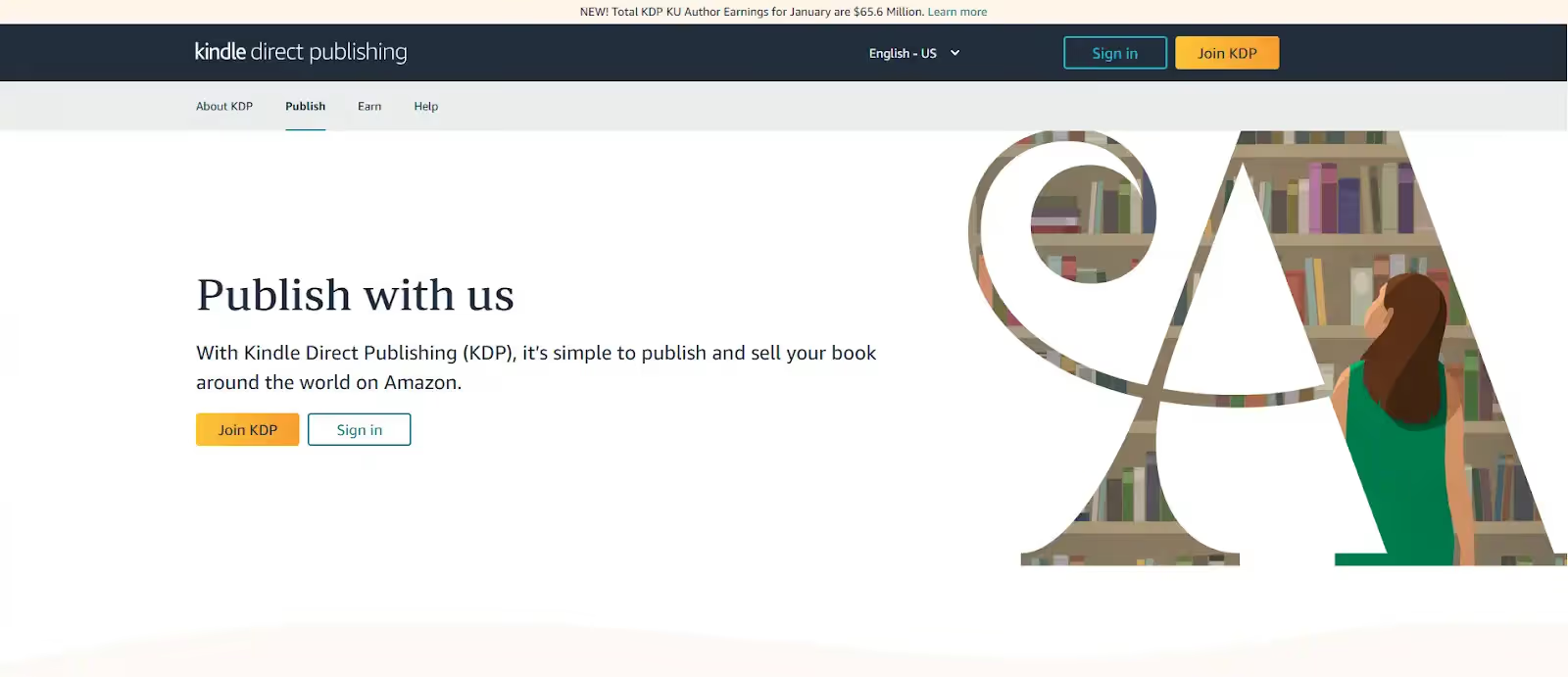
What makes KDP a big deal for ebook sellers
- Global reach, fast distribution: KDP can list your ebook across Amazon stores worldwide, typically within ~72 hours after publishing (often sooner, but plan for the window).
- You keep control: You control your book’s content, pricing, publishing timeline, and updates—meaning you can refine your listing and metadata as you learn what converts.
- Royalties that can beat traditional deals: KDP offers two ebook royalty options—35% or 70%—depending on eligibility and your setup.
Self-publishing vs traditional publishing (in plain terms)
- Traditional publishing: slower timelines, less pricing control, gatekeepers, and a smaller share per sale in exchange for advance/printing/distribution support.
- KDP: faster launch, direct access to Amazon search traffic, flexible pricing/updates, and potentially higher per-sale royalties—if you optimize keywords, categories, and your product page.
Choose the Right Ebook Idea That Sells
If your goal is to sell ebooks on Amazon KDP, idea selection is less “what you feel like writing” and more “what Amazon buyers are already searching for.”
How to find profitable ebook niches (quick validation workflow)
- Start with a “buyer problem” (not a broad topic).
- Example: “meal prep” → “meal prep for diabetics,” “high-protein meal prep for women,” “meal prep for beginners on a budget.”
- Use Amazon autocomplete as demand proof.
- Type your seed phrase in Amazon’s search bar and record the suggestions (these are real searches).
- Check the top results for consistency.
- If multiple books show similar phrasing in titles/subtitles and have steady reviews, demand is likely real.
- Look for a wedge you can own.
- A narrower angle (specific audience, outcome, or method) helps you rank and convert.
Tools & strategies for Amazon keyword research
Amazon’s own KDP guidance is clear: pick keywords that reflect how customers search and that accurately represent your content—keywords can improve discoverability in the Amazon Store.
Use this practical approach (aligned with KDP best practices):
- Build 20–40 candidate phrases from Amazon autocomplete + “Customers also bought” patterns.
- Choose your strongest phrases for KDP keyword fields. KDP recommends using up to seven keywords or short phrases and putting them in logical order (how people actually type them).
- Pre-test your keywords on Amazon search before publishing—KDP explicitly recommends searching Amazon with your planned keywords and adjusting if results look irrelevant.
Understand Amazon search behavior (so you don’t guess)
Amazon shoppers typically search in:
- Problem → solution language (“anxiety workbook,” “budgeting for couples”)
- Audience qualifiers (“for teens,” “for beginners,” “for women over 40”)
- Outcome terms (“weight loss,” “learn Spanish fast,” “stop procrastinating”)
KDP also lists useful keyword types like setting, character types/roles, plot themes, and tone—especially valuable for fiction targeting.
Writing & Formatting Your Ebook
A KDP ebook that sells consistently usually does two things well:
1) it delivers a clear promise fast, and 2) it reads cleanly on Kindle devices.
Write high-quality content readers actually want
Use a structure that reduces refunds and increases reviews:
- Open with the “quick win”: a 1–2 page result readers can apply today
- Use short chapters + clear subheads: Kindle reading is often mobile
- Add supporting proof: examples, mini case studies, checklists, templates
- Make it skimmable: bullets, step sequences, “Do this / Avoid this” blocks
Kindle file formats & best practices for readability
KDP accepts multiple ebook manuscript formats, including HTML (ZIP/HTM/HTML), RTF, TXT, and PDF (PDF support is language-dependent). Practical guidance for fewer formatting issues:
- Prefer reflowable layouts (text adapts to screen sizes) unless your book truly requires fixed layout.
- Avoid complex spacing hacks (multiple spaces/tabs). Use styles (Heading 1/2, Normal).
- Keep images optimized and purposeful (large image-heavy files can create a clunky reading experience).
Professional structure + editor checklist (simple but effective)
Before you upload, run this checklist:
- Front matter: title page, copyright page, (optional) dedication
- Navigation: a working table of contents + consistent headings
- Core content: clear chapter flow, no repeated sections, consistent terms
- Proofing: typos, tense consistency, proper names, links that work
- Device preview: always check in a Kindle preview tool to catch spacing/TOC issues
Designing Covers & Crafting a Compelling Title (Conversion Optimization)
Your cover and title are your “ad + landing page headline” inside Amazon search. Most readers decide in seconds whether to click—so this section directly impacts CTR, trust, and sales.
Why ebook covers matter (CTR + trust)
On Amazon, your ebook cover appears as a small thumbnail in search results and category pages. A sharp, readable cover improves clicks, and clicks fuel sales velocity. KDP recommends a marketing cover image sized 2560 (H) × 1600 (W), 300 DPI/PPI, JPEG preferred, ≤ 5MB, saved in RGB (Kindle doesn’t support CMYK). Covers with less than 500 pixels on the shortest side won’t display properly.
Quick cover checklist (works for most niches):
- Big title typography that stays readable as a thumbnail
- High contrast (avoid washed-out, low-contrast covers)
- One clear visual idea (don’t cram 10 elements)
- No price tags or promo text (not allowed on covers)
Title + subtitle strategy for Amazon search visibility
Your title/subtitle should be human-first, keyword-smart—not stuffed. KDP explicitly notes that customers often skim past long titles (over 60 characters), so keep it clean and scannable.
A proven title formula (nonfiction): Outcome + Audience/Angle + Time/Method (optional)
Example (structure only): “[Result] for [Audience]: [Simple Method/Framework]”
Subtitle rules that help ranking + conversion:
- Add clarity (who it’s for, what it helps achieve)
- Use 1–2 core phrases naturally (avoid keyword lists)
- Match what’s inside the book (misalignment kills reviews)
Cover tools & design tips
- KDP Cover Creator is built into the workflow and is fine for simple designs (especially early on). KDP also supports uploading your own cover image file.
- If you outsource, give your designer a thumbnail test: export a tiny version and confirm the title is readable.
Practical “thumbnail test”: Shrink your cover to phone size. If the title isn’t instantly readable, redesign the typography before publishing.
How to Upload Your Ebook to Amazon KDP: Step-by-Step
KDP’s publishing flow is organized into three main parts: Details, Content, and Rights & Pricing.
1. Setting up your KDP account
- Create/sign in to your KDP account and complete the required publisher details (tax + payment setup is typically required before payouts).
- From your KDP Bookshelf, start a new Kindle eBook setup (KDP calls this the Title Setup process).
2. Uploading your manuscript and cover
You’ll upload your manuscript and add your cover, then preview for quality.
- Manuscript: Upload your formatted ebook file (the upload can take a few minutes). During review, your file may be locked for changes.
- Cover: Add your marketing cover image (follow KDP’s size/format guidance).
- Previewer (required): KDP recommends reviewing the book carefully in Previewer to catch formatting issues before you publish.
3. Filling book details (title, description, search terms)
You’ll enter metadata that becomes your Amazon detail page: title, author name, description, categories, and more.
Important: KDP warns that many details can’t be changed after publishing—double-check everything before submitting.
Search terms (keywords): what actually works
KDP recommends using up to seven keywords/short phrases, combined in the most logical order and based on how customers search. They also recommend testing your keywords on Amazon search before publishing.
Avoid keyword mistakes KDP calls out:
- Don’t repeat info already covered in metadata (title/contributors/categories)
- Don’t use subjective claims (“best”) or time-sensitive promo terms (“on sale”)
- Don’t use brand terms you don’t own or misleading author names
4. Choosing categories
Pick categories that accurately match your book. Your goal is relevance + conversion, not “hacks.” Misalignment leads to poor reviews and weak sales signals.
Pro tip: Keep title/cover/keywords consistent across formats if you publish multiple versions later—KDP notes mismatched details can prevent formats from linking to one detail page.
Pricing & Royalties Explained (Monetization Strategy)
Pricing impacts both conversion rate and your royalty per sale. KDP offers two ebook royalty options: 35% and 70%.
KDP pricing rules & how royalties work
- 35% royalty: You earn 35% of your list price (minus applicable VAT where relevant).
- 70% royalty: You earn 70% of list price (minus VAT) minus delivery costs for eligible sales in 70% territories; sales outside those territories may earn 35%. KDP notes average delivery costs vary by file size (they cite an average example cost).
- Price matching: If Amazon sells your ebook below your list price to match pricing, royalties can be based on the actual sale price (KDP explains this under pricing/royalty terms).
- You can’t set your list price as free in KDP’s pricing flow.
Choosing the right price for maximum profit
Use pricing to balance sales velocity and earnings per sale:
- If you’re new with no reviews, a lower-but-profitable entry price can help you get initial buyers.
- Once you have reviews + steady conversion, test small price increases and monitor sales.
Also optimize file size (especially image-heavy books) because delivery costs can reduce your net royalty under the 70% option.
When to enroll in KDP Select / Kindle Unlimited
KDP Select is a free program for Kindle eBooks with a 90-day enrollment period, but your ebook must be exclusive to the Kindle Store during that period (distribution allowed only through KDP + public libraries). Public domain content isn’t eligible.
Why authors enroll:
- Your book becomes available in Kindle Unlimited (KU), and you can earn based on pages read (KDP pays from a monthly global fund; earnings depend on your share of total pages read).
- You may also access Select promotions (availability varies by region and rules).
A simple decision rule:
- Enroll in Select if your strategy is Amazon-first and you want KU page-read income.
- Skip Select if you need wide distribution (Apple Books, Google Play Books, Kobo, etc.) immediately.
Amazon SEO for Ebook Listings (Visibility + Optimization)
Amazon SEO is the process of optimizing your ebook’s metadata (title, subtitle, description, keywords, and categories) so Amazon can correctly index your book—and show it to shoppers who are most likely to buy. Your metadata becomes your book detail page, and it directly affects discoverability.
What Amazon SEO means for ebooks
Amazon’s algorithm cares about two big things:
- Relevance: Does your metadata match what a shopper searched?
- Performance: Do people click, buy, and read once they see it?
That’s why your cover + title drive clicks, while keywords + categories drive indexing.
Optimize title, subtitle, description & the 7 keyword slots
1) Title + subtitle (indexing + conversion)
- Keep your title clear and readable; overly long titles can hurt scanning and clicks.
- Use the subtitle to add audience + outcome (not keyword stuffing).
2) Description (your conversion engine)
Your description should read like sales copy, but it must stay accurate and aligned with the book content. Amazon uses your metadata to build your detail page, so mismatched promises often lead to bad reviews.
A proven description structure that works in most categories:
- Hook: The pain/problem + outcome
- What’s inside: 3–6 bullets of clear deliverables
- Who it’s for: audience qualifiers
- Credibility: why you (brief proof, experience, process)
- CTA: “Download now / Start today” (simple)
3) The 7 keyword slots (indexing signals)
KDP recommends:
- Use up to seven keywords or short phrases
- Combine them in the most logical order (how customers actually type them)
- Test them in Amazon search before publishing; if results look irrelevant, change them
KDP keyword rules that keep you compliant and avoid rejections:
- Don’t use subjective claims (“best”), promos (“on sale”), or misleading terms
- Don’t use keywords that violate content/metadata policies
4) Practical keyword strategy that ranks
- Use long-tail phrases that match buyer intent (e.g., “budget planner for couples,” not “planner”).
- Split intent across slots: 2 audience phrases + 2 outcome phrases + 2 topic phrases + 1 “format” phrase (workbook, guide, journal) where relevant.
Best practices for higher Amazon search ranking
- Align cover + title + description + keywords around the same promise (relevance improves conversion).
- Choose categories that truly match your book (misalignment hurts reviews and sales velocity).
- Make small, measurable updates—KDP allows certain metadata updates after publishing.
Launching & Promoting Your Ebook (Traffic + Sales Strategies)
A strong launch creates early signals: clicks → conversions → reads → reviews. Amazon then has more confidence showing your book to more shoppers.
Pre-launch tactics that boost initial visibility
- Build a launch checklist: final proofread, cover thumbnail test, working table of contents, clean formatting.
- Create a simple reader magnet: checklist/template from your ebook (collect emails if you have a site).
- Line up early readers ethically: do not buy reviews or incentivize ratings. Focus on genuine feedback.
Social media, email lists & paid campaigns
- Social: Post problem-focused hooks, mini lessons, carousel summaries, and a clear “who it’s for.”
- Email: Send 3 emails across launch week:
- “It’s live” + who it helps
- “Here’s what you’ll learn” (bullets + snippet)
- “Common mistake + solution” + reminder
- Paid: Start small and validate your listing before scaling spend.
Using Amazon ads & external tools for visibility
- Amazon ads can help you buy visibility while you earn organic rank. Use them after:
- Your cover looks professional
- Your description converts
- Your keywords are validated in Amazon search
External visibility boosters that don’t require huge budgets:
- Short-form video demos (for nonfiction/workbooks)
- Podcast guesting (topic authority)
- Blog SEO posts targeting your ebook’s problem keyword
Post-Launch Growth Strategies (Scaling + Long-Term Sales)
Publishing is the beginning. Post-launch is where you build compounding sales.
Track performance & royalty reports
KDP Reports gives you a snapshot of estimated royalties, sales, and KENP pages read, plus breakdowns by title and marketplace. Use it weekly to spot winners and weak links.
Track these KPIs:
- CTR signals: Are people clicking? (cover/title problem)
- Conversion signals: Are they buying? (description/price problem)
- Read signals (KU): Are pages read strong? (content/formatting/engagement problem)
A/B testing keywords and pricing (without chaos)
Run controlled tests:
- Change 1 element at a time (price OR keywords OR description).
- Keep tests at least 7–14 days (avoid daily reaction changes).
- Use a simple log: date changed → what changed → results.
Most effective tests:
- Keyword swaps: replace 1–2 weak phrases with stronger long-tail phrases
- Description rewrite: improve hook + bullets
- Price ladder test: small increments and watch conversion/royalty balance
Build an author brand for repeat sales
The easiest way to grow is to sell the next book to the same reader.
- Publish consistently in the same niche/topic cluster
- Use a consistent cover style so your books look like a series
- Add a “Next steps” page at the end of every ebook:
- link to your other books
- reader freebie
- email signup
Mistakes to Avoid When Selling Ebooks on Amazon KDP (Trust + Safety)
Here are some some the mistakes that you must avoid selling ebooks on Amazon KDP
Common pitfalls for beginners
- Keyword stuffing in titles/subtitles/descriptions (hurts trust + can trigger policy issues)
- Choosing broad keywords that don’t match buyer intent
- Weak cover readability at thumbnail size (kills clicks)
- Mismatched promise vs content (refunds, bad reviews)
- Publishing without previewing (formatting errors cause 1-star reviews)
Protect your KDP account and avoid rejection
- Follow KDP’s Metadata Guidelines—Amazon actively enforces content and metadata rules using automation and human review.
- Keep keywords accurate and relevant (avoid misleading terms and prohibited promotional language).
- If you edit metadata later, use the correct “update book details” flow and keep changes consistent with your manuscript.
Conclusion
Selling ebooks on Amazon KDP gives you full control over your ideas, pricing, and profits—without waiting for a traditional publisher. When you combine smart niche research, optimized keywords, a professional cover, and a strategic launch plan, your ebook becomes a long-term digital asset that can generate consistent income. Focus on delivering real value, refining your listing over time, and building an author brand readers trust. And if you’re exploring additional online income streams beyond publishing, platforms like Spocket can help you build and scale a dropshipping business—turning your creativity into multiple revenue channels.
Start your dropshipping business today
Sell Ebooks on Amazon KDP FAQs
What does it mean to sell ebooks on Amazon KDP?
Selling ebooks on Amazon KDP means self-publishing your ebook through Kindle Direct Publishing so it appears on Amazon’s Kindle Store. You control pricing, updates, and marketing, while Amazon handles digital delivery to readers.
How much can I earn by selling ebooks on Amazon?
Earnings vary widely based on niche demand, pricing, and marketing. KDP typically pays 35% or 70% royalties (where eligible), minus applicable costs. Some authors earn side income, while others scale into full-time revenue.
Is Amazon KDP worth it for beginners?
Yes, Amazon KDP is beginner-friendly because you can publish without upfront printing costs and start small. If you choose a clear niche, write value-driven content, and optimize keywords and cover, you can build steady sales over time.
What ebook format should I use for Amazon Kindle?
KDP supports several formats, but a properly formatted EPUB is usually the best option for Kindle readability. You can also upload DOC/DOCX or other supported files, but always preview to ensure clean formatting on devices.
Can I sell ebooks globally on Amazon?
Yes. Amazon KDP lets you distribute ebooks across multiple Amazon marketplaces, helping you reach international readers. You can set global rights and pricing by region, and Amazon handles delivery in each supported store.
How does KDP Select and Kindle Unlimited affect royalties?
KDP Select requires exclusivity to Amazon for 90 days. In return, your ebook can be included in Kindle Unlimited, where you earn royalties based on pages read (KENP), plus regular royalties from sales.
Does Amazon charge to publish ebooks on KDP?
No. Publishing an ebook on Amazon KDP is free. Amazon only takes a percentage of sales through royalties, and if you choose the 70% option, delivery costs may apply depending on file size.
Is it worth selling an eBook on Amazon?
Yes—if you treat it like a product. Amazon gives you built-in buyer traffic, global reach, and scalable royalties. With a strong topic, clean formatting, and optimized metadata, an ebook can become a long-term income asset.
What is the 10% rule for KDP?
The “10% rule” usually refers to preview behavior—Amazon often shows a limited preview portion of your book to shoppers. It isn’t a guaranteed publishing rule, but a marketplace display setting that can vary by title.


Launch your dropshipping business now!
Start free trial


Related blogs
.avif)
How to Set Global Pricing Rules on Spocket to Protect Your Margins
Learn how to configure Spocket pricing rules to protect your profit margins. Set global pricing rules, automate markups, and maximize dropshipping profits.

How to Increase Average Order Value in Your Dropshipping Store with Spocket?
Learn how to increase AOV dropshipping Spocket way. We share practical product positioning strategies, pricing, fulfillment tips.


Spocket Supplier Vetting Process: How Are Suppliers Approved?
Learn how Spocket vets its suppliers. Find out how suppliers are approved and what is the Spocket supplier vetting process. Full details inside.
