


How to Earn Money Online for Students by Typing
Discover legit online typing jobs for students. Learn how to get paid to type from home and turn typing skills into steady passive income.
.avif)

If you’re a student looking for a real way to make money online without juggling fixed shifts, online typing jobs for students can be a smart starting point. The best part? You don’t need a degree, fancy tools, or a big budget—just a laptop, internet, and consistent effort. From typing jobs from home like data entry and transcription to freelance gigs where you get paid to type, there are legit options that fit around classes and exams. But not every online typing job is worth your time, and scams are common. This guide breaks down legit online typing jobs, where to find them, what skills you need, how much you can earn, and how to turn typing into a steady side hustle—and even long-term passive income potential.
Why Online Typing Jobs Are Perfect for Students
Online typing jobs for students are popular for a reason—they offer flexibility, accessibility, and a low barrier to entry. If you’re balancing lectures, assignments, and exams, these opportunities can fit neatly into your schedule without overwhelming you.
Flexibility Around Classes
This is the biggest win. Most typing jobs online let you work whenever you’re free—early morning, evenings, weekends, even during breaks between lectures. If you have a heavy week, you can slow down without getting fired.
No Degree Required
Most legit online typing job listings don’t ask for a degree. They care more about basic accuracy, speed, and whether you can follow instructions. If you can type decently and use Google Docs/MS Word, you’re already qualified for many beginner tasks.
Low Startup Cost
You don’t need to invest in anything fancy. A laptop, internet, and a quiet place to work is enough. I’ve seen students start typing work from home using free tools like Google Docs, Grammarly, and basic spreadsheets.
Work From Home Convenience
No travel time, no commute cost, no dressing up. You can do typing jobs from home from your hostel, your room, or your parents’ house during vacations. That comfort matters when you’re already busy.
Entry Into Freelancing and Passive Income
This is what surprised me. Typing seems “small,” but it can be your entry point into freelancing—like transcription, content support, virtual assistant work, or document formatting. And once you build skills and reviews, you can charge more. Some people even use typing-based work to start blogs, create ebooks, or build reusable templates—more like passive income over time.
Quick note: This isn’t one of those generic job-list posts that just throws platform names at you. I’m breaking down what actually works, what doesn’t, what pays decently, and how students can avoid scams while building a real side income.
What Are Online Typing Jobs for Students?
In simple terms, online typing jobs for students are remote tasks where you get paid to type, convert, or format content into text. It can be as basic as entering data into a sheet or as skill-based as transcription.
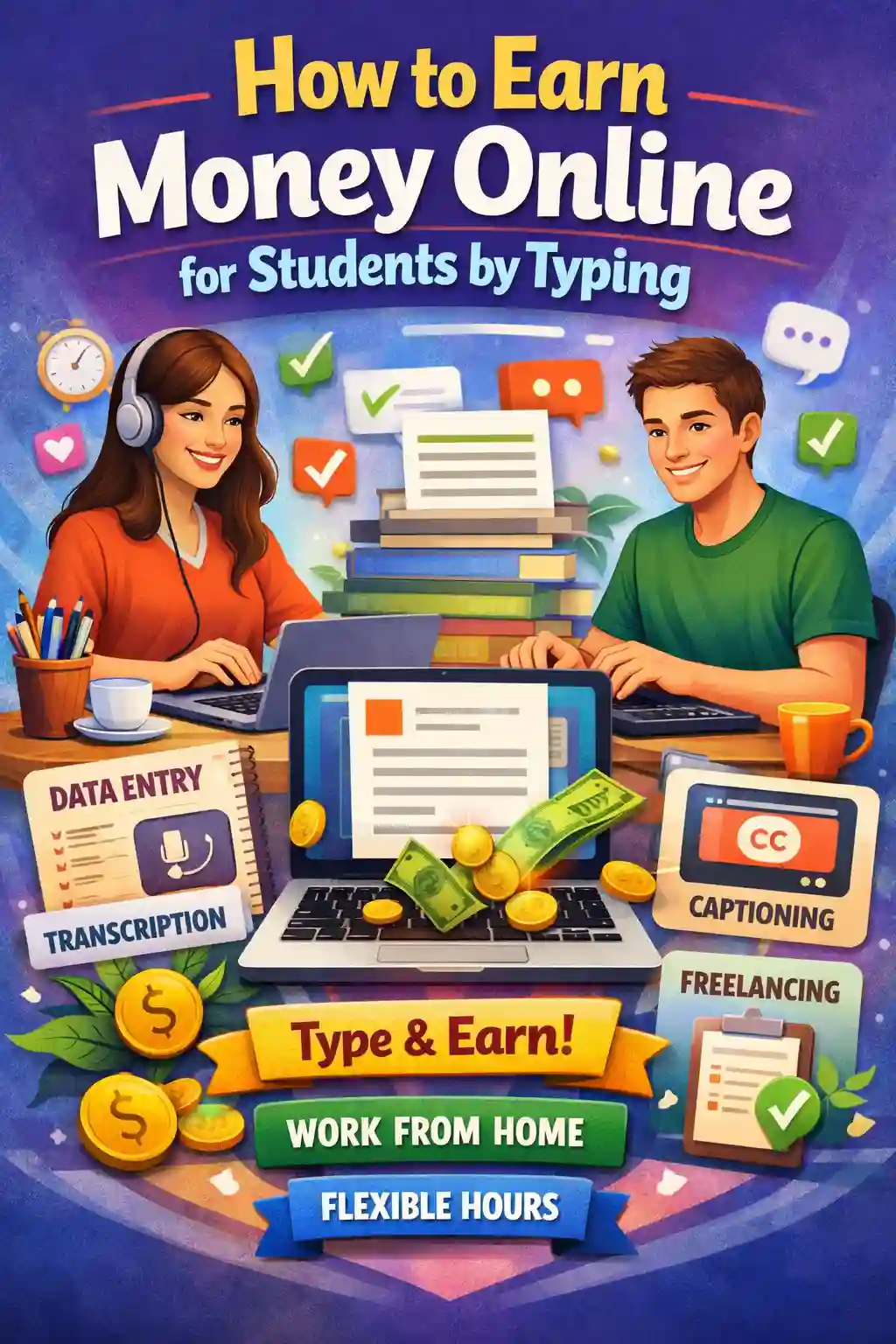
Types of Typing-Based Online Work
From what I’ve seen, the common categories include:
- Data entry (spreadsheets, product listings, records)
- Transcription (audio/video to text)
- Copy typing (PDF/scans/handwritten notes to Word)
- Captioning (subtitles for videos)
- Basic document formatting (cleaning and structuring files)
All of these fall under typing jobs online, but the pay varies a lot depending on skill and speed.
Difference Between Data Entry, Transcription, Copy Typing, and Captioning
This part matters because students often apply randomly and get confused.
- Data entry: Mostly structured work—copying numbers/text into a system or sheet.
- Transcription: Listening + typing. Pays better if you’re accurate and fast.
- Copy typing: Retyping documents exactly (PDF to Word, scans to editable text).
- Captioning: Writing subtitles and matching timing—more detail-oriented.
If you’re a student, choosing the right “type” makes typing work from home for students way less frustrating.
Active vs Passive Typing Income
Most typing work is active income—meaning you earn when you work. But it can lead to more scalable income if you build on it. For example, transcription can become higher-paying freelancing, copy typing can lead to VA work, and typing-based content support can grow into writing, editing, or even blogging (where passive income is possible over time).
If your goal is quick money, typing can help. If your goal is long-term growth, it’s still a great starting skill—as long as you choose legit work and don’t waste time on low-paying traps.
Best Types of Online Typing Jobs for Students
If you search “online typing jobs for students,” you’ll see everything from decent gigs to straight-up time-wasters. The trick is picking a typing job that matches your speed + attention span + how badly you need predictable payouts.
1. Data Entry Jobs
- What it involves: Data entry jobs involve entering product details, spreadsheet updates, CRM updates, copy-pasting structured info.
- Skills needed: basic Excel/Google Sheets, accuracy, fast copy-paste habits.
- Expected pay: usually low to medium (great for beginners, but not the highest ceiling).
- Platforms: Upwork, Fiverr, Freelancer, Clickworker (microtasks), PeoplePerHour.
2. Transcription Jobs
- Audio to text work: you listen to audio/video and type what you hear (often with formatting rules).
- Beginner vs advanced: beginner files pay less; clearer audio + strict accuracy gets better rates. Scribie states $5–$20 per audio hour (paid by audio length, not your time).
- AI tools helping transcription: tools like Otter-type AI can speed up drafts, but you still earn by clean accuracy (and some platforms don’t allow AI—always follow rules).
3. Captcha Typing Jobs
- Reality check: yes, they exist—and yes, they pay painfully low for the time.
- Why not scalable: you’ll hit a ceiling fast, and it doesn’t build a portfolio. If your goal is real typing work from home income, skip this.
4. Freelance Typing & Copy Typing
- PDF to Word conversion: converting scanned/PDF docs into editable files.
- Manuscript typing: retyping notes, assignments, handwritten content.
- Formatting work: clean headings, tables, spacing, page numbers—clients actually pay for neat formatting.
This is one of the best “typing job work from home” paths because you can package it as a service and raise rates over time.
5. Content Rewriting & Simple Article Typing
- Entry-level content work: rewriting short paragraphs, updating existing pages, product description cleanups.
- Blogging assistance: uploading drafts, formatting in WordPress, adding headings—good entry into higher-paying work later.
This is where typing can start turning into a real side hustle and eventually more “passive” opportunities (like blogging or templates).
6. Online Form Filling Jobs
- When legit: basic admin tasks from reputable platforms with clear payment terms.
- When scam: anything that asks for “registration fees,” “ID verification payment,” or promises huge salaries for simple typing.
Legit Platforms Offering Online Typing Jobs for Students
These are the platforms students usually stick with when they want legit online typing jobs and a real chance to get paid to type from home.
1. Fiverr
- Best for: students who want to sell services (data entry, PDF-to-Word, transcription formatting).
- Payment method: Fiverr supports PayPal, Payoneer, and bank transfer options.
- Payout threshold: Fiverr’s help article explains withdrawal methods, but doesn’t clearly state a universal minimum in that page—so treat it as method-dependent and confirm inside your Earnings/Withdraw screen.
- Average earnings: starts slow (first 1–3 orders), then climbs once reviews come in.
2. Upwork
- Best for: students who want more structured client jobs (hourly or fixed-price).
- Payment method: multiple withdrawal methods are available; you’ll need to set up tax info + withdrawal method first.
- Payout threshold: varies by withdrawal method (Upwork’s help focuses on setup and availability timing rather than one single minimum).
- Average earnings: better long-term than random typing sites if you build a profile and apply smart.
3. Freelancer
- Best for: bid-based typing tasks (data entry, copy typing, formatting).
- Payment method: PayPal / bank options (varies by region).
- Payout threshold: their support page lists minimum withdrawal amounts like $50 via PayPal/Express Withdrawals, and higher for wire.
- Average earnings: can be decent, but bidding competition is real—profile + reviews matter.
4. Rev (Transcription)
- Best for: students with solid listening + accuracy who want transcription/caption style work.
- Payment method: PayPal, and many sources note weekly payouts (common reporting across reviews).
- Payout threshold: not clearly standardized across the sources above—check Rev’s worker portal rules before you rely on it.
- Average earnings: depends heavily on your speed + audio clarity; pay is commonly cited per audio minute.
5. Scribie
- Best for: beginners who want a straightforward transcription workflow.
- Payment method: PayPal.
- Payout threshold: Scribie states no minimum withdrawal limit and withdrawals can be requested.
- Average earnings: Scribie states $5–$20 per audio hour (again, paid by audio length).
6. PeoplePerHour
- Best for: students who want freelance-style typing services (data entry, formatting, VA-type tasks).
- Payment method: PayPal, Payoneer, or bank transfer.
- Payout threshold: not specified clearly in the support article—so treat it as wallet/method-based and confirm inside your account.
Average earnings: usually improves once you niche down (e.g., “PDF to Word + formatting in 24 hours”).
7. Clickworker
- Best for: microtasks + basic typing tasks when you want quick, small payouts (good starter platform).
- Payment method: Clickworker states weekly payouts (PayPal/Payoneer/ACH/bank transfer depending on region) and SEPA bi-weekly.
- Payout threshold: Clickworker notes you must reach a “minimum payable amount,” but that support page doesn’t show the exact number; many recent reviews cite $10/€10—still, rely on Clickworker’s own payable-balance rules inside your account.
- Average earnings: low per task, but consistent if you pick higher-value tasks.
How Much Can Students Earn from Typing Jobs?
Let’s be honest—most students don’t start typing jobs and immediately make “big money.” The pay depends on your speed, accuracy, the type of work (data entry vs transcription), and whether you’re working on microtask sites or with real clients. Here’s a realistic range based on what most beginners experience in online typing jobs for students.
Beginner: $3–$8 per hour
This is common when you’re new, doing basic tasks like simple data entry, copy typing, or small microtasks. It’s not glamorous, but it’s a decent way to make money online if you’re consistent and avoid low-quality scam sites.
Intermediate: $10–$20 per hour
Once you have a few reviews, better speed, and you’re taking slightly higher-skill tasks (PDF-to-Word formatting, structured data entry, clean transcription), your rates can jump. This is where typing jobs from home start feeling like a real side hustle.
Skilled Transcriptionists: $25+/hour
If you’re fast, accurate, and can handle difficult audio (accents, group calls, poor sound), transcription can pay much better. At this level, you’re not just typing—you’re editing, formatting, and delivering near-publish-ready text.
Monthly Estimate Examples (Realistic Student Scenarios)
Here’s a simple way to estimate your monthly earning potential from a typing job work from home:
- $5/hour × 1 hour/day × 25 days = $125/month
- $10/hour × 2 hours/day × 25 days = $500/month
- $15/hour × 2 hours/day × 25 days = $750/month
If you work 2 hours per day, even at a beginner-friendly rate of $5–$10/hour, you can realistically earn $250–$500/month, which is solid for students—especially if you’re aiming to make money without investment.
Step-by-Step Guide to Start Online Typing Jobs as a Student
If you want legit online typing jobs, the “random applying everywhere” approach usually doesn’t work. What does work is building one clear skill + one clear profile + one clear offer, then applying consistently.
Step 1: Improve Typing Speed (40+ WPM Target)
You don’t need to be super fast, but 40+ WPM with good accuracy is a strong starting point. If you’re below that, you’ll feel stressed and earn less because tasks take longer.
Quick tip (what helped me): focus on accuracy first, then speed naturally follows.
Step 2: Choose a Typing Niche
This is where most students get it wrong—they try everything and stand out nowhere. Pick one lane based on what you can do comfortably:
- Data entry (structured + repetitive)
- Copy typing (PDF/scans to Word)
- Transcription (audio to text)
- Formatting + document cleanup
Choosing a niche makes your online typing job search easier and helps you charge more over time.
Step 3: Create a Freelance Profile
Even if you’re just starting, a clean profile makes a difference. Keep it simple:
- 1–2 line intro (student + availability)
- Your typing speed (WPM)
- Tools you can use (Google Docs, Excel Download)
- What you’ll deliver (example: “PDF to Word with formatting”)
This is how you turn typing work from home for students into something clients actually trust.
Step 4: Apply for Beginner Jobs
Start with jobs you can finish confidently, even if the pay isn’t perfect. Early wins matter because you’re building proof.
Look for keywords like:
- data entry
- copy typing
- document formatting
- transcription beginner
Avoid anything that asks for “registration fees” or promises unrealistic income.
Step 5: Deliver Quality & Get Reviews
In typing work, small things make you look professional:
- Correct formatting
- Zero spelling mistakes
- Clear file naming
- On-time delivery
A few strong reviews will do more for your income than applying to 100 random gigs.
Step 6: Scale Into Higher Paying Work
Once you’ve done 10–20 projects, don’t stay stuck in low pay. Scale by:
- Raising your rates gradually
- Offering faster delivery as an add-on
- Bundling services (typing + formatting + proofreading)
- Moving from microtasks to direct clients
This is where typing stops being “pocket money” and becomes a reliable make money online stream—sometimes even stepping toward longer-term passive income paths like blogging or digital services.
Skills Required for Online Typing Jobs
You don’t need a big resume to start, but you do need a few basics that help you get hired and paid consistently.
Typing Speed
Aim for 40+ WPM as a baseline. Faster typing = more tasks completed = more earnings.
Basic Grammar
Even in data entry, small grammar mistakes reduce trust. In transcription and content typing, it impacts pay and ratings.
Attention to Detail
This is the real “secret skill.” Clients hire typists because they don’t want errors. The cleaner your work, the more repeat projects you’ll get.
MS Word / Google Docs
You should know how to:
- format headings
- adjust spacing
- use tables
- convert files
- export PDFs
These are basic but make you look skilled in typing jobs online.
Listening Skills (For Transcription)
If you want better pay, train your listening. Being able to understand accents, background noise, and fast speakers is what separates beginners from high earners.
Time Management
Students who succeed at typing jobs from home usually treat it like a routine—1–2 hours daily instead of random bursts once a week.
Tools That Help Students Make More Money Typing
When I started doing typing jobs from home, I thought typing faster was the only way to earn more. But honestly, the biggest upgrade came from using simple tools that helped me work cleaner, faster, and with fewer mistakes (which leads to better reviews + higher-paying work).
- Grammarly: Saves you from silly spelling and grammar errors, especially if you do content typing, rewriting, or transcription cleanup. Clean work = fewer revisions = better ratings.
- Google Docs Voice Typing: Surprisingly useful for rough drafts. If you’re rewriting content, you can speak and edit instead of typing every line. It’s not perfect, but it speeds up your workflow.
- Otter.ai: Helpful for transcription practice or faster first drafts (depending on platform rules). Even when you don’t use AI directly for paid tasks, it’s great for training your ear and formatting habits.
- TypingClub: If your speed is below 40 WPM, this helps you improve without feeling overwhelmed. Faster typing makes a real difference in an online typing job.
- Noise-Cancelling Headphones: A must for transcription. Clear audio means fewer mistakes, less replaying, and higher output per hour.
- Text Expanders: These are underrated. If you repeatedly type the same phrases (like formatting notes, templates, common responses), text expanders cut your time massively.
Using these tools doesn’t just help you type faster—it helps you deliver higher-quality work, which is what actually increases your pay in typing jobs online.
How to Avoid Online Typing Job Scams
If you’re searching for online typing jobs for students, you’ll run into scams fast. The scam posts often look more convincing than legit ones, so having a checklist helps. Here are the red flags I personally use before touching any “typing work from home” offer:
- No upfront fee rule: If they ask for a “registration fee,” “training fee,” “ID activation fee,” or “project unlocking payment,” walk away. Legit typing jobs don’t require you to pay to work.
- Fake captcha job traps: Captcha typing jobs are usually the lowest paying and often used as bait to push you into shady “upgrade plans.” Even when they’re real, the pay is not worth your time.
- Payment proof red flags: If the only “proof” is blurry screenshots, random WhatsApp chats, or vague promises like “daily payout guaranteed,” be careful. Real platforms have clear payment policies and public reviews.
- Too-good-to-be-true salaries: “Earn $300/day typing 1 hour” is almost always fake. Realistic beginner earnings are much lower and grow with skill + reviews.
- Telegram-only recruiters: If the recruiter refuses email, won’t share a company profile, and wants everything on Telegram/WhatsApp, that’s a red flag. Most legit online typing jobs happen through established platforms with payment protection.
Quick rule that saves time: if the job post is more focused on convincing you it’s real than explaining the work clearly, skip it.
Can Online Typing Jobs Become Passive Income?
This is the part most people don’t talk about. A normal typing job work from home is active income—you type, you get paid. If you stop, income stops. But typing can lead to passive income if you use it as a skill that builds something scalable.
Active Typing vs Scalable Systems
- Active income: data entry, transcription, copy typing (you’re paid per task/hour).
- Scalable income: you create something once, and it earns repeatedly (or you build a system where others do the typing).
If your goal is to make money online long-term, you don’t want to stay stuck at low-paying tasks forever. Here are realistic ways typing can evolve into a more scalable setup:
Turning Typing Into Passive Income (Real Paths)
- Blogging: If you’re already comfortable typing, blogging is a natural next step. You can write around topics you know (student life, freelancing, productivity) and monetize with ads + affiliate links. It’s slow at first, but it’s one of the most realistic passive income models.
- Digital Products: This is where typing becomes “create once, sell many times.” Examples: resume templates, study planners, Notion templates, document formatting templates, cover letter packs.
- Ebooks: Students can turn notes, guides, or niche knowledge into short ebooks (even 30–60 pages). It’s still effort upfront, but it becomes an income asset.
- Transcription Agency (Long-Term): If you get good at transcription, you can start taking client work and outsource parts of it to other beginners (quality-checking and formatting). That’s how active work starts becoming a system.
- Freelance Writing (Higher Growth): Many students start with “typing jobs online” and gradually move into writing—blogs, product descriptions, web content. Writing pays more and has stronger scaling potential (retainers, content packages, authority building).
This is why typing jobs are such a good entry point: they can start as a side hustle to make money without investment, and if you play it smart, they can grow into something closer to passive income—not overnight, but through skill stacking and building assets.
Conclusion
Online typing jobs for students can be a simple, legit way to make money online from home—especially when you focus on real platforms, build speed, and avoid scam traps. Start small with data entry or copy typing, level up into transcription or freelance work, and you’ll turn this into a consistent side hustle that can grow over time. If you’re serious about earning beyond typing and building a long-term income stream, consider exploring ecommerce too. Spocket makes it easier to launch an online store with fast-shipping products and trusted suppliers—so you can scale from active income to something more sustainable.
Start your dropshipping business today
Earn Money Online By Typing for Students FAQs
Are online typing jobs for students legit?
Yes, online typing jobs for students can be legit on trusted platforms like Fiverr, Upwork, and Rev. To stay safe, avoid “registration fees,” Telegram-only recruiters, and unrealistic pay promises. Legit work pays for results, not sign-ups.
How much can a student earn from online typing jobs?
Most students earn $3–$8/hour as beginners and $10–$20/hour with better speed and reviews. Skilled transcriptionists can reach $25+/hour. Earnings depend on typing accuracy, niche (data entry vs transcription), and platform quality.
Can I do typing jobs from home without investment?
Yes. Most typing jobs from home require only a laptop, internet, and free tools like Google Docs. Avoid any online typing job that asks for upfront payments, “training fees,” or paid ID verification—those are common scam patterns.
What typing speed is required for online typing jobs?
For most typing jobs online, a 40–50 WPM typing speed with good accuracy is enough to start. For transcription, 60+ WPM helps you earn more since you’ll type faster, replay audio less, and deliver cleaner files.
Are captcha typing jobs worth it?
Usually no. Captcha-based work is one of the lowest-paying online typing jobs at home and rarely scales into stable income. If you want to get paid to type consistently, focus on data entry, copy typing, or transcription instead.
Where can students find legit typing jobs?
Students can find legit online typing jobs on Fiverr, Upwork, Freelancer, PeoplePerHour, and transcription platforms like Rev or Scribie. These sites offer clearer payment systems, client reviews, and dispute support—better than random job groups.
Is typing work from home safe for students?
Yes, typing work from home for students is safe when you use verified platforms and keep your info private. Never share OTPs, bank passwords, or pay fees upfront. Use platform payments and written job terms for protection.
Can online typing jobs become a full-time income?
They can, but usually after you level up. Many students start with online typing jobs for students and grow into higher-paying paths like transcription, virtual assistance, or freelance writing. Skill stacking + reviews is what enables full-time income.


Launch your dropshipping business now!
Start free trial


Related blogs

Make Money With A Website Without Selling Anything
Learn how to make money with a website without selling anything using ads, affiliate marketing, and passive income strategies.


Make Money by Offering Online Presentation Design Services
Learn how to make money online with presentation design services: pricing, niches, packages, getting clients, selling templates, and scaling your income.


How to Make Money on Medium
A complete guide to earning on Medium: Partner Program, Boost, publications, writing frameworks, promotion, and extra income streams that stack.
