


Is Sling TV Free? Trials, Pricing, and Alternatives
Is Sling TV free? Discover how much it costs, free trial options, savings tips, and the best alternatives to Sling TV in 2026 for cord-cutters.


Cutting the cord doesn't have to drain your wallet. If you're tired of bloated cable bills and premium streaming prices, Sling TV sits in a sweet spot between expensive cable replacements and barebones budget options. But here's the real question: is it actually free, and does it save you money? Sling TV doesn't offer a traditional free trial, but discounts on your first month and seasonal deals make entry affordable. With base plans starting at $40–$45 per month, it costs significantly less than YouTube TV or Hulu Live.
The catch is that Sling's budget pricing comes with trade-offs—limited local channel coverage, restricted streaming on some plans, and layered add-ons that can inflate costs. This guide breaks down Sling's pricing, features, and how it stacks up against other services so you can decide if it's worth your money.
What Is Sling TV?
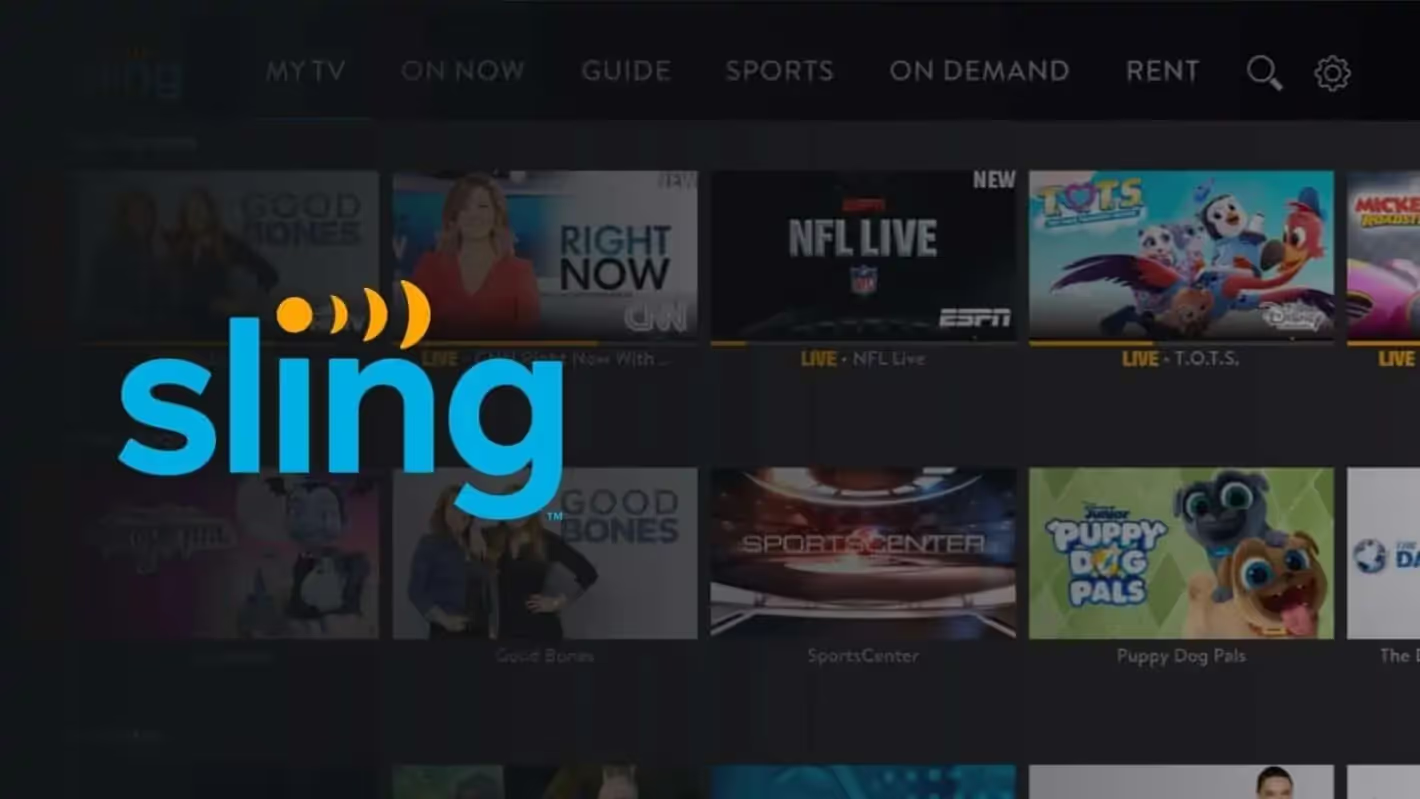
Sling TV is a live television streaming service that offers a lighter, more affordable alternative to traditional cable. Unlike premium cable packages bundling hundreds of channels you'll never watch, Sling lets you build your own lineup from different plan tiers. Owned by Dish Network, the service delivers live TV channels, on-demand shows, DVR recording capabilities, and access to Sling's free streaming channels. It's designed for cord-cutters who want live news, sports, and entertainment without paying cable prices. The service runs on virtually any device—smart TVs, Roku, Fire TV, Apple TV, phones, tablets, and web browsers—making it flexible for different viewing habits across your household.
How Does Sling TV Work?
Sling operates on a two-base-plan system: Sling Orange and Sling Blue. Sling Orange emphasizes entertainment and sports with ESPN access, while Sling Blue skews toward cable news networks, regional sports, and local channels where available. You can subscribe to one plan or both—combining them costs less than buying them separately, making it an economical option if you want broader coverage. You can pause your service for up to three months, switch between plans without penalties, and add or remove channel packages monthly.
Add-On Packages and Premium Channels
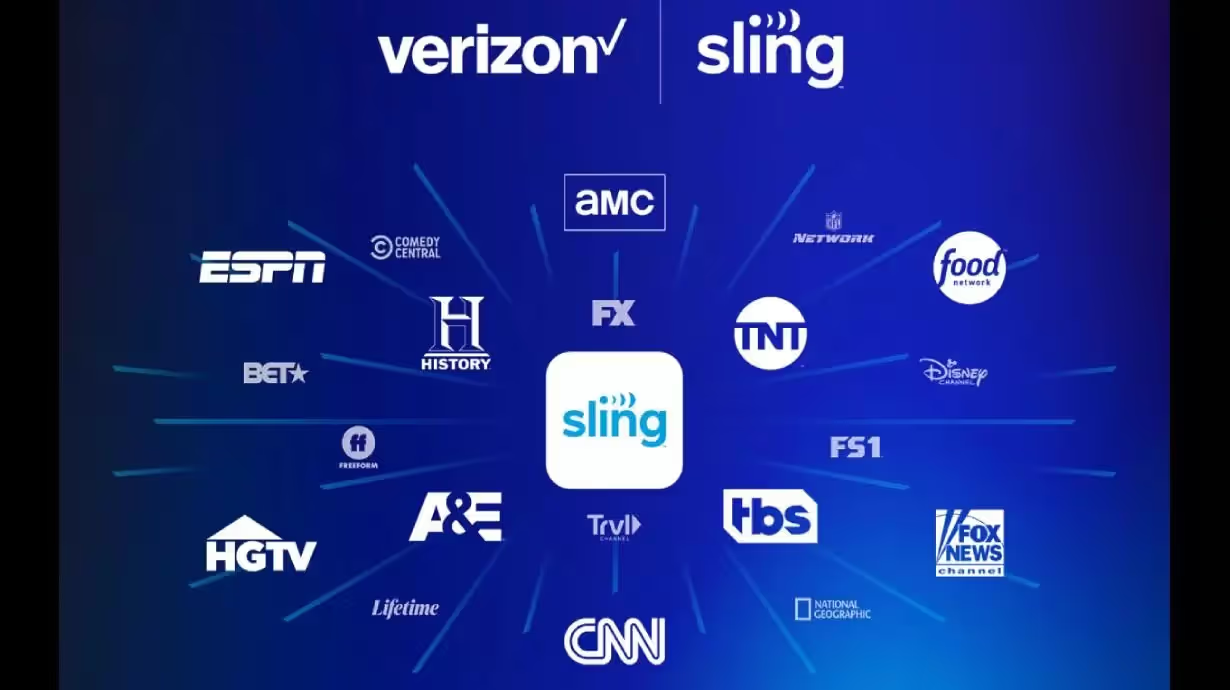
Beyond the base plans, Sling offers dozens of add-on packages called Sling Extras. Sports Extra adds premium sports networks like NFL Red Zone, ACC Network, and Tennis Channel. Comedy Extra, News Extra, and Kids Extra let you customize further. You can also layer in premium streaming services like Max, Paramount Plus, and others directly through Sling's billing, though you'll still log into those apps separately. This means you only pay for what you actually want, unlike traditional cable where channels you never watch become mandatory line items.
Services Offered by Sling TV
Here’s what you get on Sling TV:
- Live TV Streaming: Access to 27 shared channels across both base plans, plus exclusive channels depending on which plan you choose. Sling Orange includes ESPN, Disney Channel, HGTV, History, and Freeform. Sling Blue covers Fox Sports, NFL Network, and your local ABC, Fox, and NBC stations in select markets.
- Cloud DVR Recording: Every plan includes 50 hours of DVR storage at no extra cost. For $5 monthly, you can upgrade to unlimited DVR storage. The upgraded tier also includes AutoRecord, which automatically captures top-tier college and professional sports games and keeps them available for three days.
- On-Demand Library: Sling provides thousands of hours of on-demand TV shows and movies across its channel partners. This library includes many current episodes and archived content, though on-demand playback includes advertising.
- Lookback and Replay Features: Watch shows up to 72 hours after they air, even if you didn't record them. This feature saves storage space and reduces the pressure to remember recording everything.
- Sling Free Stream: Over 400 free ad-supported channels are available within the Sling app without a paid subscription. These range from niche content to lifestyle and relaxation channels.
- 4K Streaming: Sling includes 4K content at no extra charge, though the amount of 4K-available programming remains limited.
- Multi-Profile Support: Create separate user profiles for household members to get more personalized recommendations and content tailored to individual viewing habits.
How Much Is Sling TV?
Is Sling TV free? Not fully. Here’s what you need to know and how much it costs:
Current Pricing Structure
As of early 2026, Sling's pricing remains competitive for budget-conscious viewers:
- Sling Orange: $45.99/month
- Sling Blue: $45.99/month
- Sling Orange + Blue: $60.99/month
Each base plan includes 50 hours of DVR storage. Add-on packages start at $6 monthly and range up to $15 depending on the tier. Upgrading to unlimited DVR costs an extra $5 per month.
First-Month Deals and Discounts
Sling doesn't run traditional free trials anymore, but new and returning subscribers typically qualify for first-month discounts. These deals—often $20–$25 off the regular price—have been a consistent part of Sling's marketing strategy for years. Seasonal promotions also offer discounts when you prepay for multiple months upfront, which can result in meaningful savings if you're ready to commit longer term.
Can Sling TV Help You Save Money?
Sling TV excels at cutting costs compared to premium alternatives, but only if you approach it:.
Where Sling Saves You Money
The biggest savings come from choosing a single base plan instead of paying for cable or premium live TV services. YouTube TV costs over $75 monthly, while Hulu Live and DirecTV Stream exceed $70. Sling's base plans at roughly $46 save you $25–$30 monthly right away. That's $300–$360 per year before considering first-month discounts or seasonal deals.
For sports fans, Sling Orange with Sports Extra still costs far less than cable bundles that force you to buy every channel. If you only watch specific sports leagues, this approach beats paying for comprehensive packages with hundreds of unwanted channels.
Where Costs Creep Up
The price advantage disappears quickly once you start stacking add-ons. Adding Sports Extra ($6–$11), News Extra ($6), and other packages pushes your monthly bill toward $70–$80, competing directly with YouTube TV's pricing. The unlimited DVR upgrade ($5) is practically mandatory if you record regularly, since the base 50 hours fills up fast. Sling also lacks full local channel coverage in most markets—you'll need an antenna or a separate OTA device like AirTV to fill that gap, adding hardware costs. Additionally, on-demand content includes advertising you can't skip, while DVR recordings let you fast-forward through commercials.
Maximizing Savings
Stick to one base plan without add-ons if you only care about certain channels. Use Sling's lookback and replay features to avoid using DVR storage. Pair Sling with a $20–$30 OTA antenna to capture local channels instead of paying for premium local packages. Monitor your viewing habits every few months—many people who cut cable also realize they don't need live TV daily and save more by switching to on-demand services like Netflix, Peacock, or Hulu.
Best Sling TV Alternatives in 2026
Sling remains an affordable option, but competitors have strengthened their positions. Here's how other services compare, depending on what matters most to you:
- YouTube TV ($75+/month): Premium choice with full local channel coverage, unlimited DVR, and six simultaneous streams. Better for families and viewers who want everything included. The higher price means fewer savings than Sling, but you avoid the hassle of hunting for missing channels.
- Hulu Live ($84.99/month): Bundles live TV with on-demand Hulu content and includes Disney Plus and ESPN Plus in premium tiers. Works well if you're already invested in Disney's ecosystem, though Sling is cheaper for live TV alone.
- DirecTV Stream ($79.99+/month): Offers more channels than Sling and includes local stations in more markets. DirecTV is also rolling out My Entertainment, a non-sports bundle competing directly with Sling at a lower price point.
- Fubo ($80+/month): Sports-centric service with extensive coverage of soccer, college sports, and major leagues. Better than Sling if you're a serious sports fan willing to pay for premium quality and reliability.
- Philo ($25/month): Cheapest live TV option for entertainment-focused viewers who don't need sports or news. Offers 70+ channels with unlimited DVR included. Perfect if you watch mainly cable entertainment channels, HGTV, and lifestyle content.
- Frndly TV ($8.99/month): Ultra-budget option focusing on family-friendly and rural content. Minimal sports and news but extremely affordable for specific demographics.
- ESPN Plus ($10.99–$14.99/month): Emerging direct-to-consumer option from ESPN. When it expands, it could attract sports fans away from Sling by offering ESPN content at lower cost.
You can also check out Tubi. That’s another great Sling TV alternative we recommend that’s safe.
Is Sling TV Free or Worth It?
Sling TV is not free. There's no permanent free tier, and the service doesn't offer ongoing free trials. However, first-month discounts bring entry cost down to $20–$25, which is effectively a low-cost trial period. If you're testing whether live TV matters to your household, that discounted first month lets you experiment without major financial risk. Sling's Free Stream channels exist but represent a small bonus, not a replacement for the paid service.
Is Sing TV Worth the Money?
Whether Sling justifies its cost depends entirely on your viewing habits and priorities. For sports fans focused on specific leagues, Sling Orange or Sling Blue with selective add-ons remains one of the cheapest ways to get live games. Cord-cutters who want cable-style news and entertainment channels find good value in the base plans. The flexibility to switch between Orange and Blue monthly without penalties appeals to seasonal watchers—football fans can add Orange during fall and drop it in winter to save money.
The service struggles for viewers who want complete local channel coverage or unlimited DVR as standard features. People accustomed to premium cable replacements may find Sling's user interface dated compared to YouTube TV. Technical issues with AirTV integration and stalled app improvements suggest Sling isn't investing as heavily as competitors, which affects long-term value.
You can browse the r/slingtv community on Reddit or check the cord-cutting community's perspective on whether Sling remains competitive. According to discussions, satisfaction splits clearly: users who accept Sling's limitations and budget positioning rate it highly, while those expecting premium features at budget prices voice frustration. Long-term subscribers often cite affordability and channel customization as the main reasons they stay.
Is Sling TV Safe?
Sling TV operates under legitimate regulatory oversight and is owned by Dish Network, an established publicly traded company. The service uses standard encryption for streaming and account security, so watching live TV carries no greater risk than using Netflix or other major platforms.
However, customer service reliability is a significant concern. There are many complaints centered on account issues and refund problems rather than content security. Multiple online reviews document difficulties canceling subscriptions, unauthorized recurring charges, and limited customer support access—issues that frustrate users but don't pose data security risks. The lack of phone support and reliance on chatbots compounds frustration when problems occur.
For personal security, use strong, unique passwords on your Sling account and enable two-factor authentication where available. Avoid sharing login credentials with people outside your household. These standard practices apply to any streaming service.
Pros and Cons of Sling TV
Sling TV delivers genuine value for specific viewers but falls short for others. Here's what to expect:
Sling TV Pros
- Affordability: Base plans at $45.99 monthly significantly undercut YouTube TV and Hulu Live, making it one of the cheapest live TV options available.
- Customization: The dual-plan system and extensive add-on packages let you build a channel lineup matching your needs without forced bundles.
- Flexibility: Switch between plans monthly without penalties, pause service for up to three months, or add and remove add-ons anytime.
- No Contract: Month-to-month billing with no long-term commitment, unlike satellite TV or traditional cable.
- Sports Access: Sports Extra provides NFL Red Zone, specialty sports networks, and college conference channels often unavailable on budget services.
- Free Channels: Sling Free Stream offers over 400 free channels within the app, providing bonus entertainment without additional cost.
- Multi-Device Support: Watch on virtually any device—smart TVs, phones, tablets, computers—with profiles for different household members.
- 4K Streaming: Included at no extra charge, unlike some premium competitors.
Sling TV Cons
- Limited Local Channels: Sling's deal with content owners means ABC, NBC, and Fox local stations only appear in markets where those networks own the stations directly. CBS is never included. Most viewers need an antenna or separate device to catch locals.
- Restrictive Streaming on Orange: Only one simultaneous stream allowed on Sling Orange, which can frustrate households with multiple viewers. Sling Blue allows three streams, and the combined plan allows four (but only one from Orange).
- Limited DVR Storage: The base 50 hours fills quickly, forcing most users to pay $5 extra for unlimited DVR.
- On-Demand Ads: On-demand content includes skippable ads, unlike DVR recordings where you can fast-forward. This makes on-demand less convenient for binge-watching.
- User Interface: The app hasn't changed substantially in years. Navigation could be smoother, and some features like identifying 4K content lack polish.
- Weak Local Integration: AirTV integration for OTA channels has experienced technical problems, and Sling hasn't updated this feature aggressively in recent years.
- Customer Service: Limited to chat support with no phone line. Response times can be slow, and some users report difficulty with refunds and cancellations.
- Limited 4K Content: While 4K is included, very few shows actually air in 4K, making this feature more theoretical than practical.
- Pause Screen Ads: Aggressive advertising for DVR upgrades appears when you pause live TV, which some viewers find intrusive.
Sling TV’s Customer Testimonials & Community Feedback
Users on Reddit's Sling TV community share mixed but often positive experiences. One long-time subscriber noted, "I've been using Sling for roughly five years and have generally had a positive experience. One of the main reasons I stick with it is the extensive on-demand library available from nearly every channel."
Another satisfied user mentioned, "I'm satisfied with my current setup. I receive all the channels I desire for just $55 a month, while Hulu would set me back over $80."
However, concerns exist. According to Trustpilot, Sling TV holds a 1.7 out of 5 rating, with users citing customer service challenges and subscription management issues as primary frustrations.
Conclusion
Sling TV is not free, but it's affordable—and affordability is its strongest selling point. With base plans at $46 monthly and first-month discounts available, it costs $25–$30 less than YouTube TV or Hulu Live. For cord-cutters who want live sports, cable news, and entertainment channels without bloated pricing, Sling delivers genuine value. The service's customizable approach means you pay only for what you watch, and the ability to switch plans monthly without penalties lets you adapt spending to your needs.
Looking for more information on other cord-cutting and streaming alternatives? Check out our guide on best USTVGo alternatives for additional live TV options. Also, read our blog on whether StreamEast is safe for streaming sports.
Start your dropshipping business today
Is Sling TV Free? FAQs
Does Sling TV offer a free trial in 2026?
Sling TV no longer offers a traditional free trial period, but new and returning subscribers typically receive first-month discounts reducing the cost to $20–$25. This low entry price effectively functions as a low-cost trial. Seasonal promotions and prepay discounts add additional savings opportunities. Always check for current deals before signing up.
Can I watch Sling TV without paying anything?
Sling Free Stream channels are available without a paid subscription, offering over 400 free ad-supported channels. However, most popular live TV content requires a paid plan. The free channels serve as a bonus for subscribers, not as a primary TV replacement.
What's the cheapest way to get Sling TV?
Choose a single base plan (Orange or Blue at $45.99/month) without add-ons, and use first-month discounts to reduce your initial cost to $20–$25. Skip the unlimited DVR upgrade and monitor your recording usage to stay within the 50-hour base limit. Pair Sling with a $20–$30 OTA antenna for local channels instead of upgrading to premium packages. For seasonal viewing, subscribe only during months when you'll actually watch.
Is Sling TV cheaper than YouTube TV?
Yes. Sling's base plans cost approximately $46 monthly versus YouTube TV's $75+, saving you $25–$30 per month. However, once you add multiple packages to Sling to match YouTube TV's channel variety, the price gap narrows significantly. YouTube TV includes full local coverage and unlimited DVR without extra charges, which some viewers find worth the premium.
Does Sling TV have any hidden fees?
There are no hidden fees, but costs escalate quickly with add-ons. The unlimited DVR upgrade ($5), sports packages ($6–$11), and news/entertainment add-ons ($6 each) can push monthly bills toward $75–$80. First-month discounts apply only once, and seasonal deals typically require prepayment. Tax applies to monthly bills and varies by location.


Launch your dropshipping business now!
Start free trial.avif)


Related blogs

AI A/B Testing for Landing Pages
Learn A/B testing for landing pages with AI tools. Improve conversions, test faster, and optimize performance with smart data-driven experiments.


2026 Podcast Monetization Playbook: Best Podcasting Platforms that Make You Money
Find the best podcast platform for monetization in 2026. See which hosts offer the highest payouts and lowest fees for your show.


Top 10 Valentine Gifts for Girlfriend
Looking for the perfect Valentine gift for your girlfriend? Discover the top 10 romantic, thoughtful, and trending Valentine gifts she'll love.
