AI Dropshipping: How to Launch a Shopify Store Using Spocket + ChatGPT
Learn how to launch a Shopify store using Spocket and ChatGPT. In this guide, we cover how to start AI dropshipping.
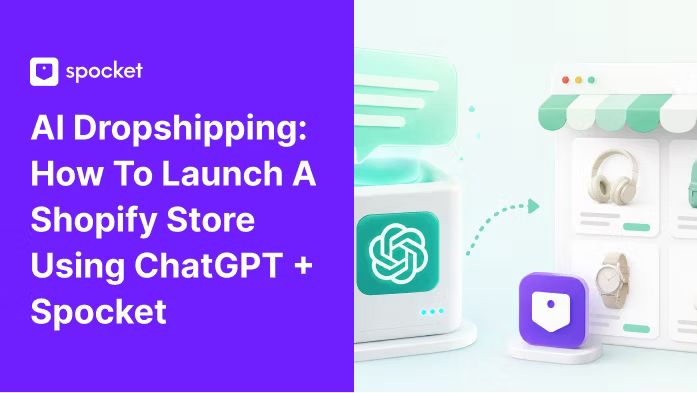

You don’t need a business degree, a big budget, or a warehouse full of products to start an online store anymore. What you do need is a willingness to learn, a few free tools, and a couple of hours of focused work. This guide is your one-stop resource for building a Shopify store from scratch using AI - specifically ChatGPT - and Spocket to find products you’ll actually be proud to sell. We’re not going to skim over anything. We’ll walk through every step, every prompt, every gotcha, and every workaround so you won’t have to pause, google something, or jump over to YouTube.
What Is AI Dropshipping?
Dropshipping is simple: you sell products online without holding any inventory. When a customer places an order, your supplier ships it directly to them. You keep the difference between what the customer pays and what the supplier charges you.
AI dropshipping just means you use tools like ChatGPT to speed up the parts that normally eat up your time — writing product descriptions, coming up with a store name, drafting ad copy, or even roughing out your refund policy. Instead of staring at a blank page, you have a starting point that you tweak and make your own. Pair that with a product sourcing app like Spocket that connects you to fast-shipping suppliers (mostly from the US and Europe), and you have a pretty efficient system, even as a complete beginner.
Why Pair ChatGPT with Spocket Specifically?
There are dozens of AI tools and dropshipping platforms out there, but this combination works because both are designed to handle the heavy lifting without making things overly complicated.
ChatGPT acts as your free brainstorming assistant, copywriter, and research buddy. The free plan gives you plenty of mileage for writing tasks — you’ll only really notice limits if you’re generating dozens of long descriptions in one sitting, and even then there are free alternatives we’ll mention later.
Spocket plugs right into Shopify and gives you access to thousands of products from suppliers who ship quickly. Fast shipping matters more than most beginners realize. If someone in the US waits three weeks for a package from a random supplier overseas, they’re less likely to come back. Spocket lets you filter by ship-from location, so you can stock your store with items that arrive in days, not weeks.
Together, they let you build and stock a store faster than doing it all manually — and with fewer mistakes.
Before You Touch Shopify: Getting Your Foundation Right
Most beginners jump straight to building the store, and that’s where things go sideways. Spend an hour on these groundwork steps, and everything else will feel easier.
1. Pick a Niche You Actually Care About
Your niche is just the corner of the market you’ll focus on — think “pet accessories for small dogs” instead of “pets.” Narrow works better because you can speak directly to a specific person’s problems and desires.
If you’re stuck, head over to Spocket’s trending products and browse for ideas. Look for categories you have some personal interest in. You don’t need to be an expert, but genuine curiosity keeps you motivated when you’re knee-deep in store tweaks at 10 p.m.
Still blank? Use this ChatGPT prompt:
“Act like an ecommerce coach. I'm interested in [insert one or two broad interests, like fitness, home office, eco-friendly living]. Suggest 10 narrow dropshipping niches that combine my interests, have passionate audiences, and work well with fast-shipping US/EU suppliers. Explain briefly why each might sell.”
ChatGPT will give you a list. Pick the one that makes you think, “Yeah, I could see myself talking about that for a year.”
For more niche inspiration, you can also explore Spocket’s niche breakdown — it’s packed with ideas and real demand indicators.
2. Validate Demand Without Spending a Dime
Before you commit, do a quick sanity check. Go to Google and type in your niche plus keywords like “buy,” “best,” “review,” or “for sale.” See what shows up. Hop on Amazon and check if similar products have reviews (more than a handful means people are buying). Search the niche on TikTok and Instagram to see if there’s organic chatter.
You can also ask ChatGPT to help:
“I’m thinking about opening a dropshipping store in the [niche] space. What questions would a typical customer in this niche ask before buying? What problems do they want solved?”
This gives you insight into the kind of language your future customers use — which you’ll need later for product descriptions and ads.
3. Find Specific Products with Spocket
Now for the fun part. Once you install Spocket (it connects directly to Shopify — we’ll do that step soon), you can browse its product catalog by category, shipping location, price, and even supplier rating.
Look for items that solve a clear problem, spark an emotional reaction, or have a “that’s cool” factor. Avoid generic phone cases and t-shirts unless you have a unique angle. Check the supplier’s processing time, shipping time, and reviews. Spocket shows all of that upfront, so you won’t accidentally pick a product that takes three weeks to arrive.
If you want to test the waters first, you can poke around Spocket’s trending products without even signing up. It’s a good way to see what’s moving right now. Accessories, bath and beauty, and print-on-demand products are all categories worth a look too — accessories, bath & beauty, and print-on-demand are solid starting points.
Setting Up Your Shopify Store (Step-by-Step)
Grab a coffee. This is the build phase, and I’ll walk you through every screen.
Step 1: Sign Up for Shopify’s Trial
Go to Shopify and start a free trial. Right now Shopify frequently runs a promotion where you get your first three months for $1 each. That gives you almost a quarter of a year to learn, launch, and maybe even make your first sale before the regular plan price kicks in.
Pick the Basic plan. You don’t need anything fancier yet. No, you don’t need a registered business or LLC to get started — you can set that up later once you’re making consistent sales.
Step 2: Pick a Free Theme and Make It Yours
Inside your Shopify dashboard, go to Online Store > Themes. The free theme “Dawn” is clean, fast, and works for most niches. “Sense” is another great free option with a slightly warmer, more lifestyle feel. Install whichever feels closer to your vision.
At this stage, don’t get stuck trying to perfect the design. Your goal is to have a store that looks trustworthy, not win a design award. You can tweak colors, fonts, and layout later.
Stuck on which look to choose? Ask ChatGPT:
“I’m building a Shopify store for [niche] using the Dawn theme. What color palette, font pairing, and homepage layout would make the store feel [vibe, e.g., modern, cozy, luxury-lite]? Be specific with hex codes if possible.”
Step 3: Add Your Core Pages (with ChatGPT’s Help)
A real store needs more than a homepage. You need:
- About Us
- Contact page
- Privacy policy
- Terms of service
- Refund/returns policy
- Shipping policy
Shopify has templates for the legal pages (Settings > Policies), so generate those automatically first. Then personalize them.
For About Us, use this prompt:
“Write a warm, relatable ‘About Us’ page for my dropshipping store called [Store Name] in the [niche] space. I want it to feel like one human talking to another, not a corporation. Mention that we curate products from US/EU suppliers for fast shipping. Keep it around 200 words.”
Don’t copy-paste. Edit the output so it sounds like you. Add a personal detail — even something small like why you care about the niche.
For your shipping policy, refund policy, and contact page, ChatGPT can draft friendly, plain-English versions that actually help customers instead of burying them in legalese.
Step 4: Add Products with Spocket (No Manual Entry Nightmares)
Now we connect Spocket. Go to Apps in your Shopify dashboard, search for Spocket, and install it. Once it’s linked, you’ll see the Spocket catalog right there.
Here’s the workflow that will save you hours:
- Browse products inside Spocket.
- Click “Add to Import List” on anything that fits your niche.
- Before importing, edit the product title, description, and images directly in Spocket.
- Set your retail price (a common starting rule: cost x 2.5 to 3, but adjust based on what similar stores charge).
- Push it to your Shopify store.
Spocket supports one-click order fulfillment later — when you get a sale, you won’t need to manually email suppliers. That alone is worth it.
Step 5: Write Product Descriptions That Sell
This is where ChatGPT shines. Free plan users can do this just fine; if you ever hit usage caps, simply wait an hour or switch to a free alternative like Claude’s free tier temporarily.
For each product, give ChatGPT this kind of prompt:
“Write a product description for a [product name] in my [niche] store. Start with a headline that hooks the reader. Then describe the product in a way that makes someone feel the benefit, not just list features. Address the top customer objection (like durability, fit, or shipping time). End with a subtle call to action. Keep it natural and avoid marketing fluff. Around 150 words.”
Example output for a bamboo desk organizer:
Headline: Finally, a Desk That Doesn’t Look Like a Tornado Hit It
If your workspace feels more chaotic than creative, this bamboo organizer gives everything a home — pens in one slot, sticky notes in another, your phone propped up where you can actually see it. The natural wood grain looks warm on video calls, and it’s built solid enough that it won’t slide around every time you reach for a sticky note. It ships from our US warehouse, so it’ll be on your desk in just a few days. Grab one and let your to-do list be the only messy thing left.
See how it addresses the objection (durability, sliding), mentions fast shipping, and uses no hype? That’s what you’re going for.
For more prompt inspiration, bookmark Spocket’s curated list of ChatGPT dropshipping prompts. You can copy, tweak, and reuse them as you go.
Step 6: Create Visual Assets Without a Designer
Every store needs images — product photos, a logo, maybe a hero banner. Spocket suppliers provide product images, but sometimes you’ll want a custom graphic or a lifestyle shot.
ChatGPT’s free plan doesn’t include DALL-E image generation. But you have options, all free:
- NanoBanana (AI mode): Gives you one free image generation per day. Great for logos or simple product mockups.
- Perchance AI Image Generator: Perchance is completely free, no daily limits, though it shows ads. You can generate as many images as you need by describing what you want.
- Hugging Face Spaces: Hugging Face Spaces hosts community-built AI apps, including several stable diffusion models you can run right in your browser for free — no signup required for many of them.
For quick logo concepts, describe what you want in Perchance: “Flat vector logo of a minimal cat silhouette with a crescent moon, pastel purple background, clean lines.” Take the best output and clean it up in Canva’s free tier.
For lifestyle images, use prompts like “cozy desk setup with bamboo organizer, natural light, warm tones, realistic photo style” in Perchance. It won’t replace professional photography, but it’s more than enough for a brand-new store.
If a product image from a supplier feels generic, run it through a free background remover (like remove.bg) and place it on a clean, solid-color backdrop.
Step 7: Set Up Payments and Shipping Settings
Keep payments simple. Shopify Payments lets you accept credit cards without extra gateways. If it’s available in your country, turn it on. PayPal is a trust signal — activate it too.
For shipping, go to Settings > Shipping and delivery. Create a general shipping rate (free shipping over a certain amount often lifts conversions). If you’re using Spocket, you already know the supplier’s typical shipping times, so you can set realistic expectations in your shipping policy.
Step 8: Test Everything Before You Launch
Place a test order on your own store. Go through the checkout as if you were a customer. Is the process smooth? Do the product images load fast? Does the refund policy actually explain how to return an item?
Make a note of anything that feels clunky, then fix it.
Costs You Can Expect (So There Are No Surprises)
Starting a business can feel like a black hole for money if you don’t know what’s coming. Here’s a real picture of what you’ll likely spend in your first month.
- Shopify: $1/month for the first 3 months under the current promotion, then $39/month for the Basic plan.
- Spocket: The free plan lets you browse products. To actually import them to Shopify and process orders, you’ll need at least the Pro plan. That starts with a 7-day free trial, then $29.99/month when billed monthly (or $24/month if you pay for a year upfront). Start your 7-day free trial to see everything in action without committing.
- Domain name: Shopify gives you a free myshopify.com domain. It works fine to start, but a custom domain (around $14/year) looks more professional. You can buy one directly through Shopify.
- Marketing: Zero is okay for the first week while you set up social pages. After that, even $5/day on a Facebook or TikTok ad can help you test products.
All in, your out-of-pocket cost in month one could be as low as $1 (Shopify) + $0 (Spocket trial) + $14 (domain, optional) = $15. Month two might land around $70 if you keep Spocket Pro. Not free, but also not the thousands people sometimes fear.
Handling ChatGPT’s Free-Plan Limits (and Free Alternatives That Save You)
The free version of ChatGPT is generous but not unlimited. You might run into a “you’ve reached the current usage cap” message during a long session, or find that older GPT-3.5 responses feel a bit generic.
Workarounds:
- Spread your prompting across a few hours, or use the mobile app where limits sometimes differ.
- When you need a fresh perspective, switch to DeepSeek (completely free, no caps at time of writing). It’s excellent for drafting and research. You can ask it the exact same prompts and compare outputs.
- For longer product description batches, Claude’s free plan (from Anthropic) handles large context windows well and writes in a natural, human tone. It’s a solid backup.
The key takeaway: you don’t need a ChatGPT Plus subscription to build a store. You just need a willingness to pivot between a couple of free tools if one gets grumpy.
What Beginners Often Miss (And How to Avoid the Same Pitfalls)
A lot of dropshipping advice stops at “set up the store and run ads.” There’s more to it if you want a business that doesn’t fall apart in two months.
- Supplier reliability matters more than margin. A product with 70% margin that takes three weeks to arrive will bring chargebacks and bad reviews. Spocket shows estimated shipping times and supplier ratings — use them.
- Don’t obsess over perfect branding out of the gate. Your logo can be a simple text mark. Your color palette can be two colors. Customers care about whether the product solves their problem, not whether your kerning is flawless.
- Write for humans, not algorithms. ChatGPT can spit out SEO-dense keyword stuffing, but a reader can tell. Use keywords naturally in descriptions, blog posts, and page titles, but always ask yourself: “Would I actually enjoy reading this?”
- Document your process. Keep a running Google Doc of prompts that worked, product research notes, and lessons learned. If you decide to build a second store later, you’ll move twice as fast.
- Customer support can’t be an afterthought. Even with dropshipping, you’ll get questions about tracking, sizing, returns. Answer them quickly and politely. ChatGPT can help you draft reply templates in advance.
Launching Your Store and Getting the First Sale
Once your store feels solid, it’s time to switch from building to promoting.
First, set up social accounts using your store’s name on Instagram, TikTok, and Facebook. Post real content — short videos showing the product, photos of it in use, or simple behind-the-scenes of why you started. ChatGPT can generate a content calendar and caption ideas if you’re stuck.
When you’re ready to test paid ads, keep budgets tiny. $5/day on a single Facebook ad set targeting people interested in your niche is a safe first experiment. ChatGPT can draft the ad copy:
“Write a short Facebook ad for [product name] targeting people who love [interest]. Lead with the main problem it solves, mention fast US shipping, and end with a clear call to action. Keep it under 100 words.”
You’ll test and tweak from there. The goal of your first ad isn’t to get rich — it’s to learn whether anyone is willing to click.
A Workflow Cheat Sheet (So You Never Feel Lost)
Building a store from zero involves a lot of moving parts. Here’s the high-level flow to keep you oriented:
- Brainstorm niche and validate with free research.
- Sign up for Shopify (with $1/3-month promo) and install a free theme.
- Install Spocket and start adding products that ship from the US/EU.
- Use ChatGPT to write every piece of copy: product descriptions, About page, policies, ad drafts.
- Generate images with Perchance, NanoBanana, or Hugging Face Spaces for anything the supplier doesn’t provide.
- Set up payments, shipping, and test the checkout.
- Launch, then start posting organic content and a small-budget ad test.
- Improve based on what customers actually do, not what you assume.
Conclusion
You don’t need to know everything before you start. You just need to start. The tools are there, the costs are low, and the learning happens as you go. Set up your store today, add a few products you’d actually buy yourself, and give yourself permission to be a beginner. The only way to truly fail is to never press publish.
Start your 7-day free trial with Spocket and get your first products live.
Start your dropshipping business today
AI Dropshipping: How to Launch Shopify a Store Using Spocket + ChatGPT FAQs
What is AI dropshipping and how does it actually work?
You list products in your online store without holding inventory. When someone buys, you purchase the item from a supplier (often through an app like Spocket), and that supplier ships it directly to your customer. You earn the difference between your selling price and the supplier’s price. You never touch the product.
Do I need a lot of money to start an AI dropshipping store?
No. You can start with as little as $1 for Shopify’s first three months and a 7-day free trial of Spocket. A custom domain adds about $14/year. If you use ChatGPT’s free plan and free image tools, your upfront cash requirement is under $20 before you spend a cent on ads.
Can I use ChatGPT for free to build my entire store?
Yes. The free plan handles all the writing tasks you’ll need — product descriptions, page copy, ad drafts, even business name ideas. If you hit a usage limit, free alternatives like DeepSeek or Claude’s free tier fill the gap quickly without interrupting your workflow.
How do I find winning products with Spocket?
Inside Spocket, filter by ship-from location (US/EU for fast delivery), high supplier ratings, and product images that look clean. Browse the trending section for inspiration. Look for items solving a specific problem, with healthy order volumes shown in Spocket’s dashboard. Validate interest by searching the product on social media.
How long does it take to set up a Shopify store with ChatGPT and Spocket?
A focused beginner can have a functional store with products, copy, and policies ready within 8 to 12 hours spread over a weekend. That includes research, importing products, writing all text, and basic design. Adding custom graphics or a logo might extend it slightly, but free tools keep the timeline short.
What shipping times can I realistically offer customers?
With Spocket’s US and European suppliers, many products ship in 2 to 7 business days. Spocket displays estimated processing and delivery times per supplier, so you know what to expect. Setting honest shipping expectations in your store’s policy reduces refund requests and builds trust.


Launch your dropshipping business now!
Start free trial.avif)


Related blogs
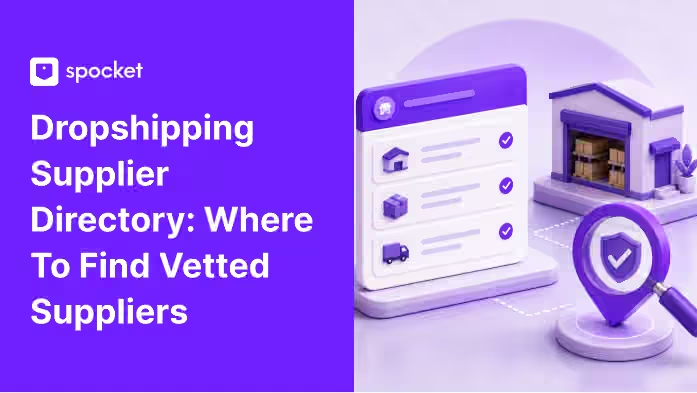
Dropshipping Supplier Directory: Where to Find Vetted Suppliers
Browse our directory of vetted dropshipping suppliers across the US and EU, complete with niches, shipping speed, and pricing. Start your free trial today.

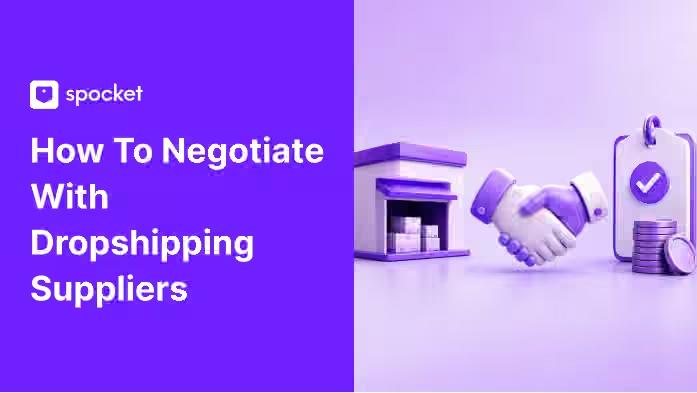
How to Negotiate With Dropshipping Suppliers: 9 Tactics That Actually Work
Learn how to negotiate with dropshipping suppliers on price, MOQs, and payment terms. Proven tactics and email scripts to boost your margins. Try Spocket free.
Is AliExpress Legit? A Safety Check for Buyers and Dropshippers
Is AliExpress legit? Yes, but sellers vary. See how Buyer Protection works, what the EU's 2026 fine means, customs costs, and whether it's safe for dropshipping.