


Google Shopping Ads for Dropshippers: Setup and Optimization Guide
Learn how to set up and optimize Google shopping ads for dropshipping. This is a full guide on Google Shopping ads for dropshippers in 2026.

If you've been looking into paid traffic for your dropshipping store, Google Shopping Ads have probably come up already. They're those product cards at the very top of Google search results - image, price, store name, all showing up before text ads, before organic results. People searching on Google already want to buy something. You're just getting in front of them at the right moment.
This guide covers Google shopping ads for dropshippers end to end — how does Google ads work specifically for Shopping, how to create Google shopping ads from scratch, how to set up Google shopping ads correctly, and how to actually get profitable over time.
What are Google Shopping Ads?
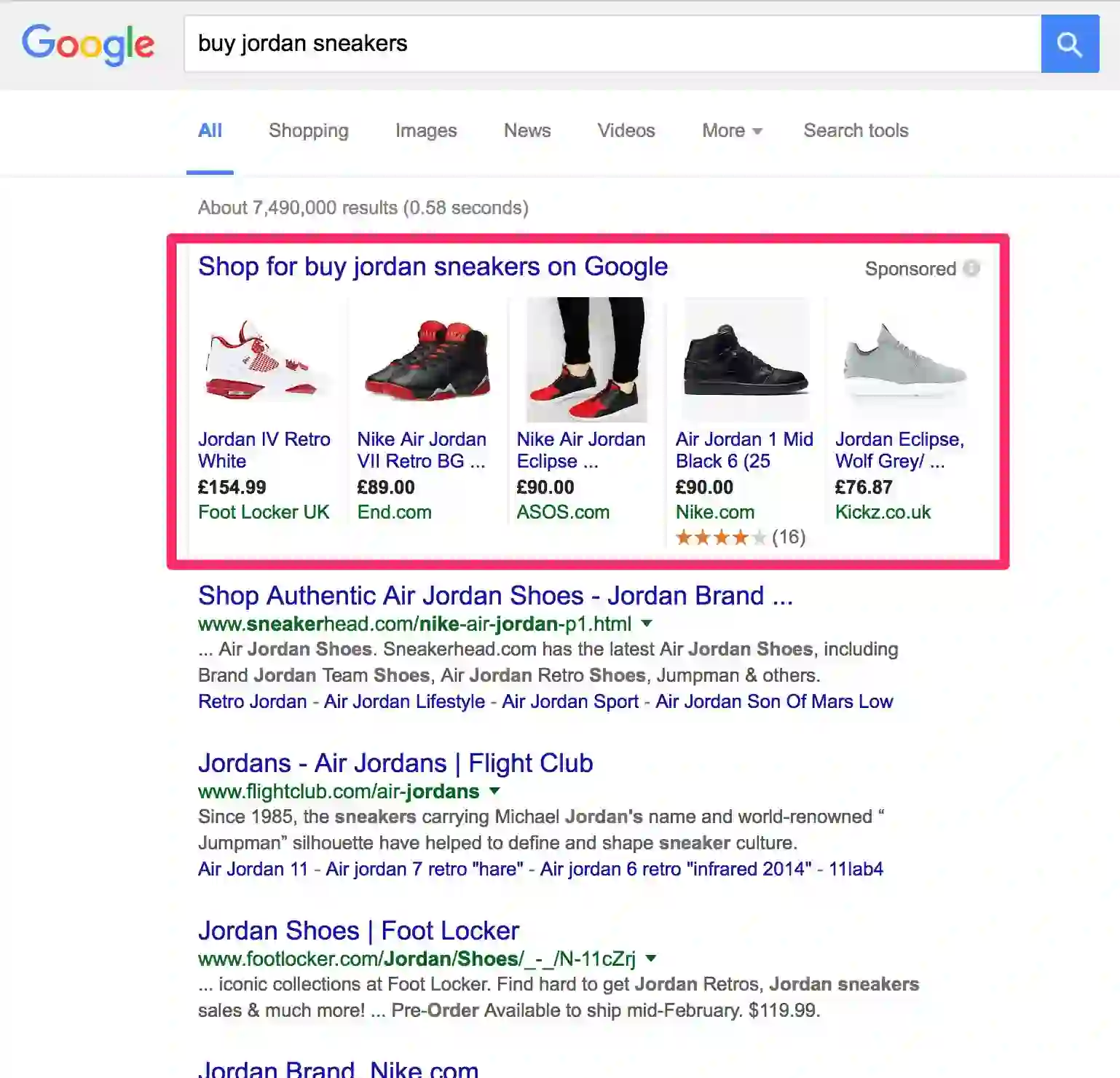
Google Shopping Ads, also called Product Listing Ads or PLAs, are paid product listings that appear at the very top of Google search results. Unlike a Google Search Ad (which is just text), Shopping ads are visual. They show a product image, title, price, and store name before the buyer even clicks. Google pulls this data from your Google Merchant Center product feed — not from keywords you manually pick. Google decides when your ad is relevant based on what's in that feed. These ads also appear on the Google Shopping tab, YouTube, and partner websites. For dropshippers, it's one of the most direct ways to reach buyers who are already in purchase mode.
How Do Google Shopping Ads Work?
Google Shopping Ads run through two connected platforms: Google Ads — where your campaigns live — and Google Merchant Center — where your product data lives. You're not picking keywords the way you do with PPC ads Google search campaigns. Instead, Google reads your product feed and matches your products to relevant buyer searches automatically.
When someone types in "non-slip yoga mat" or "portable phone charger," Google scans Merchant Center feeds and matches products to that query. If your data is accurate and your bid is competitive, your product shows at the top — image, price, store name all visible before the first click. It's essentially a Google Ads Marketplace for physical products where buyers compare listings side by side.
That means your Google shopping feed optimization work controls your Google Ads performance here — not your campaign settings. A vague title like "Yoga Mat Blue" loses to "Non-Slip Yoga Mat for Beginners — 6mm, Extra Wide, Blue." Google reads your feed the way a shopper would. The more specific your product data, the more often your ads match the right searches. Most real optimization happens in the feed, not in the campaign dashboard.
Types of Google Shopping Ads for Dropshippers
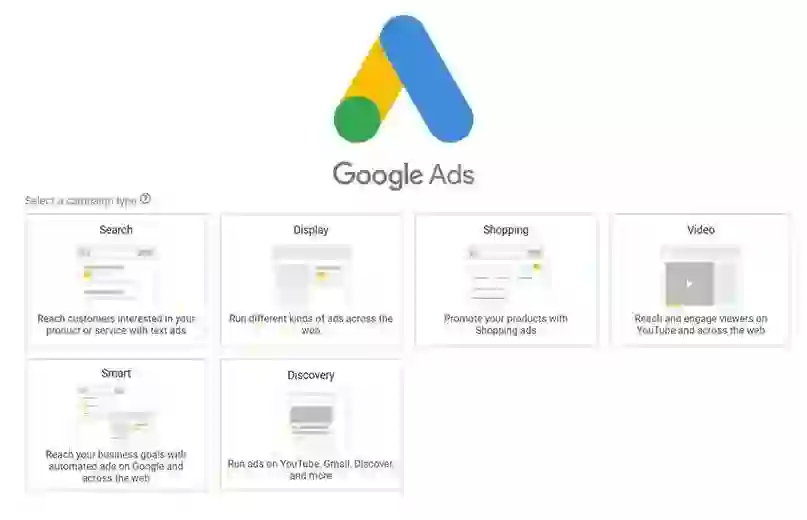
Not all Google Shopping Ads campaigns work the same way. Knowing which type fits your situation saves a lot of wasted budget.
1. Standard Shopping Campaigns
Standard Shopping is where most dropshippers should start. You control your bids, choose which products to advertise, set your daily budget, and can pause or adjust anything at any time. It runs on Google Search and the Shopping tab.
It's manual — but that's the point. You can see exactly which products are getting clicks, which are burning budget without results, and which ones actually convert. When you're still figuring out product-market fit, that visibility is more useful than automation.
2. Performance Max (PMax) Campaigns
Performance Max is Google's AI-driven campaign type. It shows your ads across Search, Shopping, YouTube, Gmail, Display, and Maps — all from one campaign. You provide your product feed plus creative assets (headlines, images, optionally video), and Google optimizes toward your conversion goal.
PMax works best once you have real conversion data behind you. Running it cold on a brand new account means Google has nothing to learn from. Start with Standard Shopping, collect 30–50 conversions, then test PMax on top-selling products.
3. Dynamic Remarketing Ads
Dynamic remarketing shows product ads specifically to people who visited your store but didn't buy. Google pulls from your feed automatically and follows past visitors across other websites they browse later.
Someone who viewed a kitchen gadget in your store sees that product again on a different website — with the image and current price. For dropshippers, this recovers traffic that would otherwise just disappear. Setup is inside Google Ads under Display campaigns with a remarketing objective.
Google Shopping Ads Vs Performance Max: What You Need to Know
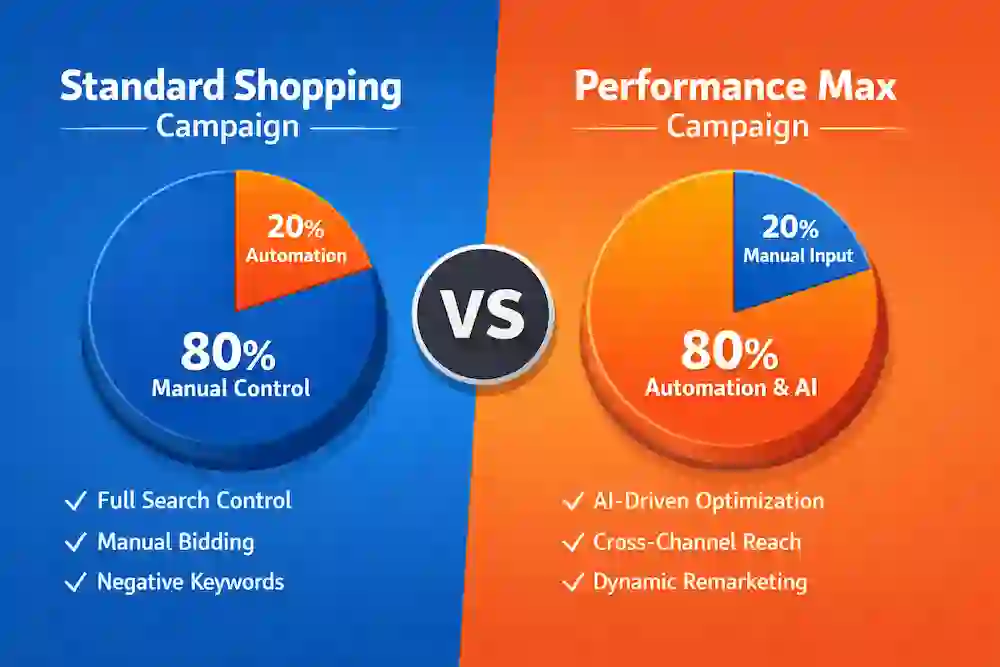
These two get confused constantly. Here's the quick breakdown of Google Shopping Ads vs Performance Max:
- Control: Standard Shopping = you manage bids, product groups, placements. PMax = mostly automated.
- Where ads show: Standard = Shopping tab + Search. PMax = every Google channel including YouTube, Gmail, Display.
- Search term transparency: Standard shows which queries triggered your ad. PMax is more of a black box.
- Creative needs: Standard only needs your product feed. PMax also needs headlines, descriptions, images.
- Negative keywords: Standard makes this easy. PMax has limited options.
- Best for testing: Standard Shopping — you can see what's working and cut what isn't.
- Best for scaling: PMax — but only after you have solid conversion data.
- Spend behavior: PMax spends aggressively. Start with a tighter daily budget when first testing it.
If you've only run Google Search Ad text campaigns before, Standard Shopping will feel very different, but the learning curve is short once you get the feed right.
Google Shopping Ads Examples for Dropshippers
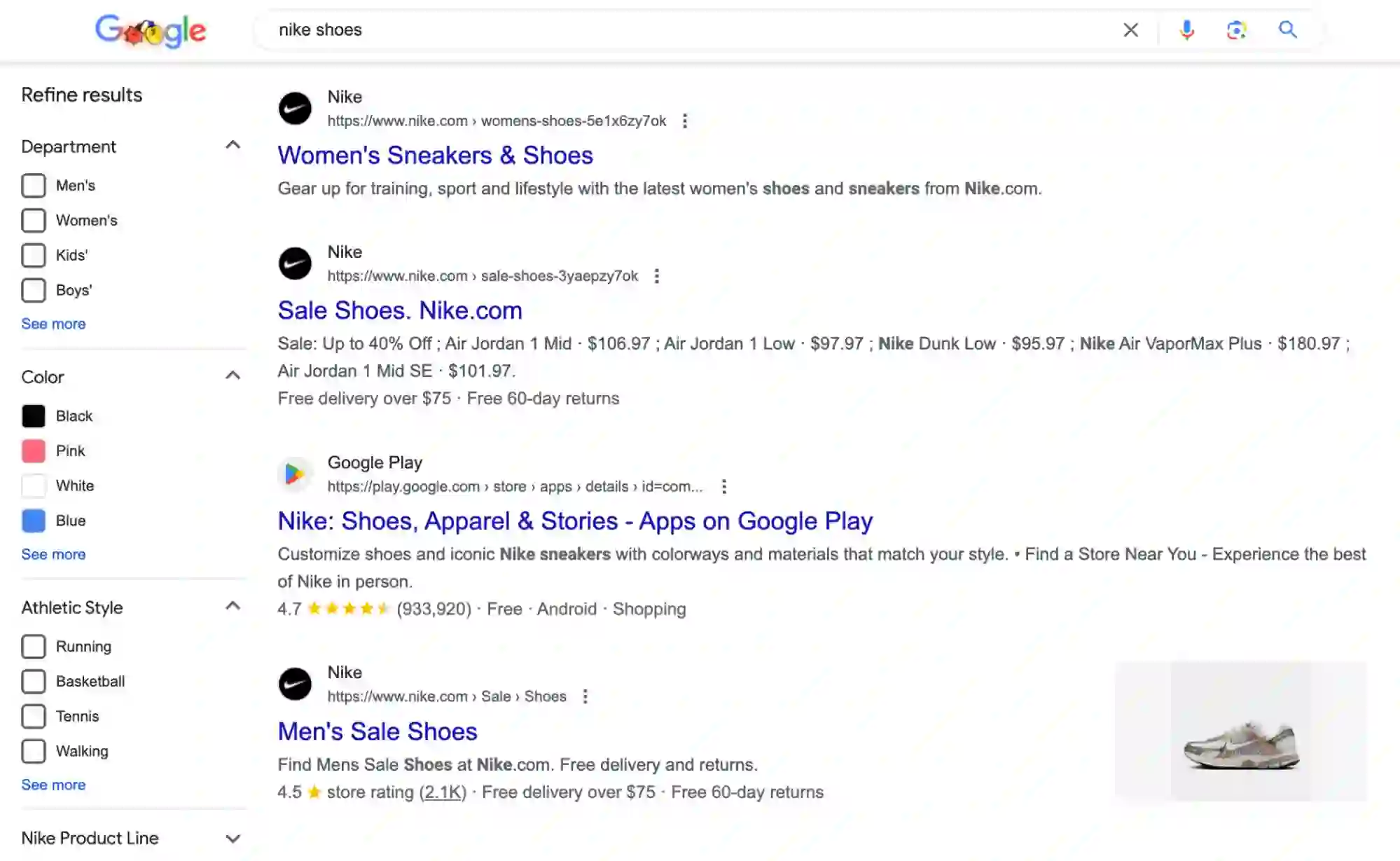
Now let’s see how Google shopping ads work in the real world. Here are a bunch of great Google shopping ads examples for dropshippers in 2026:
1. Fitness Accessories — Resistance Bands
A dropshipper sells resistance bands with the Shopping ad title: "Resistance Bands Set — 5 Levels, Heavy Duty Loop Bands for Home Workout, Non-Latex." Clean image, $18.99, free shipping. When someone searches "resistance bands home workout," that listing shows. The Google Shopping Ads list gets scanned in about two seconds — specificity in the title is what earns the click over a competitor with a vague "Exercise Bands" listing.
2. Home Decor — LED Moon Lamp
A home decor store runs a Shopping ad: "Moon Lamp — 16 Color Changing Night Light, USB Rechargeable, Remote + Touch Control, 6 Inch." The product image shows the lamp glowing in a dark room, not on a plain white background. The lifestyle image wins here because it shows the buyer exactly what they'll have in their bedroom, not just the object itself.
3. Kitchen Gadgets — Vegetable Chopper
A kitchen store lists: "Vegetable Chopper 13-in-1 — Mandoline Slicer, BPA-Free, Large Container Included." Someone searching "vegetable chopper with container" sees that exact phrase in the title. That alignment between what the buyer typed and what the title says is what drives the click — nothing complicated about it.
Google Shopping Ads Best Practices in 2026
There is no secret formula. Just things that consistently work across accounts. These Google Shopping Ads Best Practices mostly come down to doing the boring stuff without cutting corners.
- Product title is your keyword. Front-load: product type first, then key attribute, material, color, or size. Google weighs the first words more heavily.
- Images decide the first impression. High-res, clean background. Test lifestyle images on products where showing context helps buyers picture it.
- Add negative keywords immediately. After your first week, cut irrelevant queries from the search terms report: "free," "DIY," "how to make," "reddit," "near me" are common ones.
- Keep your feed current. Prices and availability change. Stale feed data = disapproved products or buyers landing on mismatched pages.
- Don't spread budget too thin. 100 products on $15/day means each gets almost nothing. Test 15–20 products with enough budget to actually collect data.
- Match Merchant Center settings to your store. Shipping times, return windows — any gap gets your Google Shopping Merchant account flagged.
- Use custom labels for margin-based bidding. High-margin and low-margin products shouldn't share a campaign or a max CPC.
- Check Google Ads performance weekly. Impressions, CTR, CPC, conversions per product. Cut what's bleeding, put more behind what's working.
- Don't run anything without conversion tracking. Without it, you're guessing — and guessing with ad spend rarely ends well.
How to Set Up Google Shopping Ads for Your Dropshipping Store?
Here's a practical Google Ads Shopping Campaign Set Up walkthrough: how to create Google shopping ads from scratch.
Step 1: Get Your Store Ready
Google manually reviews stores before allowing Shopping ads. If yours looks incomplete, you'll get suspended before any ad runs.
You need: a custom domain, a professional email and phone number in your footer, policy pages (shipping, returns, privacy, terms) written in your own words, 30–50+ products with written titles and descriptions, and zero broken links or placeholder text anywhere on the site.
Step 2: Create Your Google Merchant Center Account
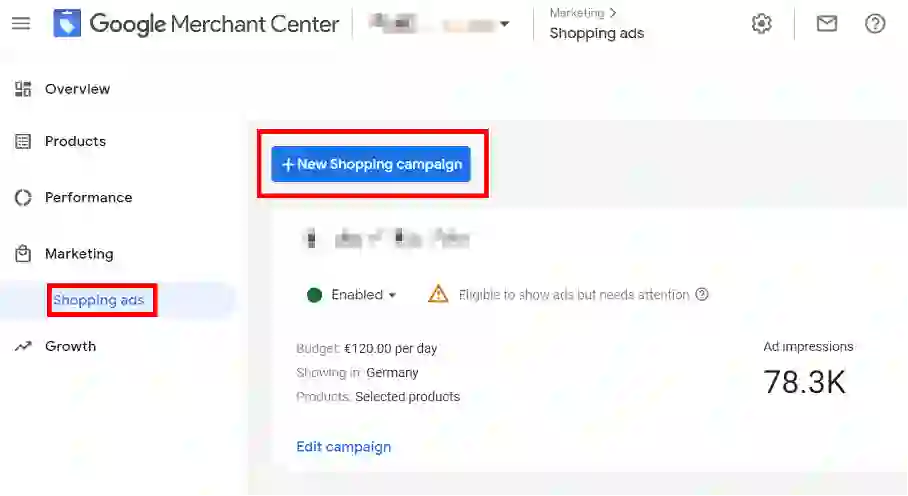
Go to Google Merchant Center and set up your Google Shopping Merchant profile. Add your business address and configure your shipping settings — handling times, transit times, free vs. paid shipping — exactly as they appear on your store. Any discrepancy can suspend your account.
Step 3: Find Products Worth Advertising
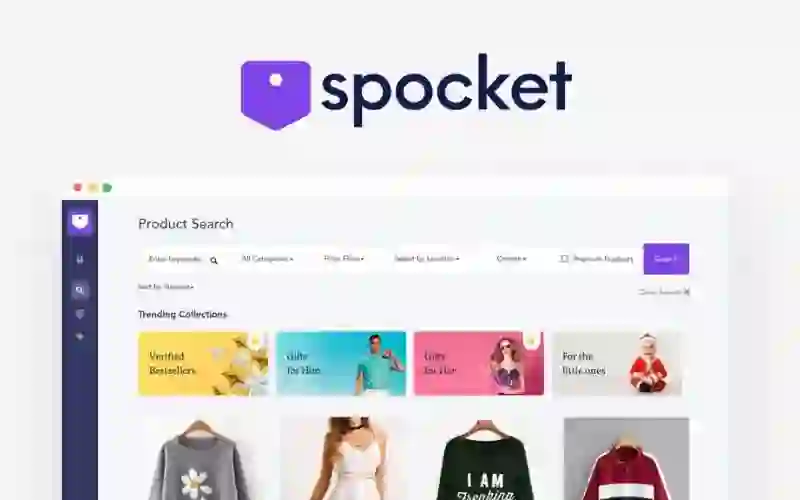
This step gets skipped constantly — and it costs people real money. Not every product in your catalog deserves a Google Shopping Ads budget. Make sure what you're picking has actual search demand before you spend.
Spocket's trending dropshipping products for Google ad listings is worth checking before you decide what to advertise. It shows what's actually moving across categories — so you're starting with market evidence, not guesswork. Beyond product selection, Spocket's mostly US/EU suppliers mean faster shipping. That matters because slow fulfillment pushes return rates up, which hurts your Shopping ads conversion data over time.
Step 4: Connect Your Store to Merchant Center
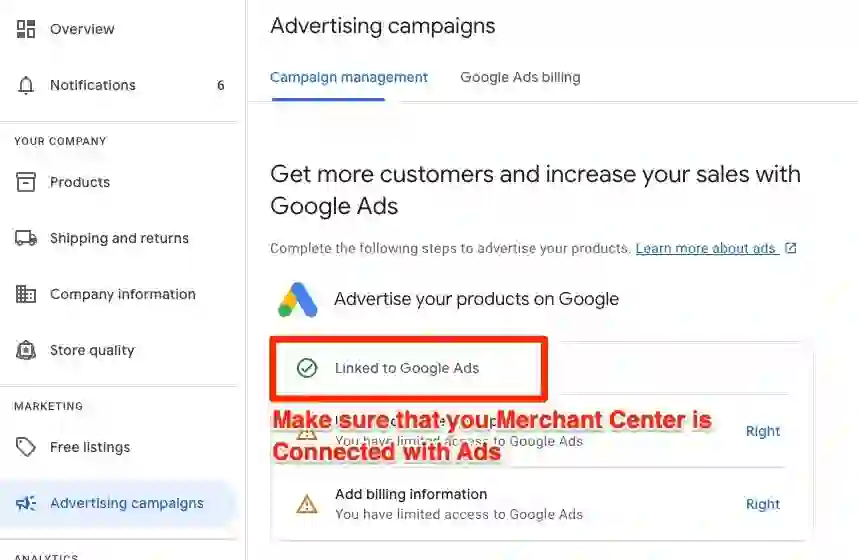
On Shopify, the Google & YouTube app handles the basic sync. For more control over your feed — bulk editing, custom rules, better error handling — Simprosys Google Shopping Feed is the go-to Google Shopping Ads app, starting around $5/month. Product titles, images, prices, and variants sync automatically.
Step 5: Get Your GTINs Sorted
Google expects every product variant to have a GTIN (Global Trade Item Number). Without them, products often get disapproved. Export your Shopify product list as a CSV, count your total variants, then buy and assign GTINs in bulk. Search for GTIN apps in the Shopify App Store — several let you assign thousands of codes at once.
Step 6: Set Up Conversion Tracking
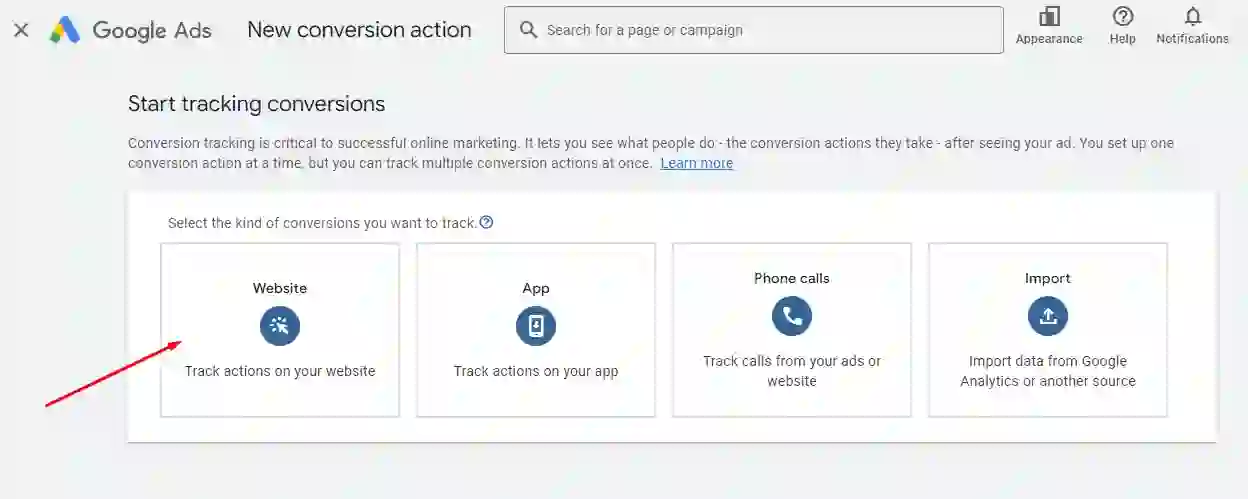
Don't launch without this. In Google Ads, create a Purchase conversion action and install the tracking tag on your order confirmation page (Additional Scripts in Shopify checkout settings). If you're using Simprosys, the Google Ads app install process handles conversion tracking setup. Confirm it's active under Goals > Conversions before spending anything.
Step 7: Launch Your First Campaign
In Google Ads: New Campaign → Sales → Shopping → select your Merchant Center → Standard Shopping → set daily budget ($15–$30/day minimum) → Manual CPC bidding.
Starting CPC math: if your store converts at 2% and your profit is $25/sale, you can afford max $0.50/click to break even. Set it a bit higher ($0.75–$1.00) to actually get impressions early, then tighten as data comes in.
How to Optimize Google Shopping Ads for Dropshipping in 2026?
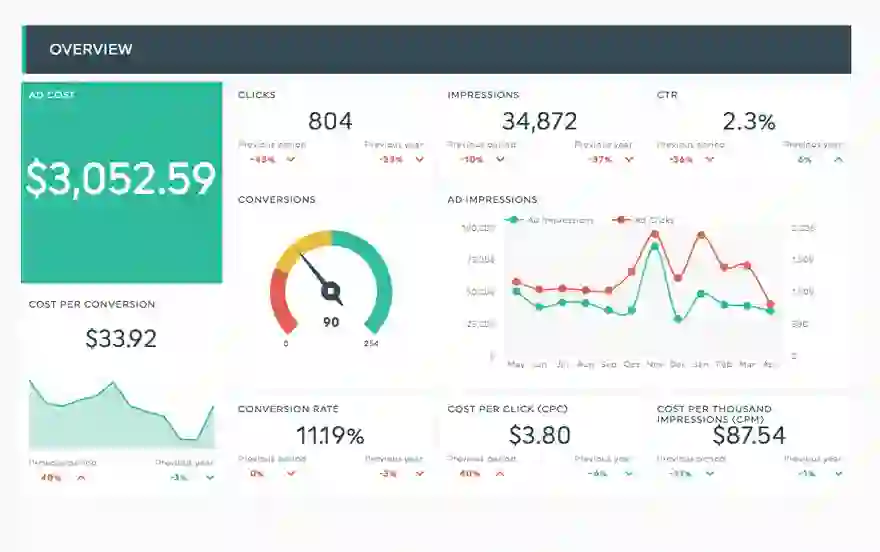
Getting the campaign live is step one. Here's how to optimize Google shopping ads so they actually become profitable over time.
1. Fix the Feed Before Touching Bids
Most people jump straight to bid adjustments. Wrong order. Open the Merchant Center, go to "Needs Attention," and fix disapproved or limited products first. Then edit titles — include product type, key feature, material, size. Descriptive and specific, not stuffed.
2. Add Negative Keywords Weekly
Check your search terms report in Google Ads (Reports > Search Terms). Find irrelevant queries, add them as negatives at the campaign level. Common ones to start with: "free," "DIY," "how to," "near me," "reddit," "review." This is ongoing — new irrelevant queries show up every week.
3. Adjust Bids by Device, Time, and Location
After 3–4 weeks of data, segment your campaigns. If mobile converts at half the rate of desktop, drop mobile bid modifiers. If Sundays never produce sales, set a bid decrease for Sundays. If one state is eating budget with no conversions, exclude it or reduce bids by 50%. All of this is under campaign settings in Google Ads.
4. Use Custom Labels to Bid by Margin
Tag products in Merchant Center with custom labels: "high-margin," "low-margin," "bestseller," "seasonal." In Google Ads, create separate product groups by label and set different max CPCs. A $60-margin product can absorb a $1.00 CPC. A $10-margin product can't. Stop treating them the same.
5. Watch ROAS, Not Just Spend
Figure out your target ROAS based on actual numbers — cost of goods + shipping + transaction fees + ad spend. Measure every product group against it. Google Ads performance means nothing if the revenue it produces doesn't cover your costs.
Best Google Shopping Ad Strategies for 2026
What's working right now for Google shopping ads for dropshippers:
1. Focus Budget on Fewer Products
Don't spread $20/day across 150 products. Pick 15–20 candidates and fund them. You need 50–100 clicks on a single product to know if it converts — that's not possible at $0.10/product/day.
2. Separate Campaigns by Margin
High-margin and low-margin products shouldn't share a campaign. On a $50-profit product, you can afford $1.00/click. On a $10-profit product, maybe $0.30. Separate them and set CPCs accordingly.
3. Layer Remarketing Audiences
Add remarketing lists (RLSAs) to your Standard Shopping campaigns in Google Ads under Audiences. When a past visitor searches again, bid 20–30% more for them. They already know your store — purchase intent is much higher than with cold traffic.
4. Get Product Star Ratings on Your Ads
Shopping ads with product ratings get better click-through rates. To get ratings showing, complete Google's product ratings interest form and connect a compatible review platform — Yotpo or Google Customer Reviews both work. Approval takes a few weeks, so start the process early.
5. Test PMax Only After You Have Data
Once a product is consistently converting in Standard Shopping, test it in Performance Max with a separate budget. Give it 4–6 weeks minimum. Don't judge PMax in isolation — look at total account ROAS before and after. If you want to go deeper on any of this, the Google Ads shopping certification on Skillshop is free and actually covers the full picture from feed to bidding.
Conclusion
Google Shopping Ads take more setup than most paid channels. But for dropshippers who do it right, they're one of the most consistent long-term sources of buyer traffic — because you're showing up when someone is already searching to purchase, not interrupting them mid-scroll.
Start with Standard Shopping. Pick products with real demand, you can use Spocket to shortlist candidates with market proof. Optimize your feed before you obsess over bids. Add negative keywords early. Learn from the data weekly.
Knowing how to set up Google shopping ads is the starting point. Knowing how to optimize Google shopping ads month after month, and having the patience to do it is what makes the difference.
Start your dropshipping business today
Google Shopping Ads for Dropshippers: Setup and Optimization Guide FAQs
How do you master product listings and feeds with Google Shopping Ads?
Feed quality is everything. Write specific product titles — lead with product type, then key attributes like material, size, color. Fill in every optional Merchant Center attribute: GTIN, gender, age group. Use a feed tool like Simprosys or DataFeedWatch for bulk updates. Check "Needs Attention" in Merchant Center at least once a week — don't let products sit rejected without fixing them.
How do I advertise on Google Shopping?
You need Google Ads and Google Merchant Center. Connect your product feed to Merchant Center (via Shopify app or direct upload), link both accounts, set up conversion tracking, then create a Standard Shopping campaign. Set a daily budget, Manual CPC, pick your products, and publish. Give it 24–48 hours before reading the data.
How much do Google Shopping Ads cost in USD?
CPC typically runs $0.46–$1.20 depending on your niche and competition. High-demand categories like electronics or fashion can push $3–$5+ per click. No minimum spend — you set your own daily budget and max CPC. Most dropshippers testing products start at $15–$30/day. If you're getting clicks but no conversions, the issue is almost always the product page, not the ad.
What is the best-performing Google Shopping Ads format?
There's no single best "commercial" — Shopping ads are product listings, not traditional video ads. What consistently outperforms: specific product title + competitive price + clean high-res image + free shipping. Adding product star ratings when you can takes it further. Free shipping alone raises CTR noticeably compared to listings that show a shipping cost.
What tools can you use to create and manage Google Shopping Ads?
Feed management: Simprosys Google Shopping Feed, DataFeedWatch, or the Google & YouTube Shopify app. GTIN assignment: search "GTIN" in the Shopify App Store. Product research before running ads: Spocket trending products. Campaign management: Google Ads. Certification: Google Skillshop has a free Google Ads shopping certification course worth doing.
What's the difference between Google Shopping Ads vs. Search Ads?
Search ads are keyword-based text ads you write and manage manually. Shopping ads are visual product listings powered by your Merchant Center feed — no manual keyword bidding. Shopping ads also show above text ads in most product searches and display price and image upfront, making them more relevant for buyers who know what they want.


Launch your dropshipping business now!
Start free trial.avif)


Related blogs
Dropshipping Supplier Directory: Where to Find Vetted Suppliers
Browse our directory of vetted dropshipping suppliers across the US and EU, complete with niches, shipping speed, and pricing. Start your free trial today.

How to Negotiate With Dropshipping Suppliers: 9 Tactics That Actually Work
Learn how to negotiate with dropshipping suppliers on price, MOQs, and payment terms. Proven tactics and email scripts to boost your margins. Try Spocket free.

Best Clothing Dropshipping Suppliers: The 2026 Guide
Compare the best clothing dropshipping suppliers for 2026 — US/EU shipping speeds, pricing, and product quality — and find the right fit to launch your store.
