


AutoShorts.ai Review: Can It Grow Your Shorts Channel?
AutoShorts.ai Review: Learn if this AI video generator can grow your YouTube Shorts channel. See real results, pricing, features & user experiences.


AutoShorts.ai has become one of the most talked-about AI video generators for creators wanting to automate their short-form content. If you're looking to grow a YouTube Shorts channel without spending hours on video editing or appearing on camera, AutoShorts.ai promises to handle the heavy lifting for you. The platform generates faceless videos, creates scripts, adds voiceovers, and schedules posts automatically to your YouTube channel. But does it actually deliver results? This AutoShorts.ai review breaks down what the tool can and can't do, helping you decide if it's worth your investment for growing a shorts channel.
What is AutoShorts.ai?
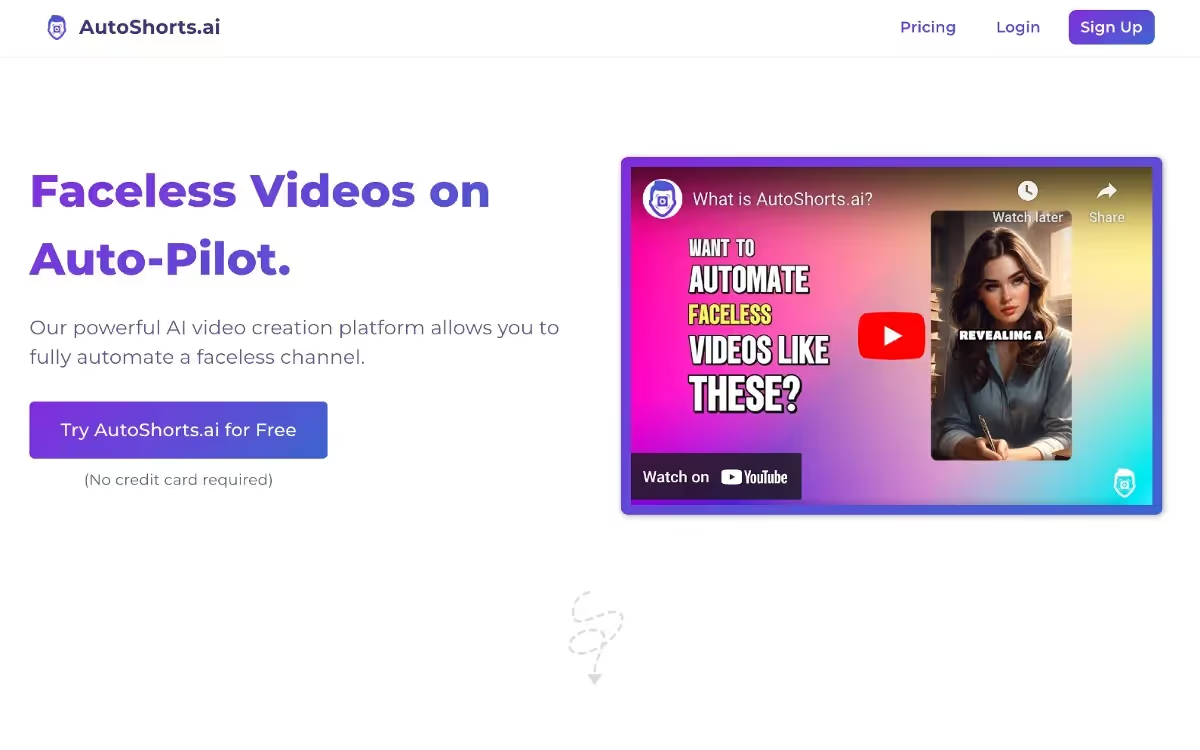
AutoShorts.ai is an AI-powered video creation platform designed to automate the production of short-form videos for platforms like YouTube Shorts, TikTok, and Instagram Reels. Instead of manually editing videos or hiring videographers, AutoShorts.ai handles content generation from start to finish.
The core function is straightforward: you select a topic or niche, and the AI generates a script, creates matching visuals, adds a voiceover, and automatically posts the video to your connected social accounts. What makes AutoShorts.ai popular is that it removes the need to appear on camera while still maintaining a consistent posting schedule.
Think of it as outsourcing your entire video production to an AI system. You don't need filming equipment, editing software, or technical video skills. AutoShorts.ai creates the videos and schedules them without you needing to touch anything after setup.
AutoShorts.ai Pricing
AutoShorts.ai offers multiple tiers to fit different content strategies. Here's how the pricing breaks down:
Free Plan
The free plan gives you access to create one sample video to test the platform. This is useful if you want to see how AutoShorts.ai works before committing money. However, it won't give you posting capabilities or the full feature set.
Starter Plan ($19/Month)
The Starter Plan allows you to post up to three videos per week. This is the entry-level paid option for creators just starting with AutoShorts.ai. At this price point, you're paying roughly $6 per weekly video post, which is affordable for testing the waters.
Daily Plan ($39/Month)
With the Daily Plan, you can post one video every day. This is the sweet spot for many content creators who want consistent daily content without excessive costs. At $39 monthly, you're looking at roughly $1.30 per daily post, making it a solid value if your videos generate engagement.
Hardcore Plan ($69/Month)
The Hardcore Plan supports posting up to twice per day. This is designed for serious content creators running multiple series or channels. You get maximum posting frequency but the same features as other tiers—only the posting limits change.
All paid plans on AutoShorts.ai include the same core features: script generation, AI visuals, voice cloning, and automatic posting. The difference is simply how often you can publish. Unlike many competitors, AutoShorts.ai does not offer a yearly subscription option—only monthly billing is available.
Key Features of AutoShorts.ai
Here are the key features of AutoShorts.ai that you should know about:
Automated Series Creation
AutoShorts.ai uses a "series" system where you set up parameters once, and the AI continuously generates new videos on that topic. This set-it-and-forget-it approach means you can let AutoShorts.ai create and publish content while you handle other business tasks. You simply choose a category, pick a narration style, and the platform does the rest.
Script and Scene Generation
The AI generates original scripts based on your selected topic or custom prompts. It then pairs those scripts with AI-generated visuals that match the narrative. The visuals stay consistent within a series, so viewers see the same character and environment across videos.
Voice Cloning and ElevenLabs Integration
AutoShorts.ai integrates ElevenLabs' hyper-realistic AI voices. You can either choose from preset voice options or upload a 60-second audio sample of your own voice, and the AI clones it. This gives your videos a personal touch without needing to record voiceovers manually.
Automatic Posting to Multiple Platforms
Once your videos are created, AutoShorts.ai connects directly to your YouTube, TikTok, and Instagram accounts. Videos are automatically scheduled and published according to your posting cadence. You can also choose to have videos sent to your email instead if you want to review before posting.
Customization Before Publishing
Before a video goes live, you can edit the title, description, script, background music, and visuals. This flexibility helps you align videos with your brand or fix any AI-generated content that doesn't quite fit your vision.
Multi-Language Support
AutoShorts.ai generates content and voiceovers in multiple languages. This opens doors to reaching international audiences without creating separate content for each market.
Analytics Tracking
The platform includes an analytics dashboard so you can track views, engagement, and subscriber growth across your videos. This helps you understand which topics resonate with audiences and adjust your strategy.
Popular YouTube Channels Using AutoShorts.ai
Several types of channels have found success with AutoShorts.ai:
Story-Based Channels: Scary stories, crime narratives, and mystery content perform well because the AI-generated visuals work naturally with narrative-driven scripts. Channels posting spooky or suspenseful content have reported decent engagement rates.
Motivational and Self-Help Content: Motivational quotes, productivity tips, and personal development videos align well with AutoShorts.ai's capabilities. These niches don't require extreme accuracy, making them ideal for AI generation.
Informational Niches: Educational content about history, facts, and general knowledge videos have been created using AutoShorts.ai. Some channels focusing on historical events or trivia have built audiences using the tool.
Tech and Automation Content: Given that AutoShorts.ai works best with automation-focused topics, channels discussing productivity hacks, software reviews, and tech tips have leveraged the platform.
However, it's worth noting that pure view counts vary dramatically. Many creators report videos receiving 0-3 views, while others have generated thousands. Success depends heavily on your niche selection, posting consistency, and whether YouTube's algorithm favors your content.
Is AutoShorts.ai Good for Making Faceless and Viral Videos?
AutoShorts.ai is specifically built for faceless video creation, but whether it produces viral content is more complicated.
The platform excels at removing the human element from video production. You don't appear on camera, you don't record audio, and you don't spend hours editing. The automation part of AutoShorts.ai works exceptionally well—videos are generated quickly and posted on schedule. However, generating views and engagement is a different challenge entirely.
Here are the real-world outcomes:
- Video quality is consistent: The visuals generated by AutoShorts.ai are coherent and professional-looking. Characters stay consistent within a series, and scenes match the narrative content reasonably well.
- Most videos get minimal views initially: Many users report their AutoShorts.ai-generated videos receiving 0-3 views in the first few days. Success isn't automatic just because the AI created the content.
- Content accuracy matters more than automation: If you're in niches like mental health, finance, or technical topics, AI-generated scripts often contain inaccurate information. You'll spend time fact-checking and editing, which defeats the automation advantage.
- Niche selection is critical: Broad topics or saturated niches struggle on AutoShorts.ai. Specific, underserved niches with lower competition tend to perform better.
- The algorithm doesn't care who made the video: YouTube's algorithm rewards watch time, engagement, and click-through rates—not whether a human or AI created the content. A well-optimized AutoShorts.ai video can rank as well as manually created content if it appeals to viewers.
Is AutoShorts.ai Safe?
Safety concerns around AutoShorts.ai generally fall into two categories: account safety and content safety.
Account Security: AutoShorts.ai requires you to link your YouTube, TikTok, or Instagram accounts. The platform needs authentication to post on your behalf. As long as you use strong passwords and enable two-factor authentication on your social accounts, the direct account linking is as safe as any other third-party tool integration.
Copyright and Content Safety: The AI-generated visuals and music used by AutoShorts.ai are royalty-free or licensed. You won't face copyright strikes for using the generated content. However, you're responsible for the scripts and information within videos. If AutoShorts.ai generates factually incorrect information (which happens), and you publish it, you're liable.
Platform Policy Compliance: Publishing AI-generated videos is allowed on YouTube, TikTok, and Instagram. There's no rule against using AutoShorts.ai. However, misleading content or repetitive low-quality uploads could trigger platform warnings.
The biggest safety risk is reputational. Publishing dozens of zero-view videos or inaccurate content damages your channel's credibility. The platform itself is secure, but how you use it determines whether it's safe for your brand.
What Else You Should Know About AutoShorts.ai
Beyond the basics, several factors influence whether AutoShorts.ai works for your situation.
- Limited video length options: AutoShorts.ai only creates videos in two formats: 30-60 seconds or 60-90 seconds. There's no option to generate 15-second content or longer videos. If you need exact timing, you'll need external tools like CapCut to adjust speed and length.
- One series per subscription tier: Each plan allows you to run one active series at a time. If you want to create multiple content types or test different niches, you need separate subscriptions or must delete and recreate series frequently.
- Customer support response times vary: Support is available, but response times can be slow depending on your plan tier. Higher-paying customers don't always receive prioritized responses.
- Content customization is basic: While you can edit titles, descriptions, and scripts, you can't swap out AI-generated images for your own stock footage. If an image doesn't work, you regenerate it using the same AI model—you can't upload custom visuals.
- Best for automation-focused content: AutoShorts.ai works best with content about productivity, automation, business efficiency, and productivity hacks. General entertainment or highly creative niches are harder to optimize on the platform.
- Requires consistent testing: Success with AutoShorts.ai isn't plug-and-play. You'll need to test different topics, scripts, and posting schedules to find what resonates with your audience. Plan on running experiments over 2-4 weeks before seeing clear patterns.
Popular Topics You Can Make Videos on with AutoShorts.ai
Certain content categories perform better on AutoShorts.ai than others. According to user reviews and experiences, the following niches have seen moderate to good results:
- Scary Stories: Users consistently report that horror and scary story videos perform well. The AI-generated visuals work naturally with spooky narratives, creating a cohesive viewing experience.
- Motivational Content: Inspirational quotes, personal development tips, and life advice videos align with AutoShorts.ai's strengths. These topics don't require hyper-accuracy, and audiences tend to engage with motivational shorts.
- Productivity and Tech Tips: How-to content about productivity software, automation tools, and tech workflows matches the platform's focus. Channels posting about time-saving hacks have built reasonable audiences.
- True Crime and Mystery: Crime story content, unsolved mysteries, and detective-style narratives perform well because the narrative structure pairs naturally with AI-generated scenes.
- Informational Content: General knowledge videos, historical facts, and educational shorts work when accuracy isn't critical. Audiences watching these formats are often less sensitive to minor inaccuracies.
Is Autoshorts.ai Worth It?
Well, it depends. But here are some things that can make it worth it. Here’s what we mean by that:
- Time Investment: With AutoShorts.ai, you spend 5-10 minutes setting up a series, then the tool handles everything. Manual video creation requires scripting, filming, editing, adding effects, and uploading—often 1-3 hours per video. The time savings are genuine.
- Cost: AutoShorts.ai costs $19-69 monthly. Manual video creation requires investing in editing software (Premiere Pro: $55/month), stock footage subscriptions, voiceover talent, or your own recording equipment. AutoShorts.ai is cheaper upfront.
- Quality and Customization: Manually created videos give you complete creative control. AutoShorts.ai provides basic customization. If you need specific visuals, exact messaging, or branded elements, manual creation wins.
- Consistency: AutoShorts.ai ensures consistent posting schedules. Manual creation often leads to inconsistent uploads because editing is time-intensive. AutoShorts.ai wins for consistent audience engagement.
- Scalability: AutoShorts.ai lets you scale to 60+ videos per month with the Hardcore plan. Manual creation at that scale requires a team.
How to Use AutoShorts.ai: Step-by-Step
Here is how you can get started with using AutoShorts.ai for YouTube shorts:
- Step 1: Create an Account and Link Your Channel Sign up at AutoShorts.ai and connect your YouTube account. The platform will request permission to post on your behalf. Grant access and your account is linked.
- Step 2: Create a Series Click "Create Series" and select your destination (YouTube, TikTok, Instagram). Choose a topic from their preset options (scary stories, motivational quotes, etc.) or write a custom prompt if you want a specific focus.
- Step 3: Select Narration Style Choose an AI voice from ElevenLabs' options or clone your own voice. Decide on art style and video duration (30-60 or 60-90 seconds).
- Step 4: Review the Generated Video AutoShorts.ai creates a sample video. Review the script, visuals, and overall quality. If it doesn't work, regenerate until you get something suitable.
- Step 5: Customize and Schedule Edit the title, description, script, and background music if needed. Set your posting schedule (how often videos should post) and choose whether content is public or unlisted.
- Step 6: Publish Once satisfied, the tool automatically creates and publishes videos on your set schedule. You can monitor performance through the built-in analytics dashboard.
Customer Testimonials and Reviews
User experiences with AutoShorts.ai have been mixed but generally positive for specific use cases.
One user noted: They wrote "Generates original content rather than just rehashed material" and praised the "voice cloning feature is quite remarkable and sounds authentic." However, they also mentioned the limitation of "Only allows one video series at a time, even on paid subscriptions."
On practical results, another creator reported in their feedback: "It automatically schedules and uploads videos to YouTube and TikTok, which saves a significant amount of time" and "The AI generates unique visuals for each video." The same user noted a downside: "Most of the auto-generated videos received minimal views, typically in the range of 0-3."
Trustpilot and Community Feedback
AutoShorts.ai doesn't have a dedicated Trustpilot page, but discussions on Reddit's marketing communities reveal mixed sentiment. Users praise the automation and ease of use but express frustration with view counts and the limitation of one active series per plan.
Community consensus: AutoShorts.ai works best as a time-saving tool, not as a guaranteed view-generation machine. Success requires testing, niche selection, and strategic content planning.
Should You Use AutoShorts.ai?
Use AutoShorts.ai if:
- You want to automate your shorts posting schedule without manual uploads.
- You're comfortable with faceless video content and don't need to appear on camera.
- You're in a niche where accuracy isn't critical (motivation, stories, entertainment).
- You have limited time for video editing and want to focus on strategy instead.
- You're willing to test multiple topics to find what works.
Skip AutoShorts.ai if:
- You need 100% control over video content and visuals.
- Your niche requires high accuracy (medical, financial, legal advice).
- You want guaranteed viral results or rapid subscriber growth.
- You need custom video lengths or multiple active series simultaneously.
- You prefer manual creation to maintain complete brand control.
AutoShorts.ai is a legitimate time-saving tool that delivers on automation. What it doesn't promise is viral success. Views and growth depend on your niche, content strategy, and audience fit—the same factors that determine success for any YouTube channel. The real value is in freeing your time so you can focus on testing and optimization rather than video editing.
Conclusion
AutoShorts.ai delivers a genuine automation solution for creators wanting to build faceless video channels without investing hours in editing or equipment. The platform successfully handles script generation, visual creation, voiceover production, and automatic posting—exactly what it promises. For creators in niches like motivation, stories, or entertainment who want consistent content output, AutoShorts.ai provides real value.
The future of content marketing and creation depends on using high-quality AI video generators. AutoShorts is a great option in that regard when it comes to creating YouTube shorts. You can also make brand video reels with it and play around a bit.
Start your dropshipping business today
Autoshorts.ai Review FAQs
Can AutoShorts.ai create viral YouTube Shorts?
AutoShorts.ai creates faceless videos and handles posting, but viral success depends on niche, audience interest, and content relevance—not the tool itself. Many users report 0-3 views per video, while others have built steady audiences. The platform automates creation but doesn't guarantee views.
What's the cheapest way to use AutoShorts.ai for daily posting?
The Daily Plan at $39/month enables one video post per day. If you need twice-daily posting, the Hardcore Plan costs $69/month. There's no yearly discount, only monthly billing. Test with the Starter Plan ($19/month, three posts weekly) before committing to daily posting.
Does AutoShorts.ai include copyright-free music and images?
Yes, all background music and AI-generated visuals included with AutoShorts.ai are royalty-free or licensed. You won't face copyright strikes from the platform's content. However, you're responsible for ensuring any custom scripts or information you add complies with platform policies.
How many videos can AutoShorts.ai create per month?
With the Hardcore Plan posting twice daily, you can generate up to 60 videos monthly. However, each plan allows only one active series, so you must delete and recreate series to test different niches, limiting practical output if you want multiple content types.


Launch your dropshipping business now!
Start free trial.avif)


Related blogs
From Hobbyist to Full-Time Founder: Stories of Everyday Entrepreneurs
Discover real dropshipper stories and proven steps to transform a side hustle into a full-time business with strong profits, smart planning, and lasting growth.


How to Become an Entrepreneur
Learn how to become an entrepreneur with this step-by-step guide. Discover key skills, business planning, funding options, and tips for success.


Earn Up to 3 Hours Offline with Hamster Kombat
Learn how to earn passive income in Hamster Kombat, even while offline. Discover expert strategies, tips, and tricks to boost your earnings effectively.
